
Soundstorm for Nanoleaf is an entertainment app designed to enhance your party experience by synchronizing Nanoleaf devices with music. This innovative application allows users to create dynamic light shows that pulse and flash in sync with their favorite songs, making it perfect for parties or immersive listening sessions.
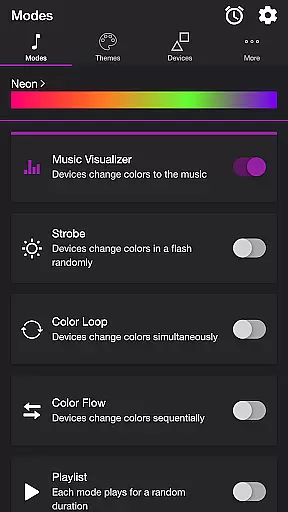
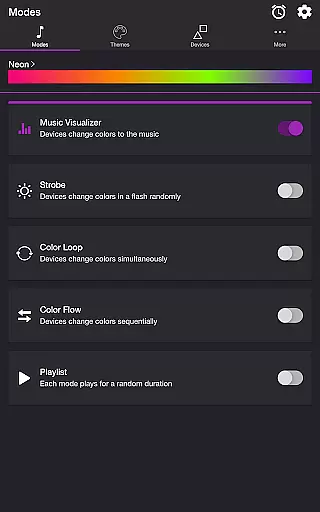
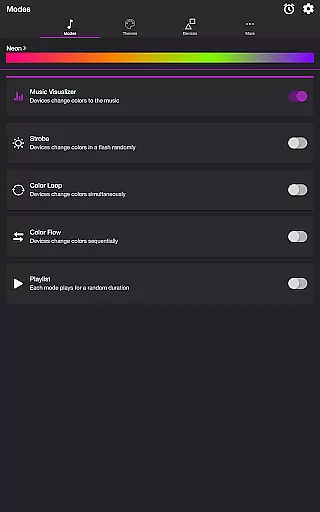
The app offers multiple modes including Music Visualizer, Strobe, Color Loop, Color Flow, and Playlist. Each mode uses customizable themes and settings, giving users complete control over how their Nanoleaf devices react to sound. Whether you want a vibrant strobe effect or a smooth color transition, Soundstorm for Nanoleaf delivers a tailored experience that enhances any musical moment.
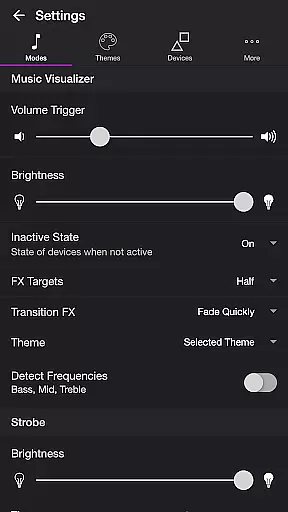
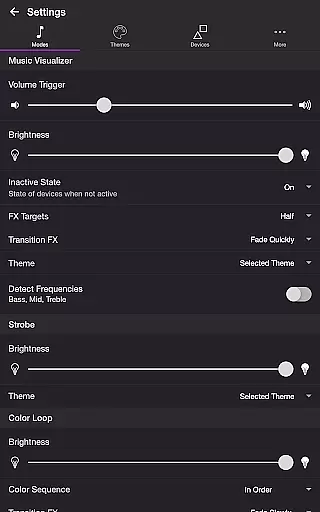
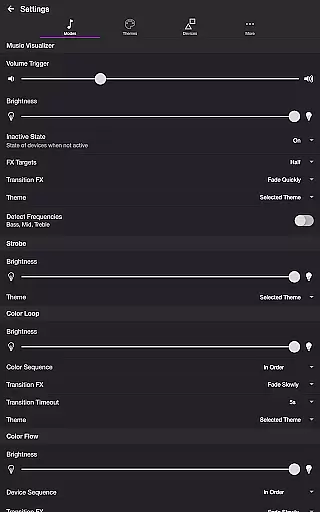
Soundstorm for Nanoleaf stands out with its diverse range of features designed to maximize user customization. The Music Visualizer mode listens to ambient sounds through the device's microphone and translates them into stunning light effects. Users can fine-tune settings such as volume triggers, brightness levels, and transition effects like Pulse or Fade Slowly.
In addition to Music Visualizer, the app includes several other modes. Strobe creates random flashes of color, while Color Loop and Color Flow offer synchronized or sequential color changes across devices. The Playlist mode cycles through these effects randomly. Each mode supports custom themes, frequency detection (Bass, Mid, Treble), and advanced options for brightness, transitions, and durations.
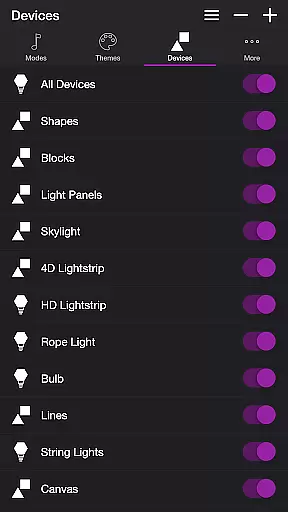
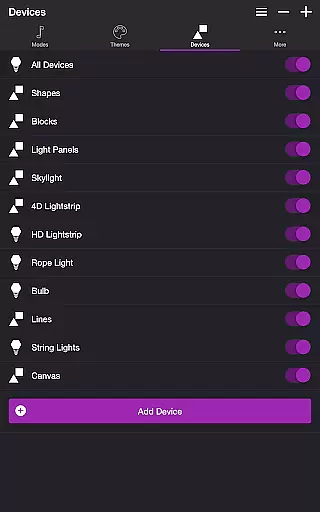
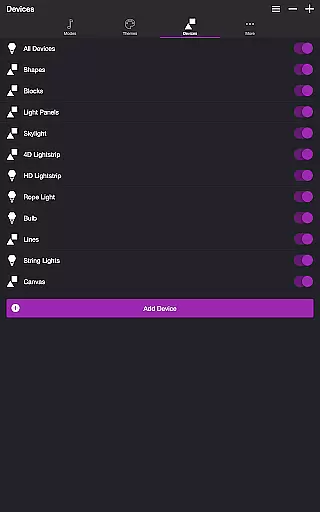
Device management is equally robust, allowing users to add and toggle specific Nanoleaf devices. Additional features include a Sleep Timer and extensive settings for reordering colors, adjusting durations, and selecting default modes. These capabilities ensure that every user can craft a personalized light show that perfectly matches their mood or event.
Soundstorm for Nanoleaf offers a diverse range of content through its multiple modes and themes, ensuring users have a fresh experience with every use. The app includes several unique modes such as Music Visualizer, Strobe, Color Loop, Color Flow, and Playlist, each providing a distinct way to interact with Nanoleaf devices.
Each mode is customizable, allowing users to tailor their experience by adjusting settings like brightness, transition effects, and color sequences. This flexibility ensures that the content remains engaging and dynamic, adapting to different moods and occasions.
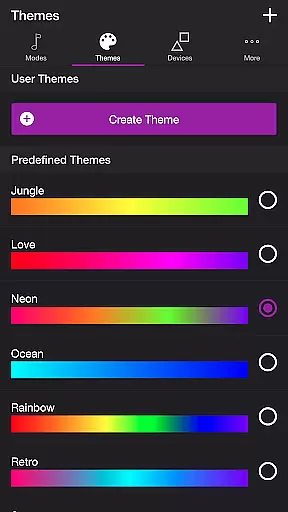
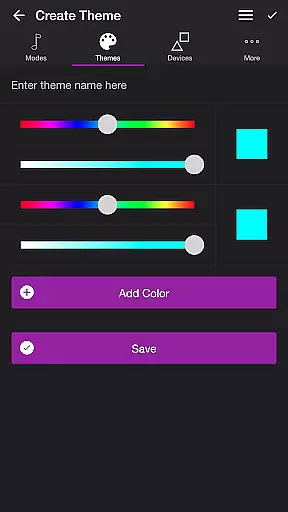
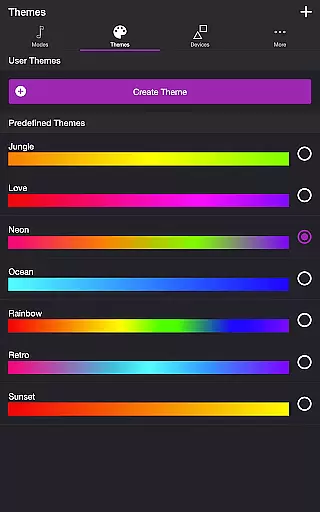
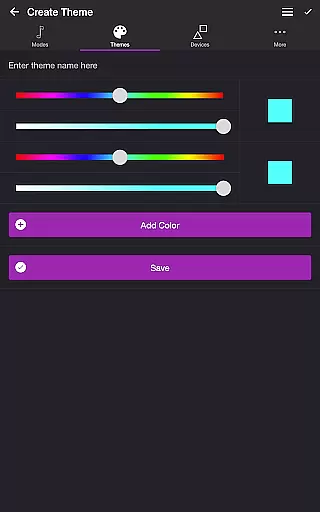
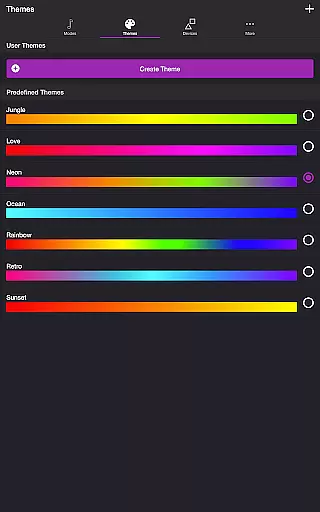
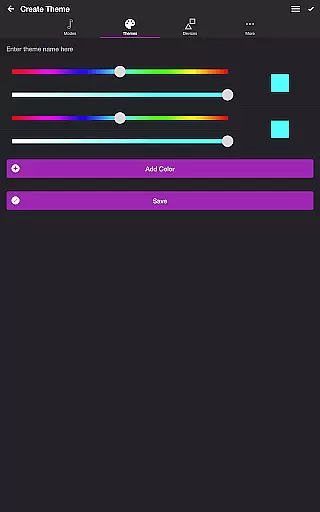
The Themes feature further enhances content variety by letting users choose from predefined themes or create their own. This personalization capability means that users can continuously refresh the visual experience according to their preferences, keeping the content feeling new and exciting.
User engagement is a key strength of Soundstorm for Nanoleaf, thanks to its interactive and immersive features designed to captivate users over extended periods. The Music Visualizer mode, which syncs light effects with music through microphone access, encourages prolonged use during activities like parties or relaxation sessions.
With additional settings such as Sleep Timer and automatic start/stop options for modes, the app provides practical functionalities that enhance user retention. These features ensure that users can seamlessly integrate the app into their routines without manual intervention, promoting regular usage.
Moreover, the ability to customize and save user themes and device configurations fosters a sense of ownership and investment in the app. This personal touch not only boosts engagement duration but also incentivizes users to return frequently, enhancing overall retention rates.
Highly customizable
User-friendly interface
Versatile music integration
Multiple lighting modes
Real-time synchronization
Requires compatible hardware
Premium version needed
Microphone access mandatory
Limited free themes
Complex setup process

Exclusive Short Drama Video! All in HD. Bringe trending reels & enjoy drama time
 3.80
3.80
Heroclix search units with multi filter , team builder, collection manager.
4.40
EVP Recorder / Voice Recorder for ghost hunting, to communicate with ghosts.
4.4
Stream over 80 hours of exclusive mashups and remixes by DJ Rehab.
4.1
Stream videos to VIDAA & VEWD TVs from Hisense, Sharp, Skyworth, Vestel & TiVo
3.00
Unleash Your AI Imagination
4.60
Stream live TV shows, sports, news, movies & more - all without cable.
3.00
The classic game of rock, paper, scissors
4.2
Binaural Brainwave Doses for Every Imaginable Mood
3.60
Catalog & tracker of your DVD, Blu-ray & Digital Movie and TV Collection Library
4.80
5 funny and lovely ponies waiting for you to style them!
4.80
Stream Movies & TV Series: Original Shows, Family Movies & New Releases Weekly
4.60
Chat with AI characters! Anime, games, roleplay & more.
4.50
Practice and master your ESP and intuition with five mode trainer.
4.20
Catch the latest episodes of The Voice or live stream NFL games with The NBC App
4.20
A companion app for the game Elite Dangerous
4.10
Experience the video editing experience brought by our intuitive interface
4.10
Daily immersive workout plan: Body warm up & finger yoga exercises
3.80
Air Horn - Siren Sounds Prank, Fun way to wake up your Friends and Family
4.0


User Reviews