
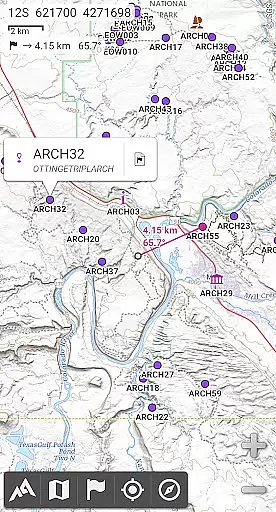
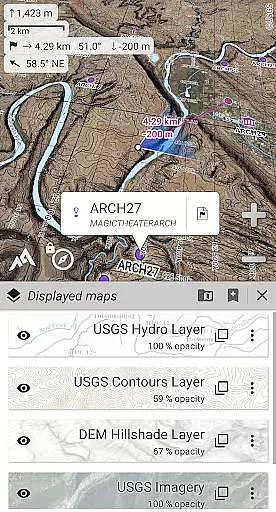
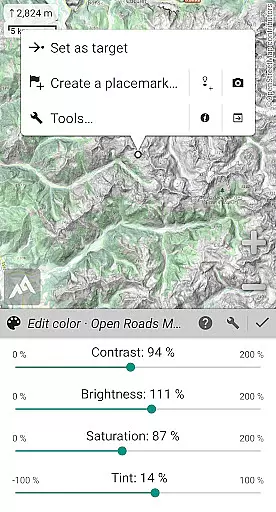
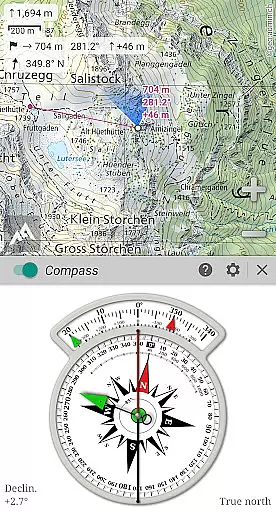
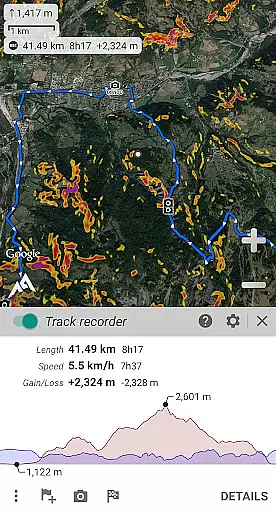
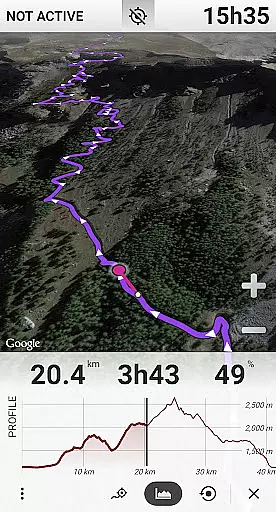
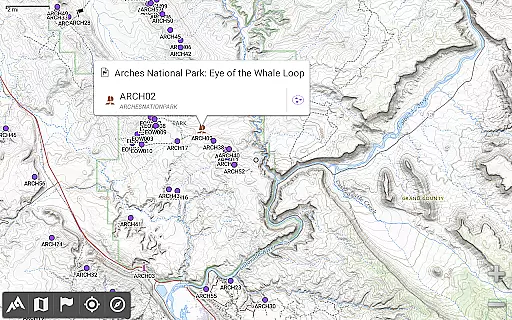
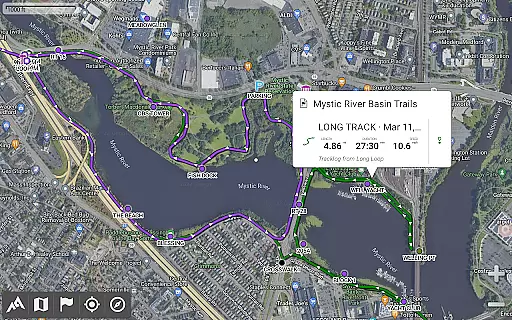
AlpineQuest Off-Road Explorer is a comprehensive outdoor navigation app designed for adventurers and sports enthusiasts. It offers access to numerous online topographic maps, which can be stored locally for offline use, ensuring availability even without cell coverage. The app leverages your device's GPS and magnetic sensors to provide real-time location tracking on the map, which can also be oriented to your viewing direction.
In addition to its mapping capabilities, AlpineQuest supports advanced features like placemark management, path tracking, and statistical analysis. Users can save an unlimited number of waypoints, import and export various file formats, and share locations with friends. Whether you're hiking, hunting, or sailing, this app provides the tools necessary for accurate navigation and exploration.
The application is particularly suited for off-road navigation and wilderness exploration, where traditional connectivity may not be available. By offering detailed terrain information, polar map support, and multiple map layers with customizable display settings, AlpineQuest ensures that users have the resources they need to explore confidently and safely.
AlpineQuest Off-Road Explorer stands out with its extensive mapping options. The app includes built-in online maps with automatic local storage, supporting road, topo, and satellite views. Users can download additional maps from a community list and store large areas for offline use. It also supports various onboard offline map formats such as KMZ, OziExplorer, GeoTiff, and more, providing flexibility in map usage.
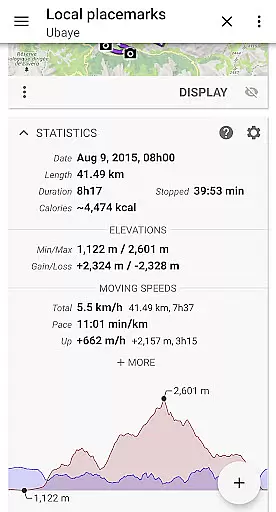
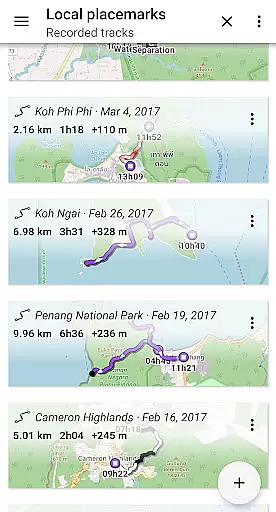
Beyond maps, AlpineQuest offers robust placemark functionalities. You can create, display, and manage an unlimited number of waypoints, routes, and tracks. Importing and exporting GPX, KML/KMZ, and other file types is seamless, allowing for easy data exchange. Advanced statistics and interactive graphics give users insights into their activities, enhancing the overall experience.
Real-time GNSS positioning using multiple satellite systems ensures precise location tracking. The app includes a track recorder, compass, and orientation tools, along with proximity alerts and barometer support for compatible devices. Additional features like metric and imperial units, various coordinate formats, and grid displays make AlpineQuest a versatile tool for all navigational needs.
Map accuracy is a crucial feature for any navigation application, and AlpineQuest Off-Road Explorer excels in this area. The app provides access to a wide range of online topographic maps, which can be stored locally and remain accessible even without cell coverage. This ensures that users have reliable map data at all times, regardless of their location.
In addition to online maps, AlpineQuest supports various file-based raster map formats, allowing users to utilize offline maps with precision. The inclusion of Digital Elevation Models and support for HGT elevation files further enhances the terrain representation, providing accurate details on hillshades and steep slopes. These features collectively ensure that the displayed maps are not only comprehensive but also reflect the true landscape.
The real-time localization function, powered by GPS and magnetic sensors, places users accurately on the map. With the ability to orient the map according to the user's position and direction, it becomes an invaluable tool for outdoor activities. Users can confidently navigate through challenging terrains, knowing that AlpineQuest provides precise mapping capabilities.
Route planning is an essential aspect of any outdoor activity, and AlpineQuest Off-Road Explorer offers advanced tools to assist users in this regard. The app allows for the creation, display, saving, and restoration of an unlimited number of waypoints, routes, areas, and tracks. This flexibility enables users to meticulously plan their journeys and store important locations for future reference.
AlpineQuest supports multiple file formats for importing and exporting route data, including GPX, Google Earth KML/KMZ, and CSV/TSV files. This interoperability facilitates seamless integration with other mapping and planning tools, enhancing the route planning process. Additionally, users can import ShapeFiles, OziExplorer files, GeoJSON, and more, ensuring compatibility with professional-grade data sources.
With advanced statistics and interactive graphics available for various items, users can analyze their planned routes in detail. The Time Controller feature even allows for the replay of time-tagged tracks, offering insights into past trips or simulations of upcoming ones. These capabilities empower users to make informed decisions about their travel plans, optimizing both safety and enjoyment.
User-friendly interface
Extensive map options
Offline functionality
Advanced tracking features
Customizable map layers
No advertisements
No third-party libraries
Requires manual updates
Limited free version
Complex for beginners

This app is military GPS coordinate systems helper. (MGRS, UTM & DMS Maps)
 4.80
4.80
Route schedules, maps, and real-time tracking of MTA buses in New York City.
4.20
Find 93 Octane Gas: Locate Gasoline Stations Selling Premium 93 Octane or Higher
4.3
Find EV & Tesla charging stations with PlugShare
4.70
Phone Tracker and GPS Location Sharing
4.20
Affordable rides and food delivery with incredible discounts in just one app.
4.50
MapQuest is your go-to app for maps, GPS, voice navigation & live traffic.
3.80
Explore Earth with live GPS, satellite view & street navigation
3.60
GPS phone tracker, family locator, secure location sharing app
4.20
Park in Chicago, NYC, Boston, SF, Houston & more!
4.70
Explore with GPS Navigation with GPS offline, voice GPS, speed camera radar
4.60
Parcel map, property lines, owner, acres, land use, zoning and more from Regrid.
4.60
Find radar maps, GPS coordinates, altitude, offline maps, location, travel route
4.40
Explore a light pollution map to find suitable dark sky locations for observing.
4.30
Use GPS maps or search by property owner, address or parcel to view parcel data
4.30
Lets explore the world's famous places by using Live Cams, GPS & Satellite View.
4.20
TACNAV-X: Precision MGRS navigation, built specifically for the military.
4.00
NJ TRANSIT information and ticketing at your fingertips
3.70
Gas Station & Fuel Rewards Points
3.70


User Reviews