
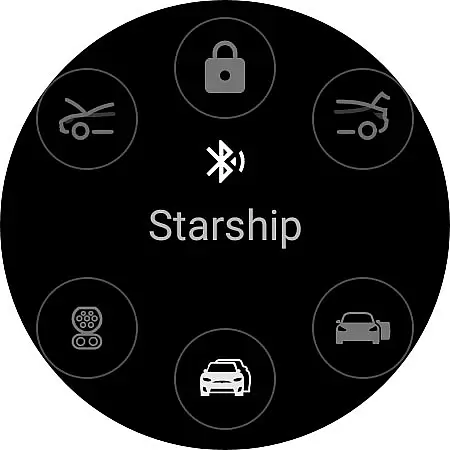
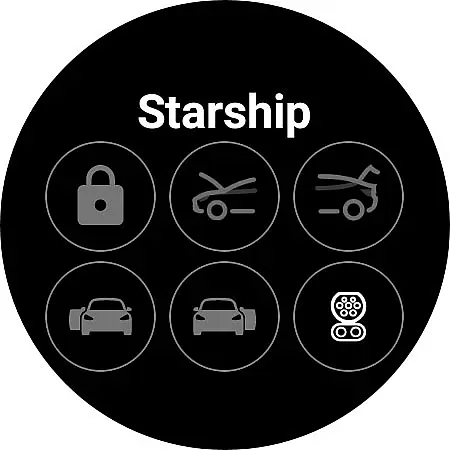
Watt Key is a cutting-edge Wear OS application that transforms your smartwatch into a key fob for Tesla vehicles. Designed specifically for Tesla models with Bluetooth key functionality, including Model 3/Y and the refreshed Model S/X, this app offers seamless interaction with your vehicle. Through advanced Bluetooth connectivity, users can enjoy automatic locking and unlocking as they approach or leave their Tesla, making daily commutes more convenient.
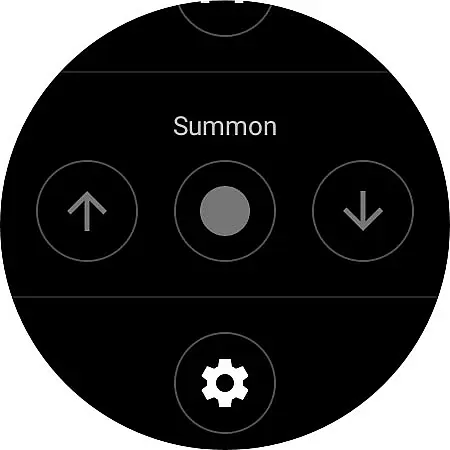
The app's comprehensive feature set extends beyond basic lock functions. It enables users to unlatch doors, open the frunk and trunk, manage the charge port, and even summon the car forward or backward if equipped with Enhanced Autopilot or Full Self-Driving capabilities. With quick-access tiles and instant command execution directly through the watch, Watt Key delivers an unmatched level of convenience and control. Optimized for Samsung Galaxy Watch 4 and newer models, along with Google Pixel Watch, it represents the perfect fusion of wearable technology and automotive innovation.
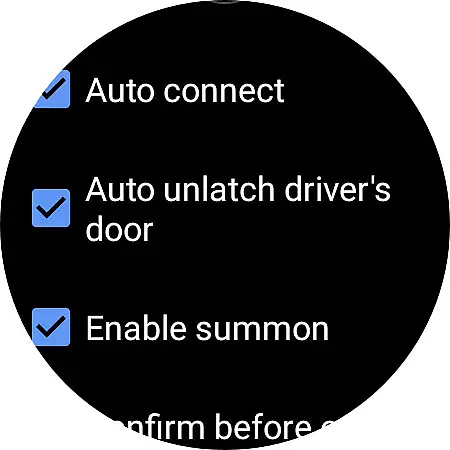
Watt Key stands out with its sophisticated feature set tailored for Tesla owners. The app employs state-of-the-art Bluetooth technology to maintain a constant connection with your vehicle, enabling features like proximity-based locking and unlocking. This ensures your Tesla recognizes you as you approach, automatically preparing the vehicle for entry without requiring manual input.
Beyond basic access, Watt Key provides granular control over various vehicle functions. Users can selectively unlatch specific doors or all doors simultaneously, manage the frunk and trunk operations, and handle charging port functions with ease. The inclusion of summon functionality (for supported vehicles) adds another layer of utility, allowing remote movement of the vehicle when needed. Security remains paramount, with end-to-end encrypted commands and secure cryptographic key storage ensuring that only authorized devices can interact with your Tesla.
What truly sets Watt Key apart is its optimization for performance and reliability. The app operates independently of internet connections, relying solely on Bluetooth communication between the watch and vehicle. This architecture guarantees immediate response times for all commands, typically executing actions without noticeable delay. Additionally, the app supports multiple language options and maintains strict privacy standards by encrypting all authentication keys, which users can manage or delete at any time through intuitive settings menus.
Watt Key offers comprehensive lifestyle functionality by transforming your Wear OS watch into a convenient key fob for Tesla vehicles. This app covers essential aspects of vehicle interaction, including automatic locking and unlocking as you approach or leave your car.
The app supports multiple actions such as unlatching doors, opening the frunk and trunk, and managing the charge port. These features cater to a modern, tech-savvy lifestyle that prioritizes convenience and efficiency in daily tasks.
Additionally, Watt Key includes advanced functionalities like Summon forward and reverse, enhancing user experience with cutting-edge technology. The inclusion of quick-access tiles ensures users can effortlessly control their Tesla from their wrist.
Watt Key ensures content authenticity by directly interfacing with Tesla's Bluetooth system, providing immediate and reliable vehicle commands without requiring an internet connection. This direct communication guarantees that all actions, from unlocking doors to managing the charge port, are executed with precision and reliability.
The app is developed with security and privacy in mind, generating a secure cryptographic key for vehicle authentication. This key is encrypted and stored on the user's watch, accessible only by the app itself, ensuring data protection and user privacy.
Although not officially endorsed by Tesla, Watt Key aligns with Teslau2019s high standards for functionality and security. Users are encouraged to reach out to the developer for support, reinforcing the app's commitment to credibility and user satisfaction.
Instant vehicle access
Comprehensive door controls
Secure encryption protocols
Multi-language support
Offline functionality
Limited device compatibility
Tesla-specific functionality
Bluetooth dependency
No iOS support
Settings complexity

Cute Adorable Animals now on your wrist with our Wear OS watch face!
 4.40
4.40
Designed to delight, impress and energize your festive spirit every single day
4.2
Premium floor cleaning robots
4.50
Tap to the beat with interactive videos — warm up your reflexes & have fun
4.70
Discounts, savings, and rewards
4.20
Zodiac & Horoscope Launcher: Daily Sign Predictions & Astrology
4.40
Have your Tehillim with you at all times
4.70
Going above and beyond known spirit communication
3.60
The Wyze app is your gateway to a smarter life and a safer home.
4.40
Pay your rent, submit work orders and much more with the RentCafe Resident App.
4.70
Earn points with every purchase with Moe Rewards.
4.20
Material You inspired colors with BIG and Bold looks for Wear OS watches.
4.20
Smart controls for your Ember Smart Mugs
4.10
Spiritus Ghost Box is an Audio and Visual ITC tool for paranormal research.
4.00
Subwoofer school’s in session! You’ve now enrolled into KICKER U.
3.80
Communicate with your vehicles and Powerwalls anytime, anywhere
3.60
Take Hobby Lobby with you wherever you go!
3.40
Unique Dual Colors with 6 Custom Complications for Wear OS watches!
3.40
Discover how to help puppies stay calm around noise with this helpful app.
4.4


User Reviews