
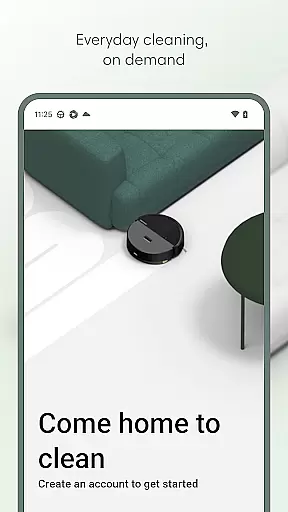
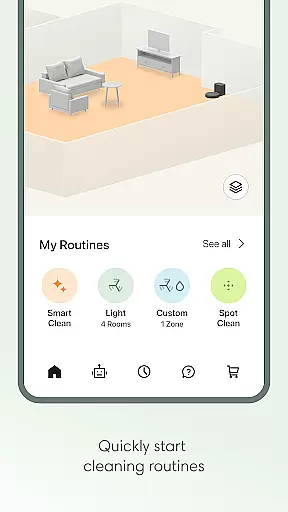
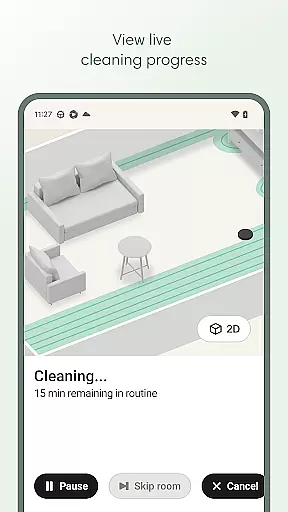
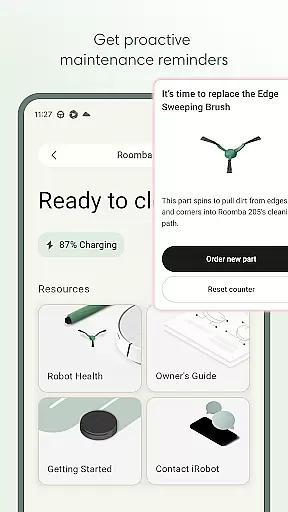
Roomba Home is a smart cleaning management app designed for Roomba robot vacuum owners. The application allows users to remotely control their robotic cleaners, create personalized cleaning schedules, and adjust detailed cleaning settings through an intuitive interface. With support for real-time tracking of cleaning progress and smart home integration, it brings convenience to home maintenance.
The app is compatible with Roomba 100, 200, 400, 500, and 700 series robots sold after March 2025. It offers advanced features like map customization, room labeling, and zone-specific cleaning. Whether you need routine vacuuming or intensive scrubbing, Roomba Home ensures your living space remains spotless with minimal manual intervention.
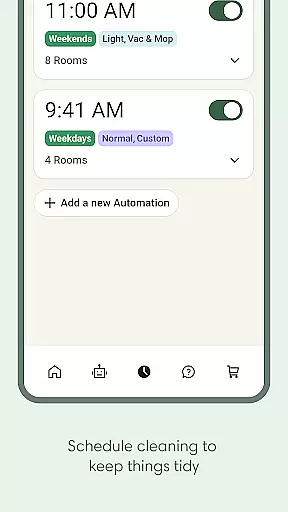
Roomba Home provides a comprehensive suite of features that enhance the user's cleaning experience. One standout capability is its Routine Builder tool, which lets users customize cleaning schedules down to specific rooms and settings. This feature empowers homeowners to tailor cleaning routines based on individual preferences and household needs.
In addition to scheduling, the app supports real-time monitoring of the robot’s activity. Users can view live updates on where the robot is cleaning and receive proactive maintenance alerts. Seamless voice control integration with Alexa, Siri, and Google Assistant further simplifies operation, allowing hands-free commands for starting or stopping cleans. These innovations make Roomba Home not just functional but also highly convenient.
The Roomba Home app offers comprehensive lifestyle category coverage by integrating multiple essential home management features into one intuitive platform. This includes advanced cleaning routines, scheduling options, and personalized cleaning settings that cater to various household needs.
Users can create detailed cleaning plans through the Routine Builder, selecting specific rooms and adjusting vacuuming or mopping preferences. The app also supports up to five saved maps, allowing for targeted cleaning zones and furniture-specific adjustments, which enhances its versatility in different home environments.
In addition to cleaning functionalities, the app provides proactive product maintenance alerts and seamless smart home integrations. These features ensure users can maintain their devices effectively while enjoying the convenience of voice control through Alexa, Siri, or Google Assistant-enabled devices.
The Roomba Home app demonstrates strong content authenticity and expert credibility through its specialized focus on robotic cleaning solutions. Developed by iRobot, a recognized leader in home robotics, the app delivers reliable and professional-grade cleaning management tools.
All features are backed by real-time insights and data-driven recommendations based on previous cleaning jobs. This ensures users receive accurate information about their robot's performance and maintenance needs, enhancing trust in the app's capabilities.
Furthermore, the inclusion of a Health Dashboard that monitors both robot and accessory conditions showcases the app's commitment to providing credible and valuable information. These expert-level tools help users maintain optimal device performance while ensuring long-term reliability.
User-friendly interface
Customizable cleaning schedules
Real-time cleaning insights
Voice assistant compatibility
Advanced map controls
Limited to newer Roomba models
Requires 2.4 GHz Wi-Fi
No offline functionality
Premium features may require subscription
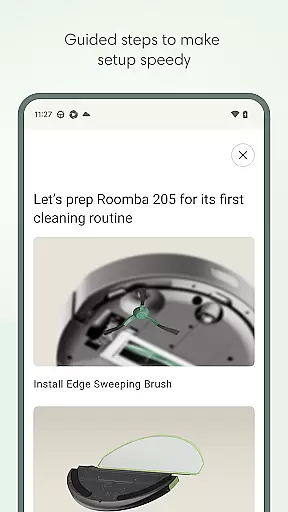
Initial setup can be time-consuming

Big bold weather watch face with dynamic backgrounds and 3 complications
 4.2
4.2
The all-new Cync app. The simple, connected app for Cync and C by GE.
4.50
Discover the "To Be a Christian" App: Your Guide to Deepening Faith!
5.00
Spirit Communicator is a real paranormal ghost hunting app with many fun modes.
3.90
Discounts, savings, and rewards
4.20
Play. Earn. Repeat. Get rewarded for playing mobile games. Welcome to Mobius!
4.80
Creativity and savings for kids, beginners and experts in arts and crafts
3.50
The Miracle Box includes methods used by Steve Huff of Huff Paranormal.
3.20
Retro animated weather with hourly forecast Watch Face for Wear OS
4.60
Pay your rent, submit work orders and much more with the RentCafe Resident App.
4.70
Crochet made easy: step-by-step tutorials, beginner patterns & projects
4.60
Vehicle ownership simplified. Get the myChevrolet® app today.
4.60
Discover your Nationality, Family Origin, and Ancestry from one selfie
4.50
Earn money & gift cards when you take surveys, play games, scan receipts & more.
4.50
Paranormal Spirit Bell Trigger Device
4.30
BILT interactive 3D instructions help you get the job done right
3.50
Take Hobby Lobby with you wherever you go!
3.40
Discover how to help puppies stay calm around noise with this helpful app.
4.4
Wear your favorite memories, loved ones, pets or travel photos on your watch
4.1


User Reviews