
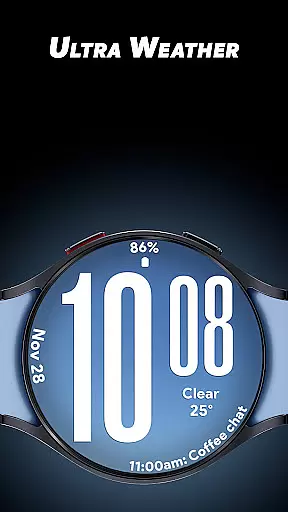
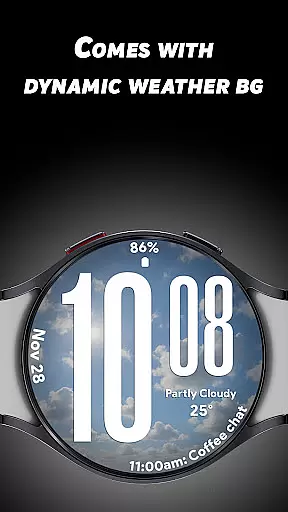
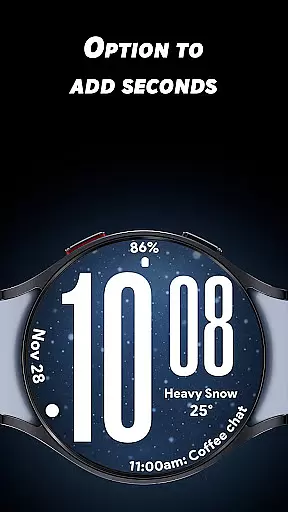
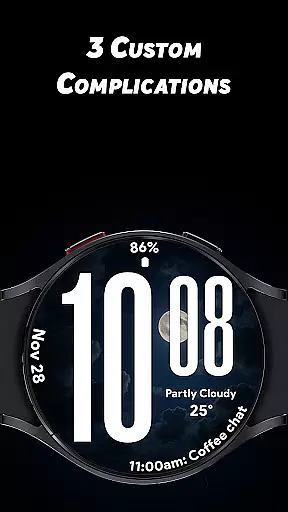
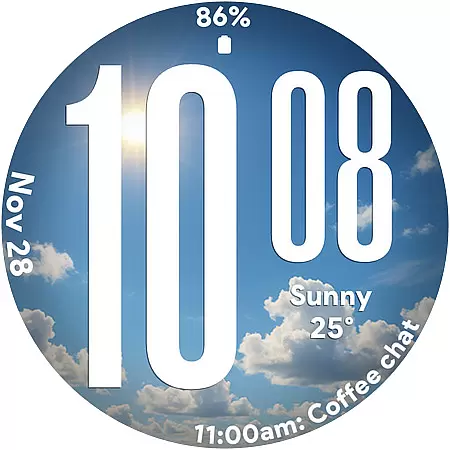
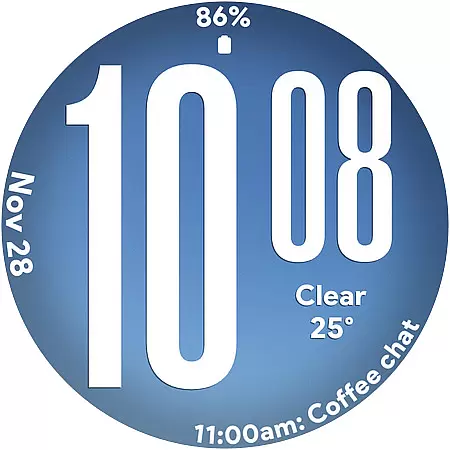
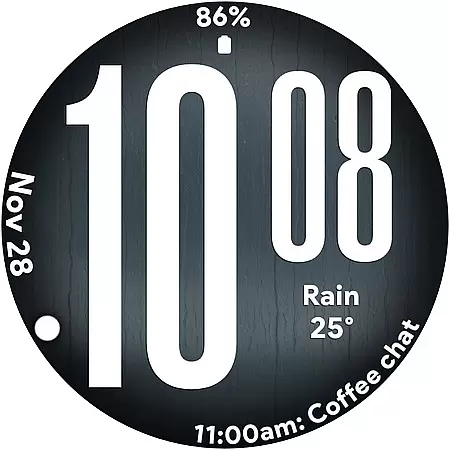
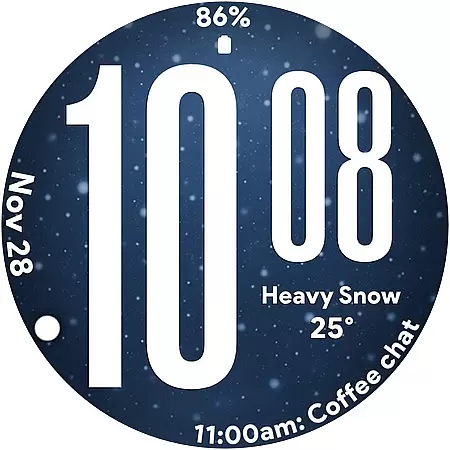
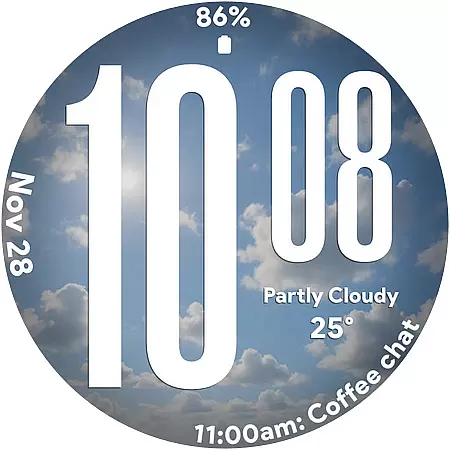
Ultra Weather is a dynamic watch face designed specifically for Wear OS devices, offering users an immersive experience by displaying real-time weather conditions directly on their smartwatch. With its bold digital time display and customizable complications, it ensures both style and functionality.
The app stands out through its automatic background changes that reflect current weather patterns, whether sunny, cloudy, rainy, or foggy. This feature not only enhances aesthetic appeal but also provides practical value by keeping users informed about weather updates at a glance.
Perfect for everyday use, fitness tracking, or travel, Ultra Weather combines visually striking design with essential features like battery-friendly Always-On Display and support for multiple time formats, making it an ideal choice for those seeking both form and function in a watch face.
Ultra Weather offers several standout features that cater to both aesthetic and functional preferences. Its Big Bold Digital Time ensures instant readability, while the Dynamic Weather Backgrounds provide live updates based on real-time weather data, creating an engaging visual experience.
Users can customize their watch faces with three available complications, allowing them to display additional information such as weather details, step counts, battery levels, calendar events, and heart rate monitoring. The app supports both 12-hour and 24-hour time formats, catering to individual preferences.
Optimized for efficiency, Ultra Weather includes a Battery-Friendly Always-On Display mode, ensuring all-day performance without excessive power consumption. These features collectively deliver a personalized, stylish, and highly functional smartwatch experience.
Ultra Weather - Watch face offers extensive lifestyle category coverage by integrating real-time weather updates directly into your Wear OS device. This application goes beyond simple timekeeping, providing users with dynamic visuals that change based on current weather conditions.
The watch face displays bold, oversized digits for easy readability and incorporates live backgrounds that adapt to whether it's sunny, cloudy, rainy, or foggy outside. This feature ensures that users are always aware of the weather, making it an essential tool for planning daily activities.
In addition to its aesthetic appeal, Ultra Weather includes three customizable complications. Users can personalize their watch faces with details such as weather information, step counts, battery status, calendar events, and heart rate monitoring. This level of customization allows individuals to tailor their smartwatch experience to fit various lifestyle needs.
The content provided by Ultra Weather - Watch face is both authentic and credible, ensuring users receive accurate weather information. The dynamic weather backgrounds are not just visually appealing but also reflect real-time atmospheric conditions, enhancing the overall user experience.
With support for 12/24-hour time formats and an optimized Always-On Display (AOD), Ultra Weather combines style with functionality. These features have been designed to offer practical benefits while maintaining a sleek appearance, demonstrating the developer's commitment to quality and expertise in wearable technology.
Furthermore, the application's focus on battery efficiency and smooth readability underscores its dedication to delivering a reliable product. By prioritizing these aspects, Ultra Weather establishes itself as a trustworthy choice for those seeking a feature-rich, visually dynamic watch face for their smartwatch.
Real-time weather updates
Customizable complications
Bold typography design
Battery-efficient AOD
Dynamic backgrounds
Limited to Wear OS
Requires constant connectivity
No advanced analytics
Premium features locked
Weather-dependent visuals

Cute Adorable Animals now on your wrist with our Wear OS watch face!
 4.40
4.40
Duo Watch Face (animated)
4.1
The all-new Cync app. The simple, connected app for Cync and C by GE.
4.50
A daily quote for success
4.4
View over 160,000 line dance stepsheets from the CopperKnob website.
3.30
Unique "Isometric" style digital watch face for Wear OS
4.50
Zodiac & Horoscope Launcher: Daily Sign Predictions & Astrology
4.40
The App can control Roborock vacuum cleaners from anywhere with rich features.
4.60
Just play, earn rewards, fetch gift cards, and turn gaming into real payouts!
4.80
Play. Earn. Repeat. Get rewarded for playing mobile games. Welcome to Mobius!
4.80
Pay your rent, submit work orders and much more with the RentCafe Resident App.
4.70
Simple, stylish & fresh watch face. Customize colors, gradients & complications.
4.70
Crochet made easy: step-by-step tutorials, beginner patterns & projects
4.60
Discounts, savings, and rewards
4.20
Digital watch face design. Modern looking, hi-res & battery friendly.
4.00
Design and brew great homebrewing beer, mead, cider and wine recipes on the go!
3.60
Take Hobby Lobby with you wherever you go!
3.40
Discover how to help puppies stay calm around noise with this helpful app.
4.5
A watch face with transparency and fluid visuals inspired by liquid glass design
4.3


User Reviews