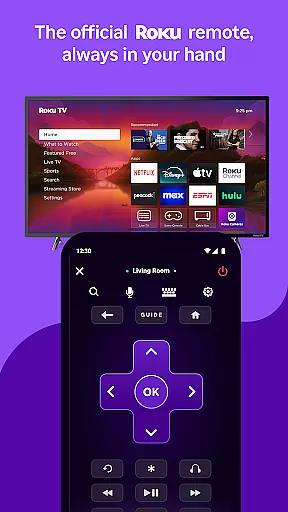
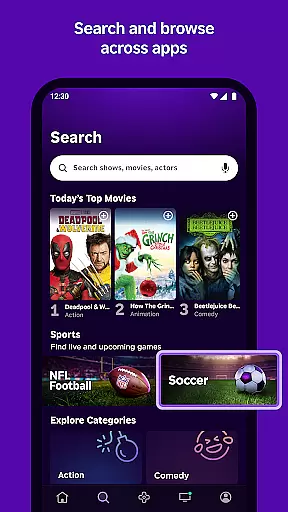
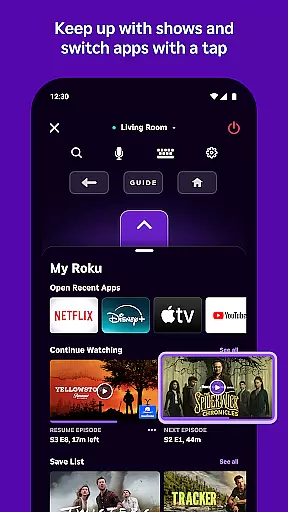
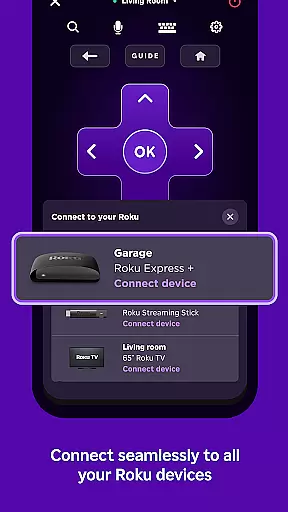
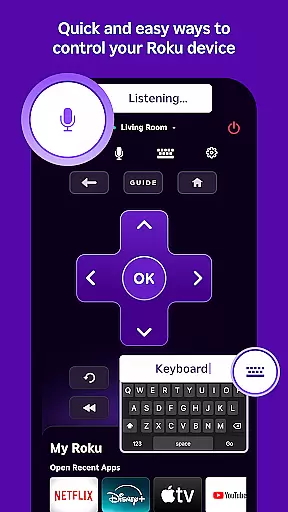
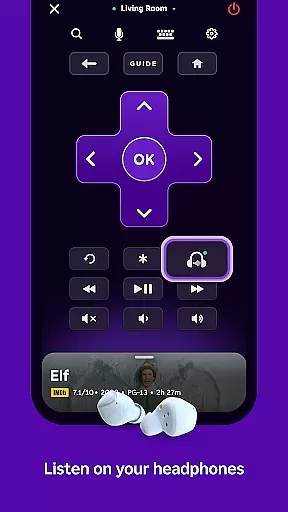
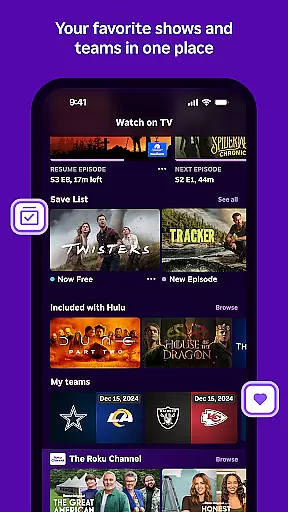
The Roku App serves as an essential streaming companion, offering users a versatile tool to enhance their Roku experience. With this app, you can control Roku devices using a convenient remote, search for entertainment through voice or keyboard, and enjoy private listening with headphones. It also allows streaming of free movies, live TV, and more on the go via The Roku Channel.
Additional features include casting media files from your phone to your TV, adding and launching channels on Roku devices, and entering text more easily with a mobile keyboard. To utilize certain features, your phone or tablet must be connected to the same wireless network as your Roku device. Some functionalities require a compatible Roku device and may need account login.
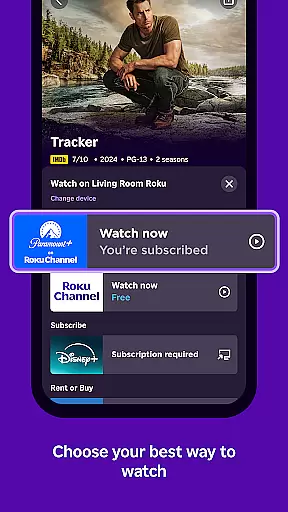
The Roku App boasts a range of features designed to streamline and enrich the streaming experience. Voice search is available in English in the US, UK, and Canada, and in Spanish in Mexico and the US, allowing for quick content discovery. The Roku Channel offers users the ability to view content directly within the app, though this feature is limited to the US.
Users can cast media files such as videos and photos from their mobile devices to their TVs, enhancing multimedia sharing. The app simplifies channel management by enabling users to add and launch channels on their Roku devices effortlessly. Moreover, it facilitates easier text input on Roku devices through a mobile keyboard, improving navigation and setup experiences.
The Roku App offers a diverse range of entertainment options, ensuring users have access to varied content. With the ability to stream free movies, live TV, and more via The Roku Channel, it caters to different tastes.
Users can enjoy updated content regularly, thanks to partnerships with numerous channels. While some channels may require payment, the availability of free content provides flexibility and choice for users seeking fresh material.
This app stands out by allowing users to cast media files from their phone, like videos and photos, directly to their TV. This feature enhances user engagement by integrating personal content into the streaming experience.
User engagement is a key strength of The Roku App, offering features that encourage longer usage sessions. The convenience of controlling Roku devices with a mobile remote and using voice or keyboard search keeps users connected.
Private listening with headphones adds a unique aspect to the user experience, promoting extended use. By providing an easy way to add and launch channels on Roku devices, the app ensures users remain engaged with minimal interruptions.
Retention is further enhanced by enabling users to enter text more easily with their mobile keyboard, simplifying interactions. These features collectively contribute to sustained user interest and repeated app usage over time.
User-friendly interface
Voice search functionality
Private listening mode
Free movie streaming
Mobile device casting
Limited Roku Channel access
Network connectivity required
Device compatibility issues
Regional feature restrictions
Premium channel costs

* Multiple Matches * Intuitive UI * Scoring Made Easy!
 4.40
4.40
Create, chat & bond with AI souls who truly listen.
4.50
Exclusive Short Drama Video! All in HD. Bringe trending reels & enjoy drama time
3.80
Stream Online TV - Watch Live IPTV Playlist & Channel with Built-In Player
4.50
Real ghost box scanner with echo, reverb, EMF, & multi-stream channels.
3.80
With the credits you earn play more games
2.90
Necrophone is spirit box ghost hunting app made for spirit communication.
3.70
The classic game of rock, paper, scissors
4.1
Earn big rewards like PayPal & Amazon gift cards by playing games you love!
4.30
Wodfix Air aggregates popular online content for you.
4.80
Original short dramas with diverse genres for a rich viewing experience!
4.80
Tarot & Oracle Card Readings
4.50
The Xbox app keeps you connected to your gaming community.
4.50
Realistic Baby Simulator App
4.00
VR 360 Cinema Player is the ultimate VR player for playing videos on mobile
3.50
Stream live TV shows, sports, news, movies & more - all without cable.
3.00
Ultimate VR movie player for android mobile videos
4.4
See the frequencies! Watch the magic!
4.3
Control your AWTRIX 3 easily
4.1


User Reviews