
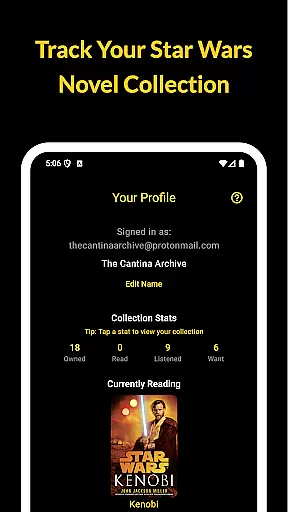
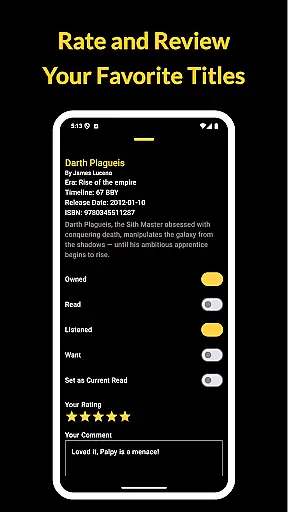
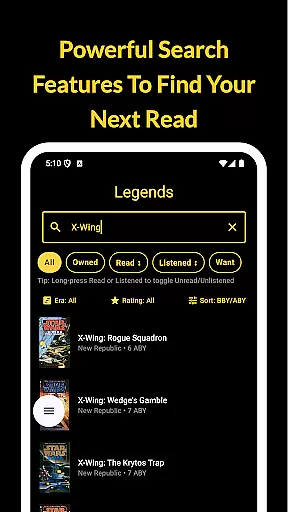
The Cantina Archive is a comprehensive tool for Star Wars book enthusiasts, designed to help users organize and explore their collections. This fan-built app allows readers to track books across Canon and Legends timelines, offering multiple ways to sort and discover titles. Whether you're a long-time collector or new to the Star Wars literary universe, this app provides valuable insights into your reading journey.
Key features include timeline views (BBY/ABY), collection tracking with various status options, and a current reading tracker. The app also helps users stay updated on new releases while maintaining privacy with its no-ads and no-tracking policy. All data is securely synced across devices through Firebase integration, making it an essential companion for dedicated Star Wars readers.
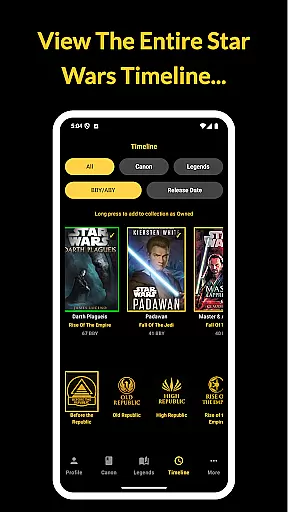
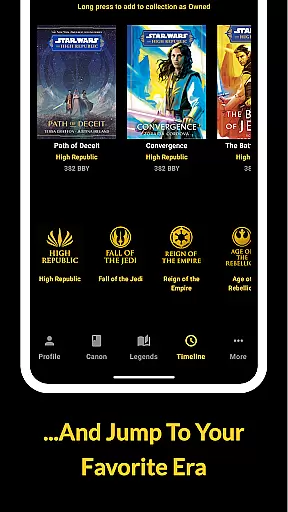
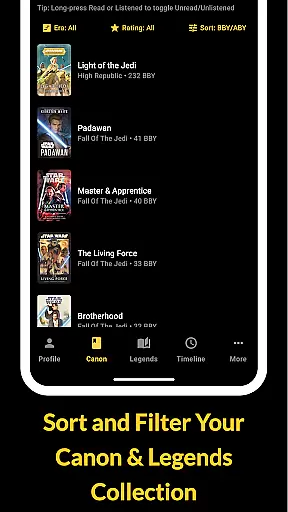
The Cantina Archive offers several distinctive features that enhance the Star Wars book collecting experience. Users can explore books through chronological timeline views or by release date, providing flexible organization options. The powerful browse and search functionality allows users to find titles by various criteria including author and ISBN.
Collection management is made easy with customizable status tags such as Owned, Read, Listened, and Want to Read. Readers can highlight their current book and track progress, while the new releases section keeps users informed about upcoming titles. The app's Firebase integration ensures seamless synchronization across devices without compromising user privacy, creating a secure and personalized reading management solution.
The Cantina Archive offers an extensive collection of Star Wars books, allowing fans to track their reading journey through the vast galaxy of stories. This fan-built app meticulously catalogs both Canon and Legends Expanded Universe titles, ensuring a comprehensive selection that caters to all enthusiasts.
Each book entry is verified for copyright authenticity, providing users with reliable information on their favorite Star Wars novels. The app's dedication to accuracy ensures that readers can explore books by era, timeline (BBY/ABY), or release date without concern for incorrect or pirated content.
With features like ISBN search and author-based discovery, users can efficiently manage their personal library while expanding it with confidence. The app's commitment to offering only legitimate titles guarantees that every addition to your digital shelf is authentic and properly licensed.
While The Cantina Archive doesn't provide e-books directly, it excels in format compatibility by supporting various tracking methods for your physical and digital Star Wars book collection. Users can mark books as Owned, Read, Listened, or Want to Read, accommodating different media formats from hardcovers to audiobooks.
The app's Timeline View function maintains consistent formatting across all devices, displaying books chronologically (BBY/ABY) or by release date regardless of your platform. This uniformity ensures seamless synchronization between devices through Firebase integration.
Furthermore, The Cantina Archive maintains universal accessibility without requiring specific file formats or proprietary software. Its straightforward interface allows users to focus on their reading progress while automatically saving updates across devices, making collection management both convenient and reliable.
User-friendly interface
Comprehensive timeline view
Secure cross-device sync
No ads or tracking
Flexible collection management
Limited to Star Wars books
No audiobook support
Requires manual entry
Occasional sync issues
Basic social features

Knots 360 Pro ( 3D ) shows you animated 192 knots in 3D perspective
 4.10
4.10
7 Languages, Google, Wiki, Vocabulary.com, Cambridge & Urban Dictionary!
4.50
Master AKC Rally signs with in-depth hints, diagrams, and expert guidance.
4.50
Werewolf novels & romance stories in audiobooks for book lovers! Werewolf storie
4.60
ISAIAH EXPLAINED with Avraham Gileadi Ph.D.
4.00
The dynamic dictionary/reference app for piano chords and scales!
4.80
KJV Bible works offline with Audio, Hebrew & Greek lexicon (concordance) & more!
4.20
A companion for prayer, with Azan alarm, Quibla direction, and Holy Quran book
4.10
Calculate, Knowledge, Homework
4.40
What’s that bird? Just answer 5 questions, snap a photo, or record its song!
4.90
Read and study the Bible and other content in over 1,000 languages.
4.80
Watch real short episodes in just minutes— addictive, you won't be able to stop!
4.70
Scan. Price. Grade.
4.60
Build family tree & discover DNA, family history heritage, origins and ancestors
4.60
The ultimate military vehicle identification (Equipment ID) guide.
4.40
Mirror Bible - eye-opening paraphrase translation of the NT by Francois du Toit
4.30
Holy Bible with verses and audio for studying and prayer
4.30
Essential Technical Rescue Field Operations Guide 6, the Industry Standard Guide
4.20
Shop over 13 million new and used books at up to 80% off list price
4.20


User Reviews