
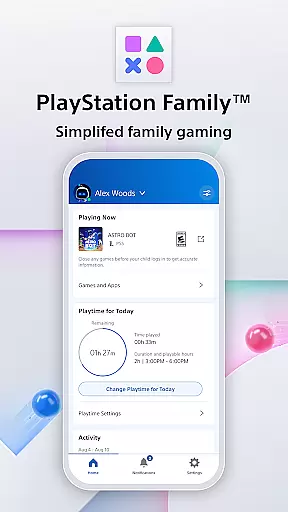
PlayStation Family is a comprehensive parenting tool designed to simplify family gaming management. This app provides parents with essential features to monitor and control their child's gaming activities effectively. With intuitive parental controls, real-time notifications, and customizable playtime settings, PlayStation Family ensures a safe and balanced gaming environment for children.
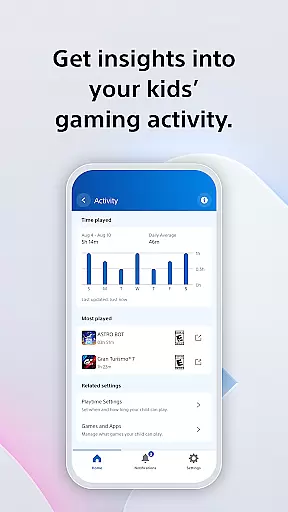
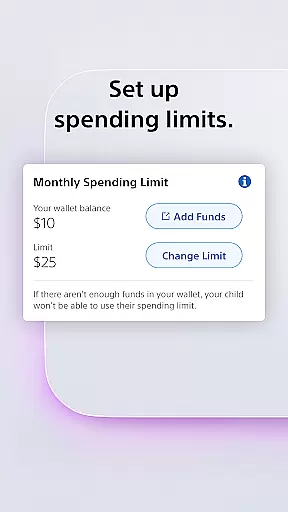
The app offers detailed activity reports that give insights into a child's gaming habits, including playtime hours and current game status. Parents can also manage social interactions, set spending limits, and receive instant alerts for any additional playtime requests. By combining these functionalities, PlayStation Family helps foster healthy gaming habits while maintaining parental oversight.
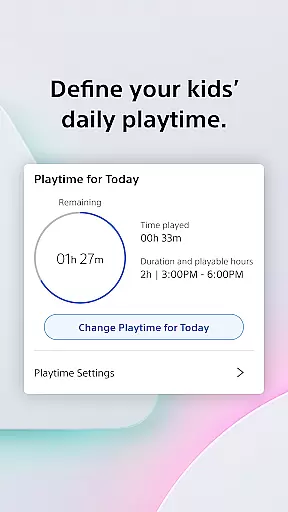
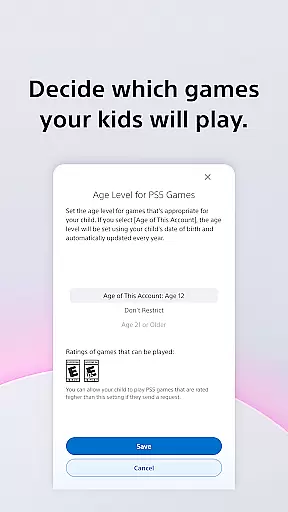
PlayStation Family stands out with its robust feature set tailored for modern parenting needs. The app's easy setup process allows parents to create accounts with age-based recommendations, ensuring children access only appropriate content. Customizable playtime controls enable parents to define specific gaming periods that align with family routines.
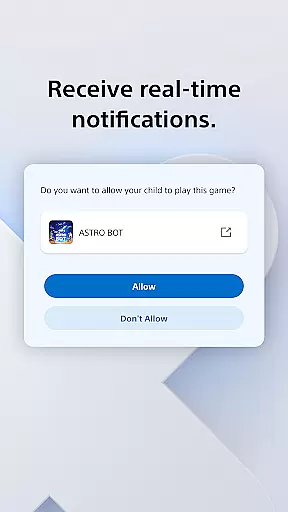
Real-time notifications are another key feature, allowing parents to approve or decline extra playtime requests directly from their phones. The app also includes comprehensive privacy settings for managing social interactions and spending limits. These features collectively provide parents with the tools needed to maintain a healthy balance between gaming and other activities.
PlayStation Family offers a comprehensive approach to managing your child's gaming experience, ensuring that all aspects of lifestyle management are covered. This app provides tools for controlling playtime, monitoring activities, and managing social interactions and spending, making it an all-in-one solution for parents.
The app allows parents to set age-appropriate parental controls, thus tailoring the gaming content to suit the maturity level of the child. By defining playtime schedules that fit around family routines such as homework or meal times, PlayStation Family ensures that gaming remains a healthy part of your childu2019s lifestyle.
Additionally, features like activity reports and real-time notifications keep parents informed and in control. Parents can view their child's gaming activity, approve or decline extra playtime requests, and manage privacy settings and spending limits. These capabilities contribute to a balanced lifestyle by promoting responsible gaming habits.
With PlayStation Family, users receive authentic content directly from Sony Interactive Entertainment, ensuring the highest level of credibility. The app is designed to provide reliable information and controls endorsed by experts in child gaming behavior and digital wellbeing.
Every feature within the PlayStation Family app is crafted based on expert recommendations regarding age-based parental controls and appropriate gaming content. This guarantees that the advice and options provided to parents are both credible and beneficial for their children's development.
Moreover, the direct integration with PlayStation consoles means that the data presented through activity reports and real-time notifications is accurate and up-to-date. Parents can trust that they are receiving genuine insights into their child's gaming habits, allowing them to make informed decisions about their gaming activities.
User-friendly interface
Real-time notifications
Customizable playtime
Comprehensive activity reports
Secure spending controls
Limited to PlayStation devices
Requires constant internet
Some features PS4/PS5 only
No cross-platform support
Dependent on parental input

Unique BIG BOLD TIME with amazing colors and customisations.
 3.70
3.70
Big bold digital watch face with 30 colors, 6 complications and AOD.
4.0
Countdown to Christmas 2025 with festive games & activities in a virtual village
4.80
A smart Siddur with halachic times
4.60
Good magnifier app to see tiny things bigger and more clearly!
4.80
Colorful minimal digital watch face for Wear OS
4.60
The Miracle Box includes methods used by Steve Huff of Huff Paranormal.
3.20
Subwoofer school’s in session! You’ve now enrolled into KICKER U.
3.80
Share opinions, get paid cash
4.30
Get the news, events and savings that matter to you with AARP Now.
4.80
Pay your rent, submit work orders and much more with the RentCafe Resident App.
4.70
Tap to the beat with interactive videos — warm up your reflexes & have fun
4.70
Have your Tehillim with you at all times
4.70
Stay connected with your loved ones & vehicles | Share live GPS location updates
4.60
The go to app for taking unlimited notes!
4.50
Discover your Nationality, Family Origin, and Ancestry from one selfie
4.50
Earn points with every purchase with Moe Rewards.
4.20
Discounts, savings, and rewards
4.20
Discover how to help puppies stay calm around noise with this helpful app.
4.5


User Reviews