
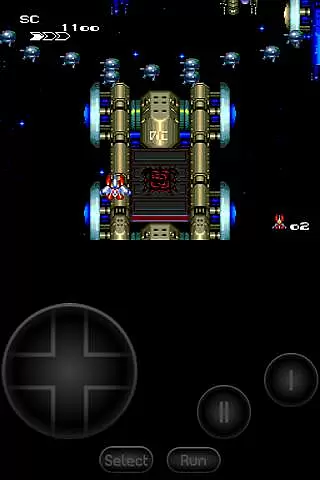
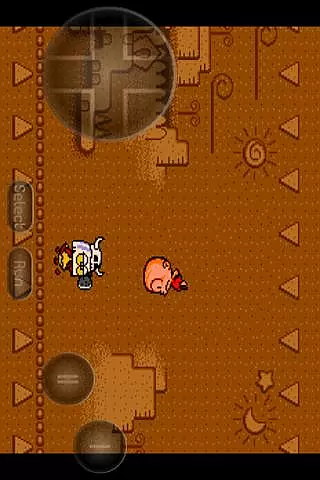
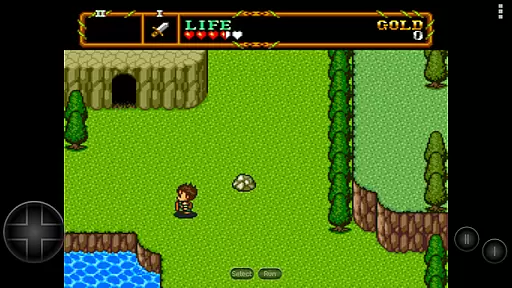
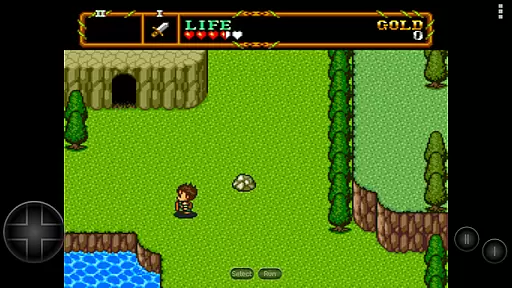
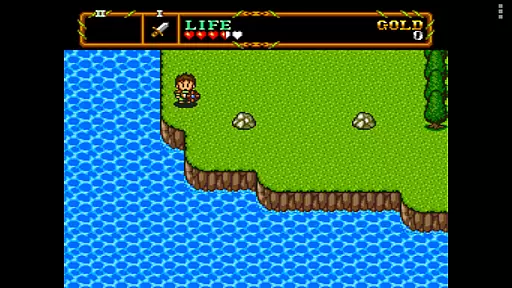
PCE.emu is an advanced open-source emulator for PC Engine and TurboGrafx-16 gaming systems. Designed with a minimalist UI, it emphasizes low audio and video latency, making it suitable for a wide range of devices from older models like the Xperia Play to modern ones such as the Nvidia Shield and Pixel phones.
This emulator supports various file formats including .pce, .sgx, and compressed files via ZIP, RAR, or 7Z. It also offers CD emulation through .cue files and supports multiple audio track formats like FLAC, Ogg Vorbis, and Wav. With configurable on-screen controls and compatibility with Bluetooth/USB gamepads and keyboards, PCE.emu provides a versatile and user-friendly experience for retro gaming enthusiasts.
PCE.emu stands out with its comprehensive feature set tailored for retro gaming aficionados. The app supports a wide array of file formats including .pce, .sgx, and even compressed files using ZIP, RAR, or 7Z, ensuring that users can enjoy a broad library of games. Additionally, CD emulation is available by loading .cue files, provided users have the necessary Super CD-ROM System card.
Audio enthusiasts will appreciate the support for high-quality audio track formats such as FLAC, Ogg Vorbis, and Wav. The emulator also boasts configurable on-screen controls, catering to individual preferences and play styles. Furthermore, it is compatible with a variety of input devices, including Bluetooth and USB gamepads, as well as keyboards, accommodating any HID device recognized by the operating system, such as Xbox and PS4 controllers.
Arcade authenticity and nostalgia are crucial elements for any emulator aiming to recreate the classic gaming experience. PCE.emu, as an advanced PC Engine/TurboGrafx-16 emulator, excels in this area by offering precise emulation of original hardware.
The app supports both .pce and .sgx file formats, which are native to the PC Engine and TurboGrafx systems. This ensures that users can enjoy games exactly as they were meant to be played on the original consoles. Additionally, support for CD emulation via .cue files allows enthusiasts to relive the full scope of their favorite titles with authentic soundtracks.
By focusing on low audio/video latency, PCE.emu delivers a seamless gaming experience reminiscent of arcade halls. Gamers will appreciate how responsive controls and accurate graphics rendering bring back memories of classic gameplay sessions.
Ultimately, PCE.emu's dedication to preserving the integrity of these timeless games makes it an essential tool for anyone looking to revisit the golden age of arcades from the convenience of their modern device.
Control responsiveness is a key factor in delivering an immersive and enjoyable gaming experience. For PCE.emu, ensuring that inputs are registered accurately and without delay is essential for maintaining the fast-paced action synonymous with arcade games.
This emulator offers configurable on-screen controls, allowing players to customize their interface for optimal performance. Whether using touch controls or connecting external devices like Bluetooth/USB gamepads, users can expect immediate feedback from their inputs.
Compatibility with HID devices such as Xbox and PS4 controllers further enhances control precision. These widely recognized peripherals provide familiar handling while guaranteeing high sensitivity during gameplay sessions.
With its focus on minimizing latency, PCE.emu ensures that every button press translates directly into in-game actions, providing gamers with the tight control needed to master their favorite classics.
Wide device compatibility
Low audio/video latency
Supports multiple file formats
Customizable controls
Active development and support
No ROMs included
Requires technical knowledge
Interface may feel outdated
Limited to specific consoles
Occasional device-specific issues

Welcome back to Vice City. Welcome back to the 1980s.
 3.30
3.30
Gameboy Color Emulator
4.60
Mine planets, upgrade your space ship, battle others, and dominate the galaxy!
3.90
Fast reflexes, glowing obstacles, endless action.
4.0
Challenge your friends across the world to see who can jump the farthest!
4.50
Punch your way through the Streets of Rage once again!
4.80
Genesis/Mega Drive/CD & Master System/Mark III Emulator
4.30
Premium version. Save the galaxy from alien shooter in this classic game
4.50
Thoughtful strategy and tactical thinking are required to win each battle!
4.30
Local offline 2 3 4 player multiplayer minigames - race, tanks, football
4.60
Save the Galaxy from galaxiga alien - Classic arcade shooter game
4.60
Use superpower in your magic hands. Defeat the enemies in a fun elemental game.
4.50
The precise emulator of 8 bit handheld... Now even better!
4.50
Play all your favorite Playstation games in your android device!!
4.50
Mine & Craft Block Mini World! Survival Crafting and Building & Creative Online.
4.30
Epic offline war strategy game - build your city, train your army, conquer
4.20
Spaceship racing on a rocky planet — pure action and challenge.
4.2
A retro-flavoured infinite scroller Glyph toy for the Nothing Phone (3)
4.5
Infinite Arcade
4.2


User Reviews