
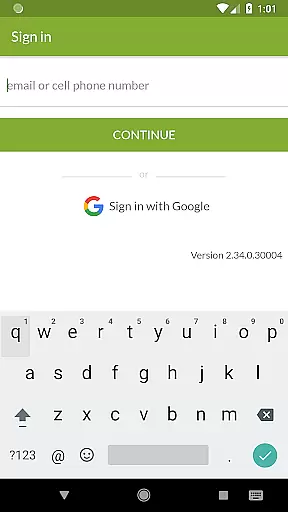
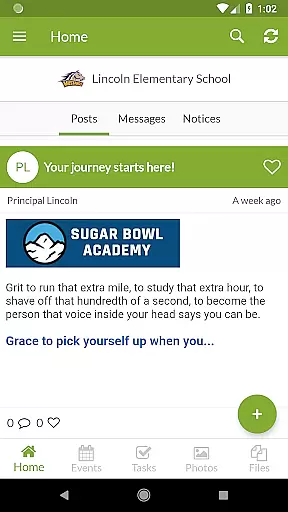
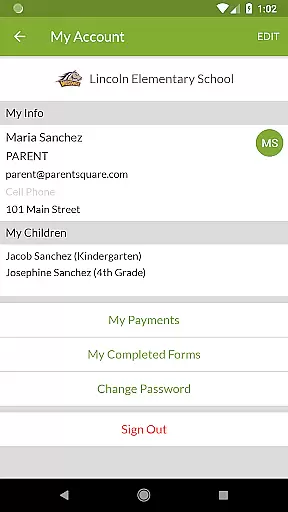
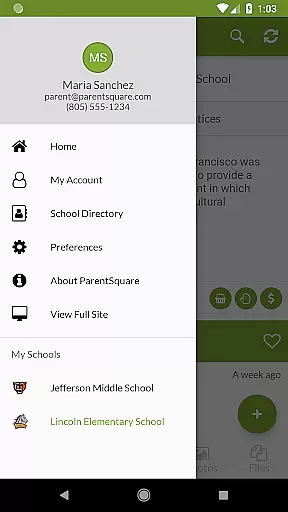
ParentSquare is an all-in-one communication platform designed specifically for educational institutions to foster stronger connections between schools and families. The app serves as a centralized hub where parents can access school news, receive real-time alerts, and engage in direct messaging with teachers. With support for automatic translation into over 190 languages, it ensures inclusivity across diverse communities.
Beyond basic communication, ParentSquare offers advanced features such as attendance notifications, cafeteria balance updates, and group conversations. Parents can also sign up for volunteering opportunities, respond to absence reports, and even handle school-related payments if enabled by their institution. This comprehensive functionality helps streamline interactions between families and educators, saving time and enhancing student success.
The app's user-friendly interface and robust security measures make it a trusted tool for both teachers and parents. By consolidating all school-related communications into one platform, ParentSquare eliminates the need for multiple disjointed tools, ensuring that no important information is overlooked. Whether on Android devices or through the web portal, users benefit from seamless accessibility tailored to modern educational needs.
ParentSquare stands out with its versatile feature set designed to simplify school-family interactions. One of its key highlights is multi-language support, automatically translating messages into more than 190 languages. This ensures non-English speaking households remain fully informed and engaged. Additionally, the app provides real-time alerts for critical updates like attendance issues or low cafeteria balances, enabling timely parental intervention.
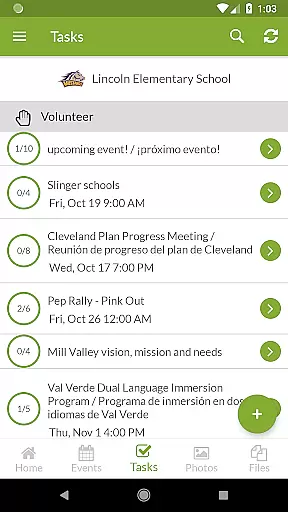
Another notable feature is the ability to facilitate two-way communication. Families can message teachers directly, join group discussions, and respond to school requests such as volunteer sign-ups or absence confirmations. For schools implementing premium features, ParentSquare enables fee payments and invoice management within the app, reducing administrative burdens. These capabilities are further enhanced by top-tier safety protocols, ensuring sensitive data remains protected at all times.
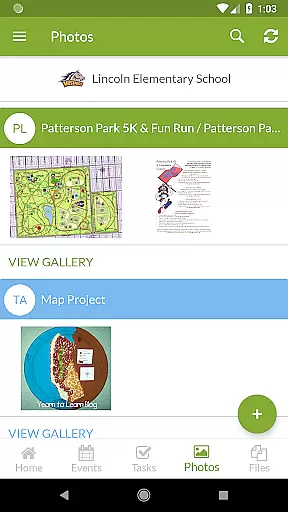
ParentSquare also supports multimedia sharing, allowing schools to post classroom photos and updates. Its intuitive design ensures ease of use for individuals of all tech proficiency levels. By combining these practical tools with reliable performance, ParentSquare delivers a comprehensive solution that addresses the dynamic communication needs of today’s education sector.
In the realm of education, the precision and reliability of content are paramount. ParentSquare ensures that all information shared through its platform is accurate and comes from authoritative sources within the school district. This commitment to content integrity means parents can trust the updates they receive.
The app consolidates messages from teachers, attendance alerts, and even cafeteria balances into one reliable stream. By doing so, ParentSquare not only simplifies communication but also reinforces the credibility of each message. Families can be confident that the information reflects the official stance of educational providers.
Furthermore, ParentSquare employs best-in-class safety and security practices, ensuring that sensitive communications remain confidential and tamper-proof. This dedication to secure interactions underlines the platform's role as a trustworthy medium for educational exchanges. Parents and educators alike benefit from this secure environment.
ParentSquare goes beyond mere information dissemination by facilitating personalized engagement between families and educational institutions. The platform allows for direct messaging with teachers and staff, enabling tailored conversations about student progress and learning needs. This personal touch fosters a more individualized educational journey for each child.
Additionally, features such as responding to absences or tardies and signing up for volunteering opportunities allow parents to actively participate in their childu2019s educational life. These interactive elements help create a bespoke experience that adapts to the unique circumstances of every family. Such customization empowers parents to support learning effectively.
While ParentSquare does not directly deliver curriculum-aligned content, it supports personalized learning paths by keeping parents informed and engaged. With automatic translation into over 190 languages, it ensures inclusivity and accessibility for diverse communities. Thus, every family can partake in shaping their children's educational trajectories regardless of language barriers.
User-friendly interface
Multi-language support
Real-time alerts
Secure communication
Comprehensive features
Premium features cost extra
Limited customization
Dependent on school adoption
Occasional bugs
Payment processing fees

Astronomy app ? Discover the universe scope, explore solar system model in 3D.
 4.20
4.20
One of the most engaging and innovative ABC apps on the market.
4.30
The official CCM Glossary app, including 700+ terms and definitions.
2.90
Pass your FAA written with flying colors - Study Buddy can help.
4.30
Your best partner for learning Japanese words. Based on a best-selling textbook.
2.90
A collection of favorite stories from Daniel Tiger's Neighborhood
2.00
Prepare for the BCBA / BCaBA exam. Study ABA with the ABA Wizard app.
4.60
MONOPOLY JUNIOR brings Hasbro's classic the board game to life.
3.00
Educational Activities for 2-8
3.70
Learn Japanese in an immersive educational game set in Japan!
4.90
Age-Related Child Developmental Milestones
4.80
Guitar chord finder, analyzer, smartly visualized theory, progressions, quizzes.
4.70
The Fighter Verses Bible memory system helps you memorize God's Word.
4.50
Professional Award-Winning Astronomy Star Map App With Telescope Control
4.40
For medical training - Visualize complex vein maps and structures in real-time.
4.10
Quiz App to help case managers studying for CCMC Certification, 200+ Questions
3.40
Flashnote Derby is the fun way for kids to learn music notes and memorize them.
3.40
Your best partner for learning Japanese words. Based on a best-selling textbook.
2.80
Learn and joke with the Silly Turkey!
4.2
Honest Duolingo review—energy system problems, hidden costs, what works for language learning, and whether the free version is still viable.



User Reviews