
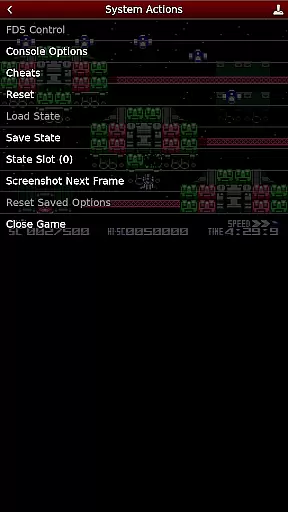
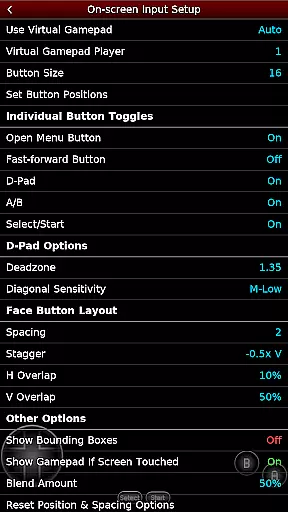
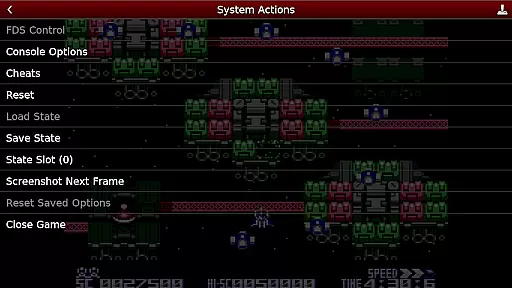
NES.emu is an advanced open-source NES emulator that brings the classic gaming experience to modern Android devices. Known as Famicom in Japan, this emulator focuses on delivering low audio and video latency while maintaining a minimalist user interface. The app supports a wide range of devices, from older models like the Xperia Play to contemporary devices such as the Nvidia Shield and Pixel phones.
One of the standout features of NES.emu is its compatibility with various file formats including .nes, .unf, and .fds files, which can be optionally compressed with ZIP, RAR, or 7Z. It also offers Famicom Disk System emulation and VS UniSystem support, allowing users to enjoy a diverse library of games. With configurable on-screen controls and support for Bluetooth/USB gamepads, NES.emu provides a versatile and immersive gaming experience.
For enthusiasts looking to relive the nostalgia of classic NES games or explore titles they missed, NES.emu offers a reliable and feature-rich platform. Its focus on performance and compatibility ensures that users can enjoy their favorite games with minimal latency, making it an ideal choice for retro gaming on the go.
NES.emu stands out with its robust feature set designed to enhance the retro gaming experience. The emulator supports multiple file formats such as .nes, .unf, and .fds, with optional compression using ZIP, RAR, or 7Z. This flexibility allows users to manage their game libraries efficiently and ensures compatibility with a wide range of ROMs.
Another notable feature is the Famicom Disk System emulation, which requires selecting the BIOS in the options. Additionally, NES.emu includes VS UniSystem support, enabling users to simulate arcade-style gameplay by inserting coins with the Start button. The emulator also supports Zapper/Gun functionality, allowing touch-based firing and simulating off-screen shots by touching and holding outside the display area.
Configurability is at the heart of NES.emu's design. Users can customize on-screen controls to suit their preferences and enjoy seamless integration with Bluetooth/USB gamepads and keyboards. This compatibility extends to any HID device recognized by the OS, including popular controllers like Xbox and PS4. These features collectively ensure a highly personalized and engaging gaming experience.
Arcade authenticity and nostalgia are crucial elements for any emulator aiming to recreate the classic gaming experience. NES.emu, as an advanced open-source NES emulator, excels in delivering this experience by emulating a wide range of devices from the original Xperia Play to modern devices like the Nvidia Shield and Pixel phones.
The app supports .nes and .unf file formats, optionally compressed with ZIP, RAR, or 7Z, ensuring that users can access a vast library of games from their childhood. Additionally, it offers Famicom Disk System emulation using .fds files, VS UniSystem support, and Zapper/Gun support, which all contribute to an immersive retro gaming environment.
By including configurable on-screen controls and supporting Bluetooth/USB gamepads and keyboards, NES.emu enhances the nostalgic experience while maintaining the convenience of modern technology. This blend of old and new allows users to relive the joy of arcade gaming with the flexibility they expect today.
Control responsiveness is vital for an optimal gaming experience, especially in arcade games where precision and timing are key. NES.emu addresses this need by offering highly responsive controls that cater to both touch screen users and those preferring physical controllers.
The emulator supports a variety of input methods, including touch screen controls, which allow users to tap to fire in Zapper/Gun games, and touch & hold outside of the display area to simulate firing away from the TV. This ensures that gameplay remains intuitive and engaging.
For users with Bluetooth or USB gamepads, NES.emu provides compatibility with any HID device recognized by the OS, such as Xbox and PS4 controllers. This extensive support guarantees that players can enjoy a seamless and responsive gaming session, enhancing both the authenticity and enjoyment of their favorite arcade classics.
Low audio/video latency
Wide device compatibility
Supports multiple file formats
Famicom Disk System emulation
Customizable controls
No ROMs included
Requires technical knowledge
Limited user interface
Occasional crashes
Device-specific issues

Nostalgia.GBC is a high quality GBC emulator.
 4.50
4.50
Three awesome new levels for The Impossible Game.
4.30
Sharpen your mind and reflexes while playing 4Way Dash
4.5
Mine & Craft Block Mini World! Survival Crafting and Building & Creative Online.
4.30
Infinite Arcade
4.5
Jump and fly your way through danger in this rythm-based action platformer!
4.50
Collect layers in running game & build the biggest slinky toy to beat the giant!
4.30
You are a Black Hole, escaping the darkness trying to swallow you!
3.60
Challenge your friends in this game! Two players on one device!
4.70
Meet Snake Run Race! Slither through an obstacle course in our fun running game!
4.70
GBA Emulator
4.40
Suck the other’s blood and be the longest surviving mosquito!
4.40
Running game: dance in a twerk battle and become the twerk hero in our fun race!
4.30
Bounce through platforms. Avoid obstacles. Get the bouncing ball to the finish.
4.00
John GBA is GBA emulator. This emulator is easy to use.
3.10
Spaceship racing on a rocky planet — pure action and challenge.
4.1
BallStack is a vibrant match-3 game where you stack and match colorful balls!
4.3
A fluid, action-packed arcade space shootout!
4.3
Divine powers at your fingertips! An innovative and frantic shoot-'em-up!
4.0


User Reviews