
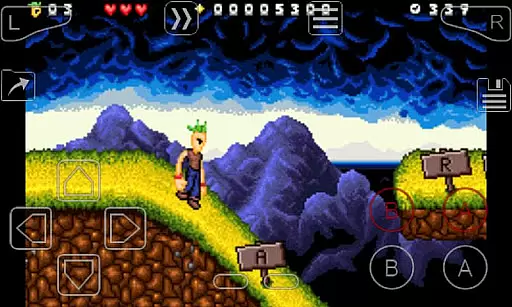
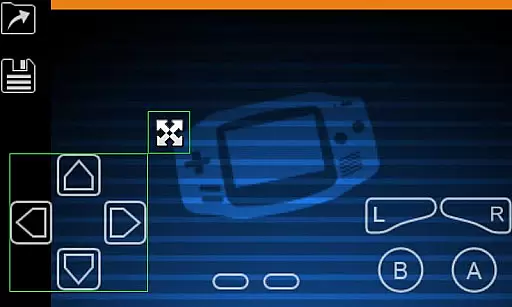
My Boy! is a high-performance GameBoy Advance emulator designed for Android devices, enabling users to play classic GBA games on modern smartphones and tablets. The app features advanced emulation capabilities that ensure near-perfect compatibility with the original hardware, including support for multiplayer linking through Bluetooth or Wi-Fi.
One of the standout features is its ability to emulate hardware sensors like gyroscope and tilt, allowing users to enjoy motion-based games using their device's built-in sensors. Additionally, My Boy! offers robust customization options such as video filters, fast-forwarding, and save states, making it an ideal choice for both casual gamers and retro gaming enthusiasts.
The app also supports Google Drive integration for seamless save syncing across devices, ensuring users can continue their gaming progress wherever they go. With its intuitive interface and powerful functionality, My Boy! delivers an authentic and flexible GameBoy Advance experience on Android.
My Boy! stands out with its comprehensive feature set tailored for GameBoy Advance emulation. The app utilizes a JIT recompiler for super-fast performance, capable of running nearly all GBA games without issues. It includes advanced functionalities such as link cable emulation, which allows multiplayer gaming either on the same device or across multiple devices via Bluetooth or Wi-Fi.
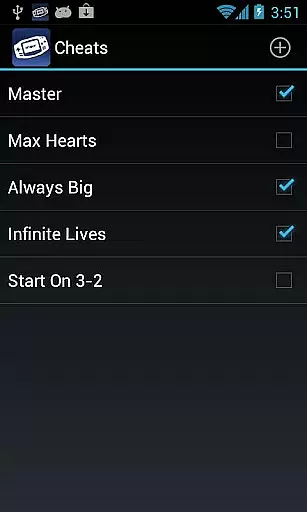
Another key feature is its hardware sensor emulation, enabling gyroscope, tilt, solar sensor, and rumble functionalities by leveraging the Android device's sensors. Users can also apply cheat codes in real-time and benefit from high-level BIOS emulation, eliminating the need for external BIOS files. The OpenGL rendering backend and GLSL shader support provide enhanced graphics, while customizable screen layouts and key-mapping profiles allow personalized control schemes.
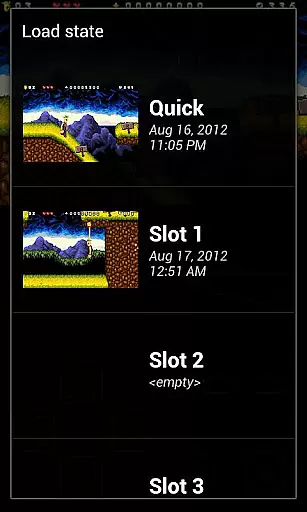
Additional highlights include save states with screenshots, ROM patching support, and desktop shortcuts for quick access to favorite games. These features collectively make My Boy! one of the most versatile and user-friendly GBA emulators available on Android.
Arcade authenticity in My Boy! is achieved through meticulous emulation of the GameBoy Advance hardware. This includes not only graphical accuracy but also precise replication of the system's audio and control responses.
The emulator employs advanced techniques such as JIT recompilation to ensure games run as smoothly as they did on the original console. This creates a nostalgic experience that transports users back to the golden age of handheld gaming.
Players can relive classic multiplayer experiences thanks to the link cable emulation feature, allowing for authentic interactions either locally or across devices via Bluetooth or Wi-Fi.
With support for cheats and game-saving features, My Boy! enhances the retro experience while maintaining the integrity of the original gameplay, offering both authenticity and modern convenience.
Control responsiveness is a critical aspect of the My Boy! emulator, ensuring that every touch and gesture on your Android device translates into immediate action within the emulated GameBoy Advance games.
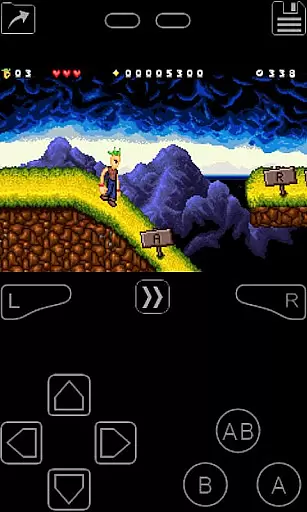
The emulator supports multi-touch controls for devices running Android 2.0 or later, providing an intuitive way to interact with games originally designed for physical buttons. This feature allows for seamless navigation and gameplay without compromising the original experience.
My Boy! offers customizable on-screen keypads and shortcut buttons, letting users tailor the control scheme to their preference. The screen layout editor further enhances this by enabling precise positioning and sizing of these controls.
This level of customization ensures that players can achieve optimal control responsiveness, making gameplay not only more comfortable but also more enjoyable and true to the arcade experience.
High game compatibility
Fast emulation speed
Multiplayer support
Hardware sensor integration
Customizable controls
No included games
Requires technical knowledge
Ads in free version
Occasional bugs
Paid version cost

Gameboy Color Emulator
 4.60
4.60
Flip the bottle! Do tricks and don't let the bottle fall!
4.50
*Try for free.* Survive alone in a Roguelike Reverse Bullet Hell.
4.80
Amid the vastness of the universe, you are a Black Hole about to be swallowed!
5.00
Jump and fly your way through danger in this rythm-based action platformer!
4.50
Jump and fly your way through danger in this rythm-based action platformer!
4.50
Master the skies in this epic airplane shooting game! Join the air force now!
4.80
You are a Black Hole, escaping the darkness trying to swallow you!
3.60
Original Space Adventure Experience
4.60
Meet Snake Run Race! Slither through an obstacle course in our fun running game!
4.70
Bomb the communists back to 1916!
4.70
Nostalgia.GBC is a high quality GBC emulator.
4.50
Antistress & relaxing games,stress relief; Antistress toys, calming games.
4.20
It's quite possibly the world's hardest game!
3.90
This app is a very fast emulator
3.40
Neogeo MVS/AES Emulator
3.30
Monster Run its a game for relax.
4.4
Reach high, and shine in the neon world in 3D!
4.3
Infinite Arcade
4.3


User Reviews