




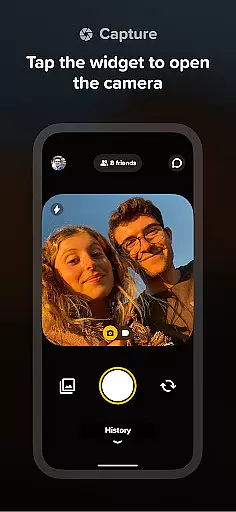




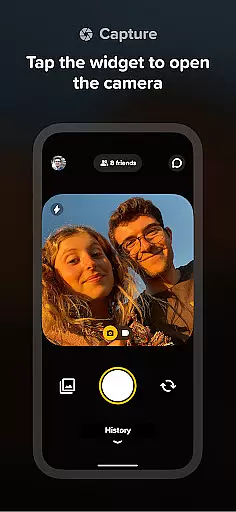
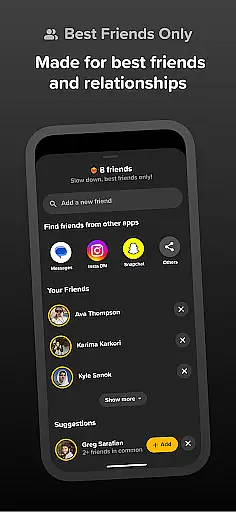
Locket Widget is a social application designed to bring users closer to their closest friends and family through instant photo sharing. The app allows users to place a widget on their Home Screen that displays live photos sent by their inner circle. Every time you unlock your phone, you'll see new pictures from your friends, providing a real-time glimpse into their lives.
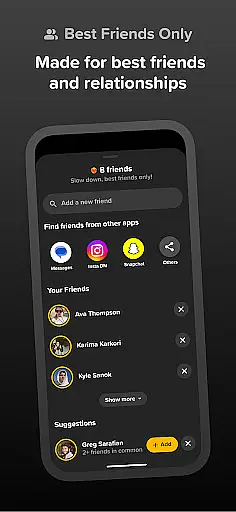
The app focuses on creating an intimate and pressure-free environment for photo sharing. Unlike traditional social media platforms, Locket limits your connections to just 20 close friends or family members. This ensures that interactions remain meaningful and authentic. Users can also react to photos with emojis, fostering engagement without the stress of public metrics like likes or followers.
This app is particularly useful for those who want to maintain close connections with a select group of people. Whether it's staying updated with your best friend's daily life or sharing special moments with family, Locket Widget provides a simple yet powerful way to stay connected through visual storytelling.
Locket Widget offers several distinctive features that set it apart from other social apps. First and foremost is its unique widget functionality, which allows live photos to appear directly on the user's Home Screen. This creates an immediate and seamless way to view and share content without needing to open the app itself.
Another key feature is the app's focus on privacy and intimacy. By limiting users to only 20 close connections, Locket ensures that interactions remain genuine and uncluttered by the noise often found on larger social networks. Additionally, the app includes a reaction system where users can respond to photos with emojis. These reactions provide positive reinforcement while avoiding the competitive nature of public likes or comments.
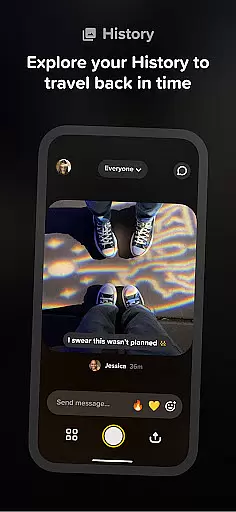
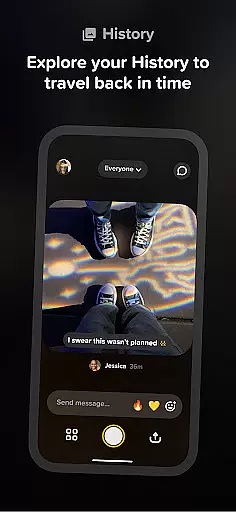
Finally, Locket Widget maintains a history of all shared photos, allowing users to build a timeline of memories with their closest connections. This archive serves as both a functional and sentimental feature, giving users the ability to revisit past moments at any time. Together, these features create a personalized and engaging experience tailored specifically for meaningful social interactions.
User profile customization and authenticity verification are essential features in social applications like Locket Widget. These functionalities ensure that users can express their true identities while maintaining trust within their close-knit community.
Locket allows users to customize their profiles by adding live photos directly to their home screens, offering a dynamic way to showcase their current moments. This unique approach to profile customization enables users to share their lives authentically with their best friends and family.
In terms of authenticity verification, Locket keeps things simple and friendly. By limiting the number of friends to 20, it creates an intimate environment where users can trust the identities of those they connect with. There's no need for complex verification processes since the focus is on quality over quantity in connections.
The value of these features lies in fostering genuine relationships. Users can be confident that the people they interact with are who they say they are, creating a safe space for sharing personal moments without the pressure of follower counts or public scrutiny.
Connection discovery in social apps refers to the ability to find and establish meaningful links with others. For Locket Widget, this feature is thoughtfully designed to prioritize close relationships over extensive networks.
Unlike traditional social platforms, Locket limits connection discovery to a small circle of 20 friends. This intentional design choice encourages users to add only their best friends and family members, ensuring that every connection holds significant personal value.
The app simplifies connection discovery through its widget-based interface. When friends send photos, they instantly appear on your home screen, creating an immediate and intimate form of connection. The process of discovering new content from your closest companions becomes seamlessly integrated into your daily routine.
This approach to connection discovery offers several benefits. It eliminates the anxiety of expanding one's network and instead focuses on nurturing existing relationships. Users can engage more deeply with their inner circle, knowing that each interaction is meaningful and reciprocal.
Instant photo sharing
Private friend circles
No ads or hidden fees
Emoji reactions
User-friendly interface
Limited to 20 friends
iOS exclusive features
No video support
Small user base
Requires constant connectivity

Second phone number for phone calls & texts. Text & SMS me now with a 2nd number
 4.20
4.20
A gathering place for 300 million people's life interests and hobbies
4.30
Live video chat to connect with people around the world. Video chatting on Olive
4.40
Social App Used By Millions
4.40
Meet online & chat with people! Talk, have fun, make connections in real time!
4.00
The world's leading social networking app for gay, bi, trans, and queer people.
4.10
SuperLive is a super popular video-streaming social network
4.60
Connection Beyond Content
4.50
Calling and texting app. 2nd virtual line plus new phone number. Txt & talk now.
4.40
Get notifications of FREE Stuff for Nextdoor, Letgo, offerup & TrashNothing
4.70
Dating & make friend to chat, meet, flirt, and make real connections!
4.60
This version of Facebook uses less data and works in all network conditions.
4.60
Watch 24/7 great live stream, or go live to boost your social followers!
4.50
Global short video platform: epic effects, trending videos & vibrant community!
4.40
TikTok Lite - Designed for speed, simplicity, and saving your phone’s space!
4.40
Meet Strangers Online, Live Video Chat & Make Random Video Calls on Joi!
4.30
Honest dating app where real people find genuine love and real matches.
4.20
Chill and Chat with Tagged Live Video with millions of peeps
4.10
Join your friends and discover videos you love, only on TikTok
4.10


User Reviews