
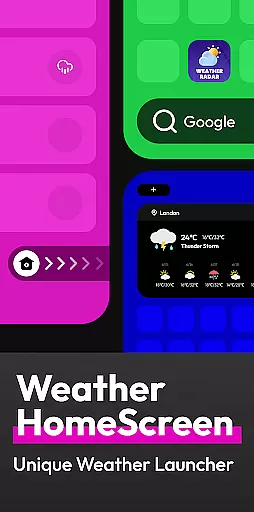
Flow Weather is a comprehensive weather application designed to be your personal weather assistant. It provides accurate real-time weather updates including temperature, humidity, wind speed, and air quality for your location. The app stands out with its multi-dimensional forecasting, offering both hourly and long-term weather predictions, which are crucial for planning daily activities.
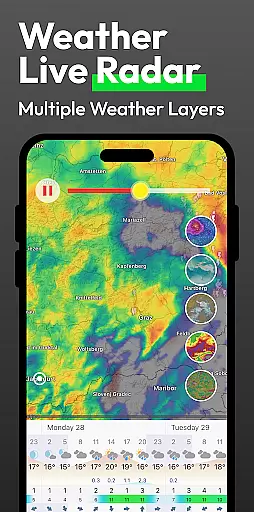
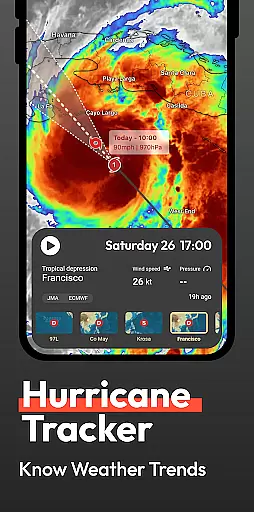
In addition to basic weather data, Flow Weather offers advanced features such as severe weather alerts and interactive weather layers. These layers allow users to explore various meteorological phenomena like wind patterns, cloud coverage, and UV indexes. A unique aspect of the app is its integration with the Android launcher, providing quick access to weather information directly from the home screen while also allowing for efficient device management.
This app is particularly useful for individuals who need reliable weather information to manage their outdoor activities or travel plans effectively. With its user-friendly interface and customizable features, Flow Weather ensures that you're always prepared for whatever weather comes your way.
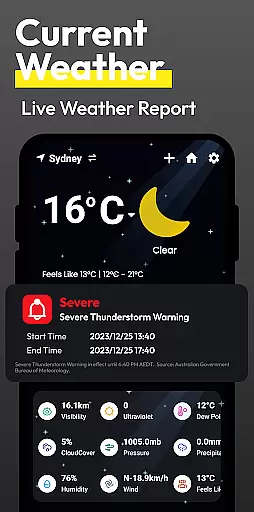
Flow Weather boasts an array of features that cater to both casual users and weather enthusiasts. One of its key functionalities is the advanced real-time weather reporting, which is powered by leading meteorological services. This ensures that users receive the most precise weather data available, including niche details like air pressure and pollution levels.
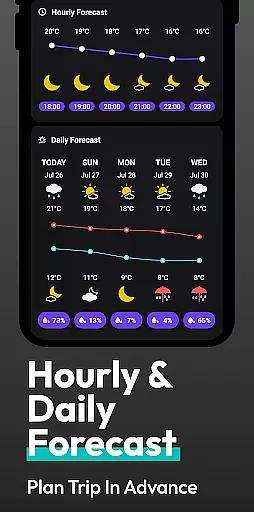
The app's forecasting capabilities are robust, providing not only short-term hourly forecasts but also extended predictions for several days ahead. This helps users plan their schedules with confidence. Additionally, the severe weather warning system is a critical tool that alerts users to adverse conditions such as storms or heatwaves, ensuring they can take necessary precautions.
For those interested in deeper weather insights, the interactive layer feature allows exploration of various weather elements on a map interface. Coupled with the innovative Android launcher integration, these features create a seamless experience where weather information is just a swipe away, making Flow Weather an indispensable tool for staying informed about environmental conditions.
When it comes to weather applications, the accuracy of forecasts and the credibility of data sources are paramount. Flow Weather excels in these areas by partnering with advanced meteorological services to provide users with precise real-time weather information. This includes detailed indicators such as temperature, humidity, wind speed and direction, air pressure, and air quality for your city.
The app's multi-dimensional forecast function is a highlight, offering hourly weather change forecasts and predicting weather trends for many days ahead. These forecasts allow users to plan their time and activities reasonably based on reliable future weather predictions. The timely push notifications for severe weather warningsu2014such as heavy rain, blizzards, high temperatures, and cold wavesu2014further enhance user preparedness.
Flow Weather also provides multiple interactive weather layers for users seeking professional-level insights. You can explore various layers such as wind conditions, clouds, waves, UV, and PM2.5 to gain an in-depth understanding of the ever-changing weather system. This comprehensive approach ensures that users receive not only accurate but also actionable weather data.
Flow Weather stands out by offering extensive temporal and spatial forecast ranges, ensuring users have access to both immediate and long-term weather predictions. The app provides hourly forecasts for the near future and extends its projections over several days, allowing users to make informed decisions about travel, work, and leisure activities.
In addition to temporal coverage, the spatial aspect is equally robust. Users can obtain weather information for various locations, not just their current position. This feature is particularly useful for those who frequently travel or need to stay updated on weather conditions in different regions. Whether you're planning a trip or monitoring weather patterns across multiple cities, Flow Weather has got you covered.
Furthermore, the appu2019s innovative integration with the Android launcher enhances accessibility. By deeply customizing a personalized weather Android launcher, users can check the weather with a simple swipe. This seamless interaction ensures that critical weather updates are always at your fingertips, making Flow Weather an indispensable tool for navigating daily life efficiently and safely.
User-friendly interface
Accurate real-time data
Comprehensive forecasting
Customizable home screen
Interactive weather maps
Permission required for location
Limited without geolocation
Premium features may cost extra
Some regions have less accuracy
Notifications can be frequent

Get the ad-free version of the highly rated WeatherBug app for accurate weather!
 4.50
4.50
Live Weather Forecast app with acu weather radar, weather alert & weather widget
4.80
The Weather Network TV App - Your weather when it really matters
2.90
Arrive safely! Travel weather forecasts for your entire trip at time of arrival.
3.60
Live weather forecast for your everyday life
4.60
Accurate weather forecast, daily weather changes are easy to grasp
4.90
Most precise & accurate compass app give true North South East West directions.
3.00
3D Animation Weather Icon
4.00
Weather channel forecasts weather daily & hourly, local and national air quality
4.70
A professional, comprehensive and accurate weather forecast app
4.90
Aviation weather made simple. Visual decoder for METAR & TAF
4.90
Powerful US and worldwide earthquake feed with earthquake alerts and maps.
4.60
72-hour weather & daily forecasts with extreme weather alerts
4.60
Prepare for severe weather with notifications, future radar, and live alerts.
4.60
A powerful tool for ultimate weather awareness
3.50
Determine Best Hunting Times for any date, any location.
2.50
Get instant weather & temperature predictions right on your Wear OS smartwatch!
4.0
Quickly check the Hanalei river gauge height during heavy rains on Kaua'i.
4.1
Dynamic weather watch face with glass effect, bold time & 7 complications.
4.4


User Reviews