
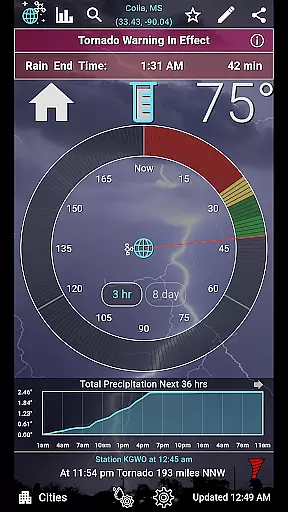
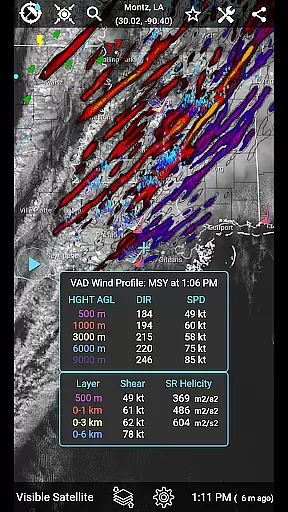
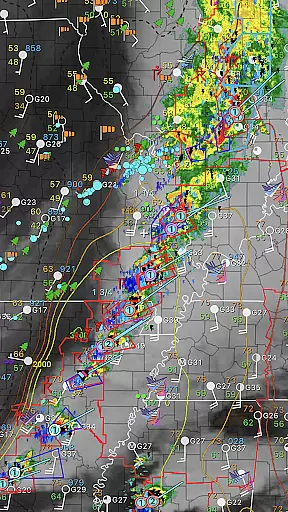
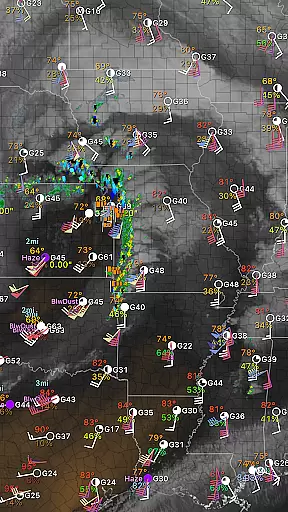
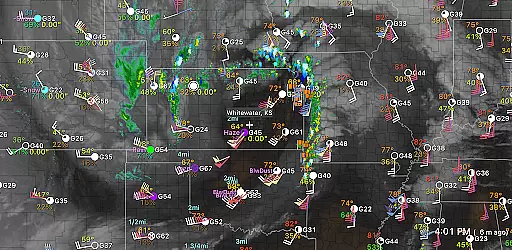
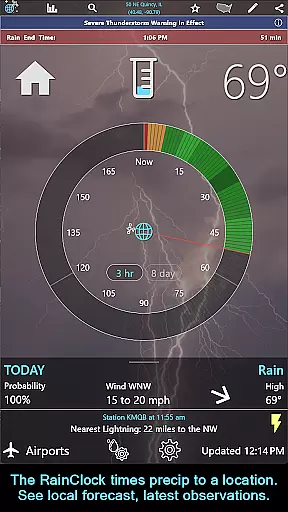
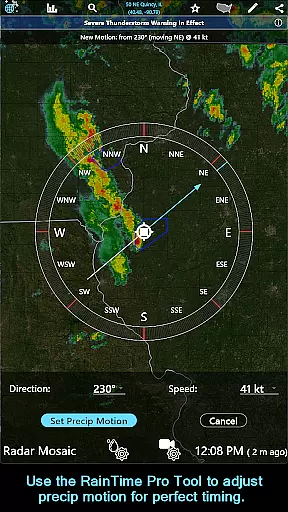
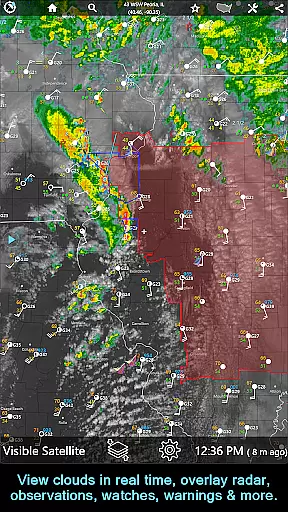
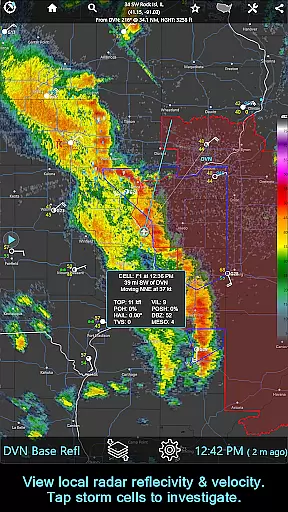
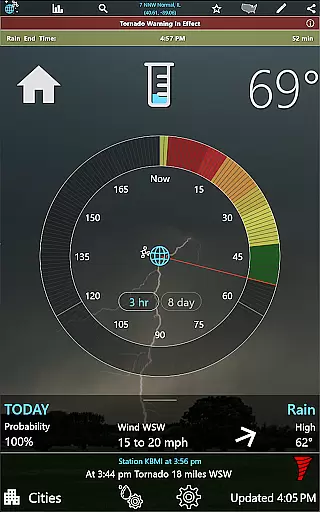
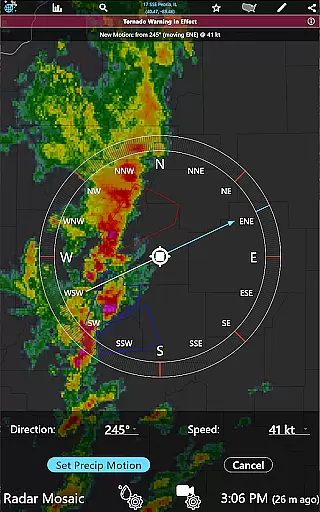
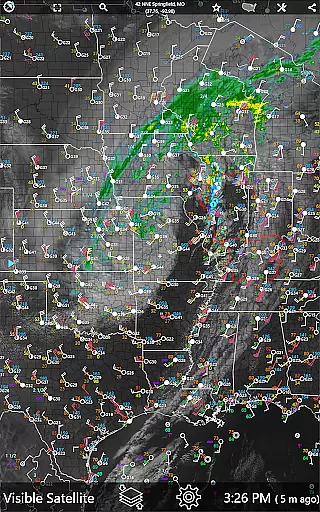
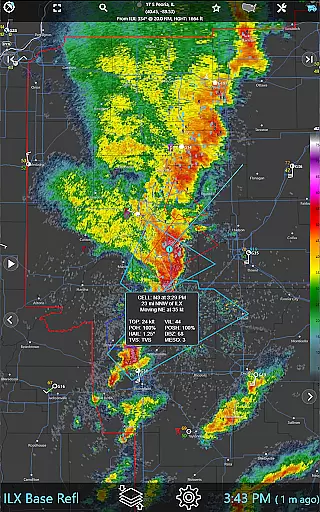
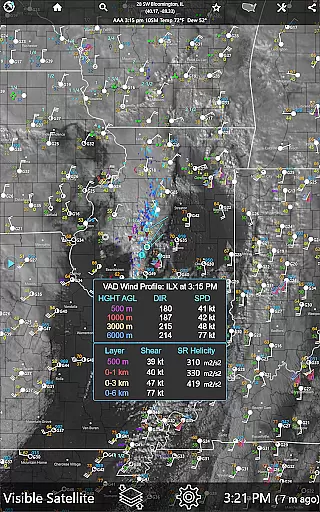
RainAware is a comprehensive weather application designed to provide users with detailed and localized weather information. The app's core functionality revolves around precise precipitation tracking, offering accurate rain start and end times up to three hours in advance. This feature is complemented by interactive graphs that display temperature, wind speed, cloud cover, and precipitation data for the next 36 hours.
One of the standout features is the notification system, which alerts users about incoming rain, severe weather threats, and significant weather changes. Users can customize alert settings based on rain duration and proximity. The app also includes a unique Rain Clock, weather badges, and a current conditions ticker that provides real-time updates and relevant weather reports.
The application is particularly useful for outdoor event planning, travel, and daily commutes, ensuring users are always prepared for changing weather conditions. With its intuitive interface and wealth of features, RainAware delivers substantial value to anyone needing reliable and detailed weather information.
RainAware boasts an impressive array of features tailored to meet the needs of weather enthusiasts and casual users alike. One of the key highlights is the Rain Clock, which not only predicts precipitation but also adjusts background images to reflect current weather conditions. This visual cue enhances user experience by providing an immediate sense of the weather outside.
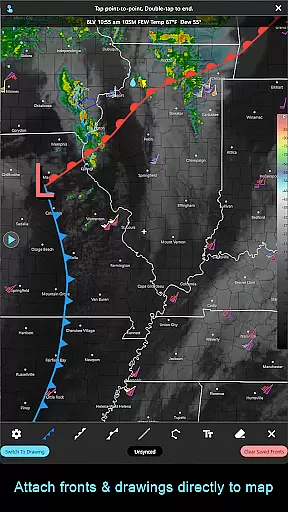
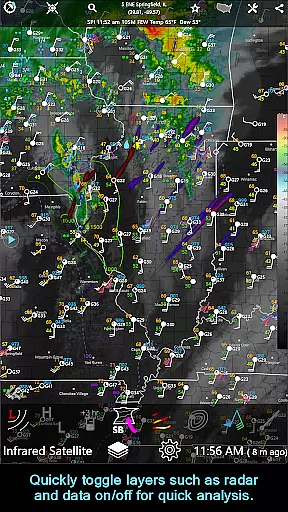
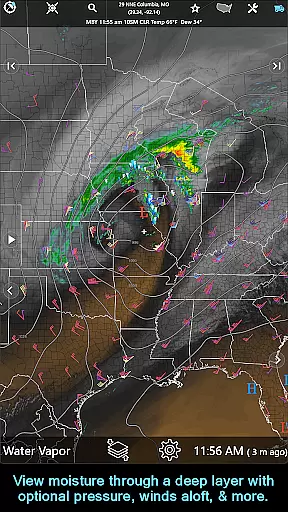
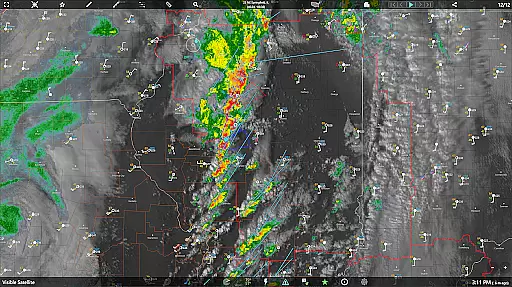
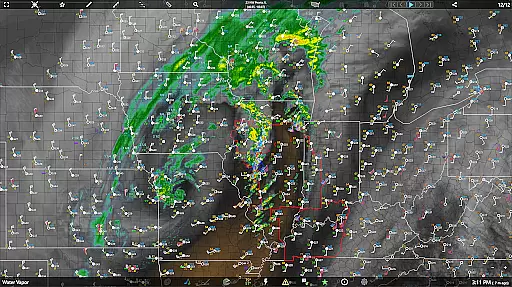
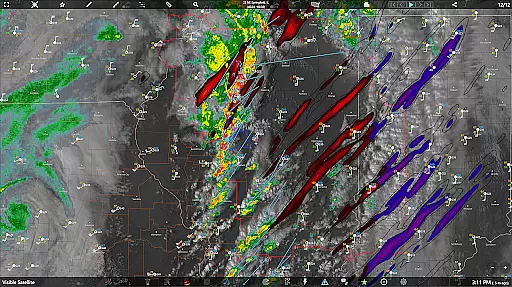
The interactive graphs and weather map overlays offer a deep dive into meteorological data, allowing users to analyze temperature trends, wind patterns, and cloud movements. These tools are invaluable for understanding short-term weather changes. Additionally, the drawing tool and longer loop animations enable users to create custom weather analyses and visualize trends over extended periods.
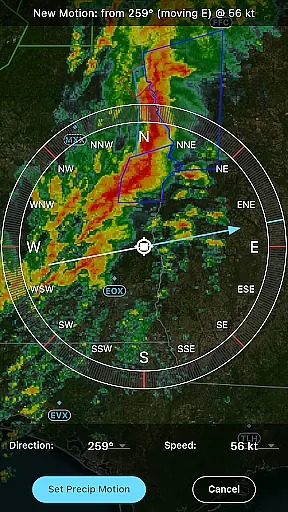
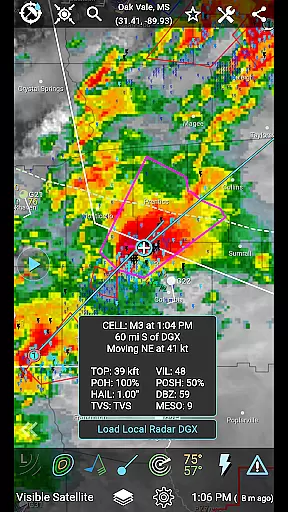
For those requiring advanced functionalities, the subscription version unlocks features like the RainPro Tool, National Radar Products, and aviation mode. These additions cater to professional users who need detailed insights into storm cells, satellite imagery, and environmental fields. Overall, RainAware's robust feature set positions it as a top choice for anyone seeking a sophisticated weather app.
Forecast accuracy and data credibility are essential for any weather application, and RainAware excels in these areas. The app provides precise rain timing to your location up to three hours in advance, ensuring users can plan their activities accordingly. By utilizing advanced forecasting models and real-time data, the app delivers reliable information on when rain will start and end.
The interactive graphs within RainAware offer detailed visuals for temperature, wind speed, cloud cover, and precipitation type over the next 36 hours. This feature allows users to make informed decisions based on comprehensive weather data. Additionally, the app's notifications alert users to significant weather changes, enhancing preparedness for incoming rain or severe weather conditions.
RainAware also includes weather badges that appear outside the Rain Clock when significant or rapid changes in precipitation, temperature, or wind are forecasted. These badges serve as visual indicators of changing weather patterns, providing users with quick insights into upcoming weather events. With such robust features, RainAware ensures users receive accurate and credible weather forecasts tailored to their specific locations.
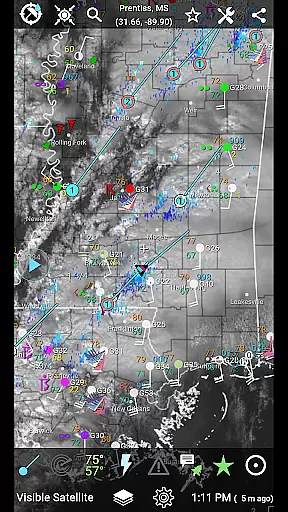
The temporal and spatial forecast range is a critical aspect of any weather app, and RainAware offers extensive coverage across the USA and into southern Canada. Users can access satellite and local radar coverage that extends from Hawaii to the Caribbean, ensuring comprehensive weather tracking over a wide geographic area. This broad coverage allows users to stay informed about weather conditions not only in their immediate vicinity but also in distant locations they may be interested in.
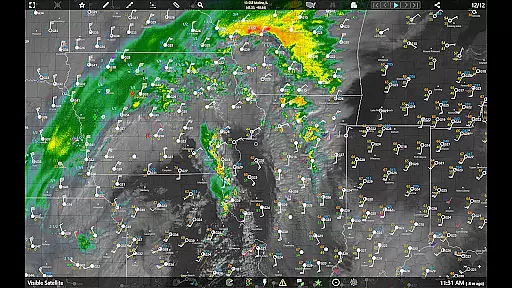
RainAware provides regional domain views for satellite and radar imagery, which can be moved to new locations to view weather maps elsewhere. This flexibility enables users to monitor weather patterns across different regions, making it an invaluable tool for travelers or those concerned about weather in multiple areas. The landscape mode further enhances this capability by offering larger maps with added pan and zoom controls.
In addition to its expansive spatial coverage, RainAware supports longer loops, animating up to 36 frames and 12 hours out on capable devices. This feature allows users to observe weather trends over extended periods, improving their ability to predict future conditions accurately. With these capabilities, RainAware empowers users with detailed and far-reaching weather forecasts, enhancing both short-term planning and long-term awareness.
Accurate rain predictions
Customizable notifications
Interactive weather graphs
Comprehensive weather maps
User-friendly interface
Subscription required for advanced features
Limited free version capabilities
High data usage
Complex for beginners
Occasional lag in updates

Live weather radar, widgets & forecasts. Track rain, storms & temperature.
 4.20
4.20
Quickly check the Hanalei river gauge height during heavy rains on Kaua'i.
4.2
The reliable and trusted global air quality, wildfire, pollen, PM2.5 forecast
4.70
Global weather forecast, powered by layered radar & hourly weather updates
4.10
Weather forecast & live radar map
4.20
Powerful US and worldwide earthquake feed with earthquake alerts and maps.
4.60
Accurate, beautiful weather with landscapes depicting weather, sky, season.
4.50
14-day & 24-hour Forecast | Real-time Alert | Accurate & Fast
4.40
Weather Forecast, Trending News, Hurricane & Storm Tracker, Alerts & Live Radar.
4.80
No ads, No data collected. Beautiful and powerfully customizable weather app
4.90
Local weather forecast app, your personal 7*24 local weather forecast assistant.
4.90
Local Weather provides accurate and current hourly and daily forecasts.
4.80
Your Trusted Weather Companion
4.40
Accurate weather forecast and beautiful weather & clock widgets
4.20
Accurate Local Weather Forecast, let you easily understand the nearby weather!
4.20
Know the weather earlier.
3.90
Determine Best Hunting Times for any date, any location.
2.50
Get instant weather & temperature predictions right on your Wear OS smartwatch!
4.1
Digital Weather Watch Face for Wear OS 5+
4.1


User Reviews