
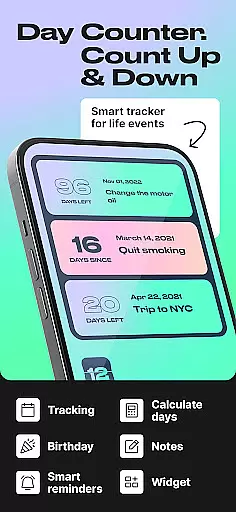
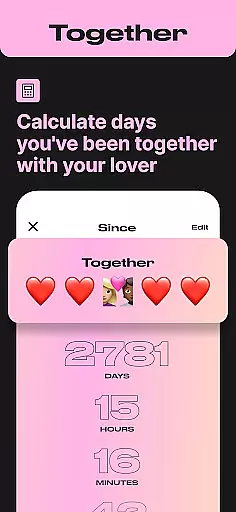
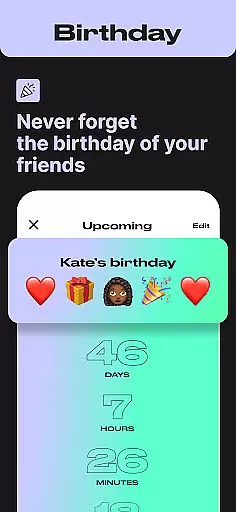
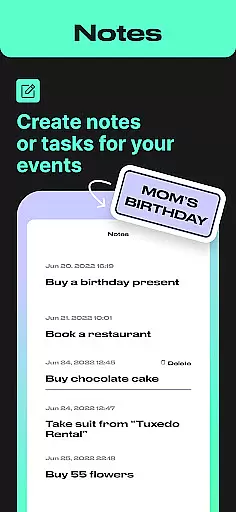
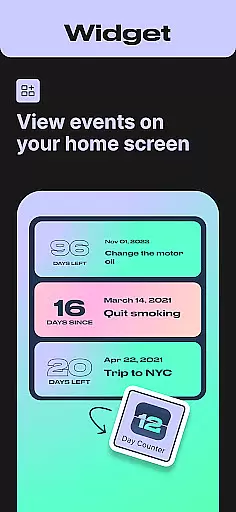
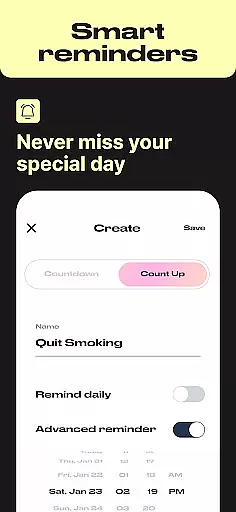
Day Counter is an intuitive Events app designed to help users track important dates and milestones with precision. The app offers two primary modes - count up and countdown - allowing you to monitor time elapsed or remaining for any event. Whether it's personal goals, work deadlines, or special occasions like birthdays and holidays, Day Counter keeps you organized and prepared.
With unlimited customizable counters, users can manage multiple events effortlessly. The clean, minimal design ensures distraction-free tracking while features like widgets, reminders, and custom notifications enhance the user experience. This versatile app serves as both a productivity tool and a personal tracker, making it invaluable for staying on top of your schedule.
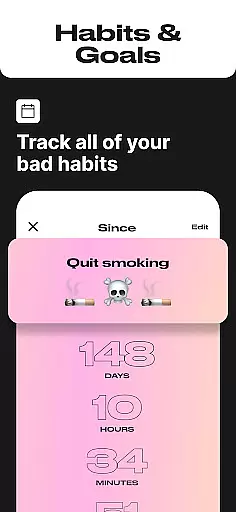
Use Day Counter to build better habits, celebrate milestones, or simply remember important dates. Its elegant interface and precise tracking capabilities make it an essential companion for anyone looking to take control of their time and never miss a significant moment again.
Day Counter stands out in the Events category due to its robust feature set tailored for efficient time management. One of its key features is the dual-mode functionality, offering both count up and countdown timers. These modes allow users to track days since an event or anticipate upcoming ones, providing flexibility for various use cases from productivity to personal life events.
The app supports unlimited counters, enabling users to track everything from work deadlines to personal goals simultaneously. Each counter is fully customizable, allowing personalized naming and detailed settings. Users can also enable custom notifications to ensure they never miss an important milestone. The inclusion of widgets enhances accessibility, letting users view their counters directly from their home screen.
Additional notable features include the ability to review past events by week, month, or year, and specialized tracking options for habit building and sobriety monitoring. The app's clean design maintains focus on essential information while maintaining ease of use. These comprehensive features make Day Counter a powerful tool for anyone seeking to maintain better control over their schedule and personal development.
Task creation and detail customization are essential features for any event management app. Day Counter excels in this area by providing users with the ability to create unlimited counters for various events, from personal milestones to work deadlines.
The app allows users to customize each counter with specific details, such as naming the event, setting the exact date, and choosing between count up or countdown modes. This flexibility ensures that every important moment is tracked precisely how the user wants it.
With intuitive controls and a clean interface, users can easily personalize their counters without any confusion. The customization options extend to setting reminders and notifications, ensuring users never miss an important event or milestone.
This level of detail customization not only enhances user engagement but also makes time tracking more meaningful and relevant to individual needs, thus improving overall productivity and personal satisfaction.
Reminder settings in Day Counter play a crucial role in keeping users informed and prepared for upcoming events. By allowing personalized notifications, the app ensures that no important moment goes unnoticed.
Users can set custom reminders for each counter they create, whether it's a birthday, anniversary, or a critical work deadline. These reminders can be tailored to notify users at specific times leading up to the event, on the day itself, or even afterward for reflection.
The app's reminder system is designed to be both flexible and reliable, offering multiple notification options. Users can choose how far in advance they want to be reminded, ensuring timely preparation and reducing last-minute stress.
By integrating seamlessly with daily routines, these reminder settings help users stay organized and focused on both short-term tasks and long-term goals, enhancing overall time management skills and peace of mind.
User-friendly interface
Unlimited event tracking
Customizable notifications
Clean minimal design
Versatile counting modes
Limited advanced analytics
No team collaboration
Premium features locked
Occasional bugs
Basic widget options

Manage all your events, leads, ticketing, payments and check-ins.
 4.30
4.30
Here you can choose tickets for films, performances, concerts and other events
4.60
Watch live football matches and streaming events on our Arabic TV app!
3.50
The KRUU app - plan, celebrate, remember
4.80
RAISE-365 makes fundraising easy and fun!
3.20
Discover events, experiences, and things to do near you - Anytime, Anywhere!
4.70
Freebie Games for Epic Games, Steam, Amazon, Rockstar etc.
4.40
Buy tickets for any event!
3.90
Buy and sell tickets to sports, concerts, theater, festivals, and comedy events
4.10
Find EDM shows near you! See your favorite artists live, and discover new music.
4.90
Clubs, Festivals, Discounted Tickets, Guest Lists & VIP Tables
4.90
For weddings, parties & events
4.60
Fast Scans. Happy Fans. For Every Hometown!
4.60
Invitation Card Maker, Design & share wedding, birthday & party invites fast
4.40
Octrober 2025: We've updated the MyGenMobile App with a new look and feel!
4.40
Manages display and transfer of tickets from the Mundo Tickets platform
3.80
Browse events, find transportation, keep up with the latest news from your team
4.4
Digital Income Wallet of the Final Libertadores 2025
4.1
The official app of the Carmel Christkindlmarkt!
4.5


User Reviews