

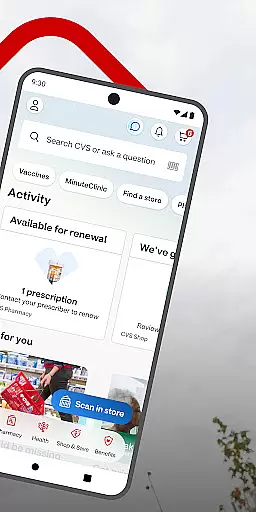
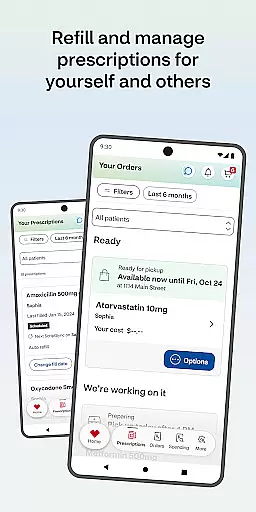
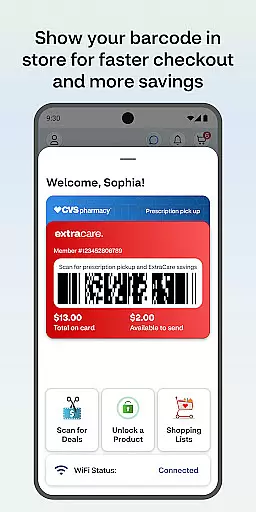
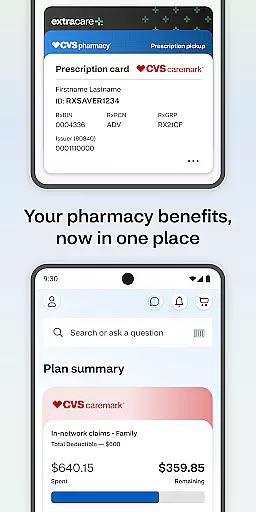
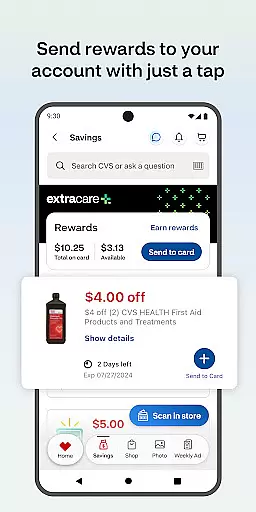
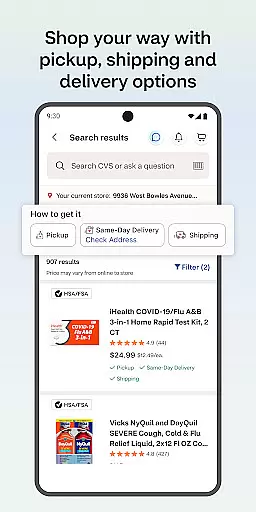
The CVS Health® app is a comprehensive medical solution designed to simplify healthcare management. It enables users to effortlessly handle prescription refills, access exclusive deals through ExtraCare®, and manage family healthcare needs in one place.
With features like in-store scanning for checkout, medication delivery options, and telehealth services via video chat, the app ensures convenience and time-saving. Users can also schedule vaccines, check drug interactions, and order photo prints for same-day pickup at select stores.
This app is particularly useful for individuals seeking an all-in-one platform to manage their health, save money on prescriptions, and access nearby medical services with ease.
The CVS Health® app offers a diverse range of features that cater to various healthcare needs. One standout functionality is its integrated prescription management system, which allows users to refill medications, check statuses, and view history seamlessly.
Another key feature is the ExtraCare® program integration, providing users with app-exclusive deals, coupons, and rewards while enabling push notifications for important updates. The app also supports telehealth services, offering 24/7 video consultations with healthcare providers and facilitating appointment scheduling at nearby clinics.
Additionally, the app's photo printing service demonstrates innovation by allowing users to order prints directly from their devices for same-day pickup, making it a versatile tool for both health and personal needs.
In the realm of digital health solutions, the credibility of medical content is paramount. The CVS Healthu00ae app ensures that all information provided is thoroughly vetted by healthcare professionals. This guarantees users access to reliable data regarding medications, interactions, and health services.
The application's content undergoes regular expert reviews to maintain accuracy and relevance. By collaborating with licensed pharmacists and medical practitioners, CVS Healthu00ae delivers an authoritative resource for managing personal and family health needs. These experts contribute to creating a trustworthy platform where users can confidently schedule vaccines and seek medical advice.
For users, this means peace of mind when accessing drug interaction details or medication information within the app. They can trust that the guidance they receive aligns with current medical standards and best practices. Such diligence in maintaining content quality sets a benchmark in the digital healthcare space.
Teleconsultations have become a cornerstone of modern healthcare delivery, offering convenience without compromising care quality. CVS Healthu00ae excels in providing high-standard virtual consultations through its app. Users can engage in video chats with healthcare providers around the clock, receiving timely medical advice from the comfort of their homes.
The service is designed to be intuitive and efficient, ensuring that users can quickly connect with qualified professionals. Whether it's for routine check-ups or urgent medical concerns, the app facilitates seamless communication between patients and providers. This immediacy helps improve health outcomes by reducing wait times for medical counsel.
Moreover, the ability to schedule clinic visits and view wait times adds another layer of convenience. By integrating teleconsultation features with practical tools like these, CVS Healthu00ae enhances user experience while maintaining professional healthcare delivery standards.
User-friendly interface
Comprehensive health management
Cost-saving features
Convenient prescription handling
Integrated telehealth services
Limited to CVS services
Background GPS usage
Android version restrictions
Notification dependency
Internet connection required

Behavioral Health Portal
 4.70
4.70
Spruce is the leading platform for HIPAA-compliant communication and care.
4.90
Secure video visits with your VA care team from anywhere
4.50
Hearing aid app for Android solves your hearing problems.
4.00
The MDLIVE app makes connecting with a doctor fast, easy, and convenient.
4.60
Be more confident prescribing homeopathy at home for your family.
4.80
A rapid reference for prehospital providers caring for pediatric patients.
4.4
Your donation experience just got smoother; Donor Hub is your go-to place.
4.70
Find and Price Care
4.60
Elegant, easy-to-use period tracker for fertility, PMS symptoms, and more
4.90
Amplify surrounding sounds, conversations, TV or lectures for louder hearing.
4.70
Sync your blood glucose device, log values automatically and tame your diabetes!
4.60
Enjoy 200%+ volume booster with bass booster, equalizer and headphone supported.
4.60
The Omada app enhances your program experience and helps you stay engaged.
4.50
The official DSM-5-TR® app
4.50
The OptumRx app empowers you to become an advocate of your pharmacy benefits.
4.40
Easy access to benefits and rewards
3.70
X-Vein: Advanced vein detection for medical practice
3.10
A scientifically-proven method to help people with dementia or memory impairment
4.2


User Reviews