

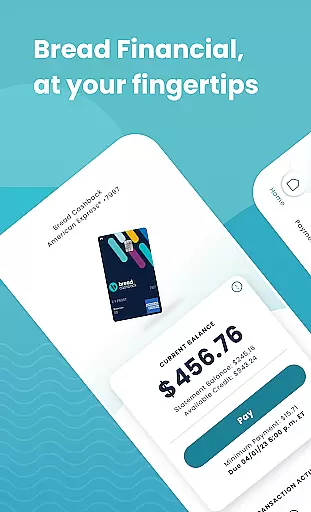
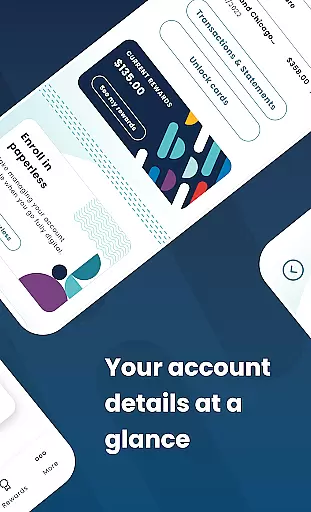
Bread Financial is a mobile application designed to simplify the management of your Bread Cashback™ American Express® Credit Card, Bread Rewards™ American Express® Credit Card, and AAA Visa Signature® credit card accounts. With this app, you can access your account anytime, anywhere, using the same login credentials as on Account Center. The app offers essential features such as making payments, redeeming rewards, reviewing transaction history, and more, all from the convenience of your mobile device.
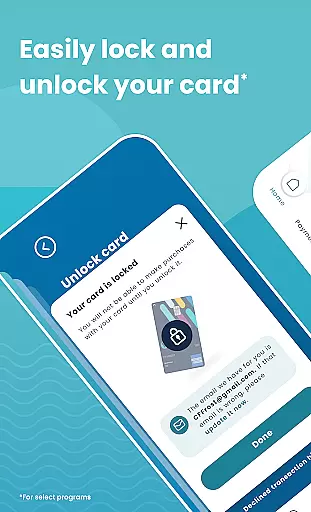
One of the standout features of Bread Financial is its user-friendly interface that allows for quick and secure login via username/password or biometrics. Additionally, users can manage their accounts by reviewing transactions, activating cards, adding authorized buyers, and even locking or unlocking their cards for select programs. This makes it an ideal tool for individuals who require flexible and efficient financial management solutions on the go.
The true value of Bread Financial lies in its ability to provide users with comprehensive control over their credit card accounts. Whether you're scheduling payments, tracking reward earnings, or communicating securely through the app's message center, Bread Financial ensures that managing your finances is both convenient and secure.
Bread Financial stands out due to its rich array of features tailored to enhance user experience. One of the primary functionalities includes the ability to log in quickly and securely using either a username/password combination or biometric authentication. This ensures that your financial data remains protected while providing seamless access to your account.
In addition to secure login options, the app allows users to review transactions and statements, search recent activity, and filter results as needed. For those managing multiple cards, features like card activation, adding authorized buyers, and the ability to lock or unlock cards (for select programs) are particularly beneficial. These tools empower users to maintain full control over their credit card usage and security.
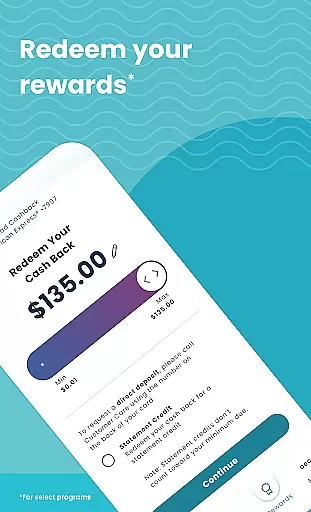
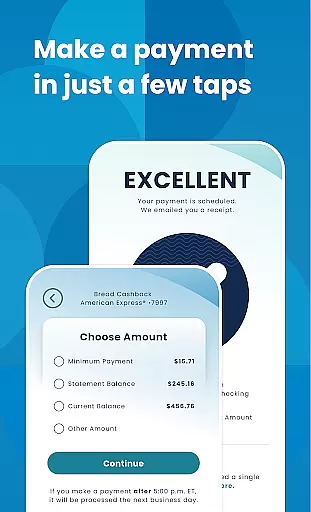
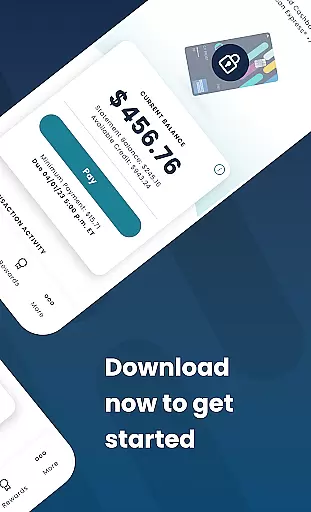
Another significant feature is the ease with which users can make payments. Bread Financial supports setting up automatic payments, scheduling one-time payments, and editing or deleting scheduled payments. Furthermore, users enrolled in specific programs can track their reward earnings, redeem them in any amount they prefer, and unlock exclusive offers on the partner site linked within the app. This comprehensive suite of features ensures that users have everything they need to manage their finances effectively.
Account and fund security is a critical feature for any financial application, ensuring that users' sensitive information and funds are protected. Bread Financial employs advanced encryption protocols and multi-factor authentication to safeguard user data. This includes secure login options such as username/password or biometrics, providing an additional layer of protection.
The app also allows users to manage their card security by enabling them to lock and unlock their cards directly from the app interface. This feature is particularly useful in preventing unauthorized transactions should the card be lost or stolen. By empowering users with control over their card's active status, Bread Financial enhances both convenience and security.
Furthermore, all communications within the app occur through a secure messaging center, ensuring that any interaction between the user and customer support remains confidential. These comprehensive security measures give users peace of mind when managing their credit card accounts on the go.
A seamless transaction experience is essential for users managing their finances through a mobile app. Bread Financial offers a streamlined process where users can review transactions, statements, and search recent activities with ease. The intuitive filtering options allow for efficient tracking of spending habits and financial planning.
In addition to viewing transaction history, the app enables users to make payments effortlessly. With just a few taps, users can set up automatic payments, schedule one-time payments, or edit/delete scheduled payments. This flexibility ensures that users maintain control over their payment schedules while avoiding late fees.
Bread Financial further enhances the transaction experience by integrating reward redemption into the payment process. Users can track their reward earnings and redeem them during transactions, adding value to every purchase made through the app. This combination of functionality and user-centric design creates a smooth and rewarding transaction experience.
User-friendly interface
Secure login options
Comprehensive account management
Flexible payment scheduling
Reward tracking and redemption
Limited to specific cardholders
Some features for select programs only
No multi-language support
Occasional bugs reported
Additional brands pending integration

Play for fun, earn for real. Collect rent by owning virtual land & get cashback
 4.60
4.60
Need help before payday? Get cash advances with no interest or credit checks.
4.60
The Citi Mobile® App lets you manage your accounts virtually anytime, anywhere
4.80
Save, spend & get paid faster²
4.50
No credit checked needed.
4.80
Manage your credit card account with the Credit One Bank mobile app.
4.70
Real-time tracking: Stocks, Indices, Futures, Commodities, ETF, & Funds prices.
4.60
The US Debt Clock .org App gives you a Real-Time glimpse of US Financial Stats
4.60
Make your paycheck work harder for you with Perpay.
4.10
Simple & secure international money transfers - for personal & business needs.
4.80
Military retirement pay estimation calculator
4.70
Send money and bitcoin easily. Invest, bank and do more with your money
4.70
Download the MySynchrony App to manage your accounts securely and conveniently!
4.60
Get a cash advance instantly. File taxes & cover unexpected bills in minutes.
4.60
Debt pay off. Build credit history. AI budget tool. Loan offers.
4.60
Amazing Financial Calculator. Based on HP 10bII, but easier to use!
4.40
NFC mobile payment app Use your phone as a contactless bank card
4.00
View BSC Transactions for multiple accounts
3.90
SuperQi, Your all-in-one Super App.
1.30


User Reviews