
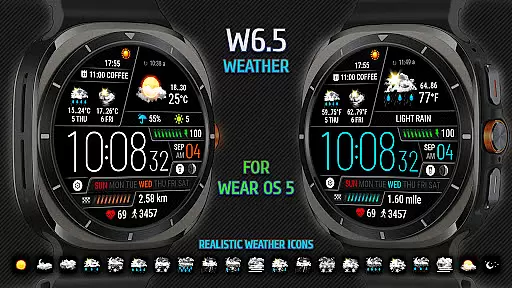
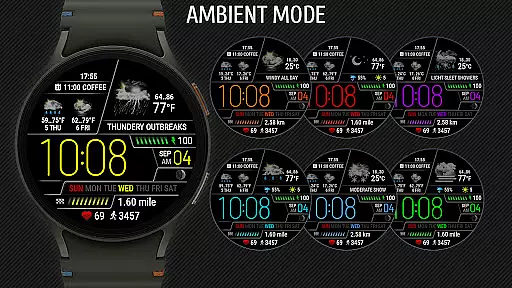
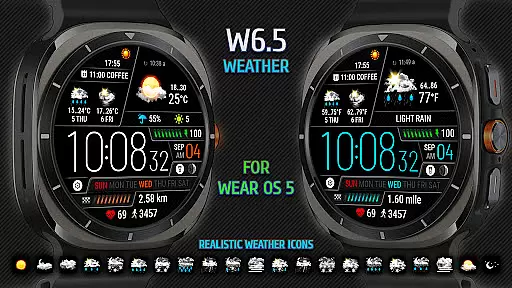
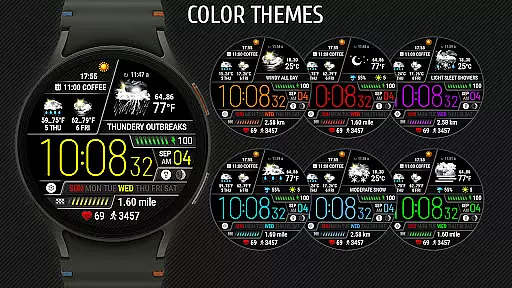
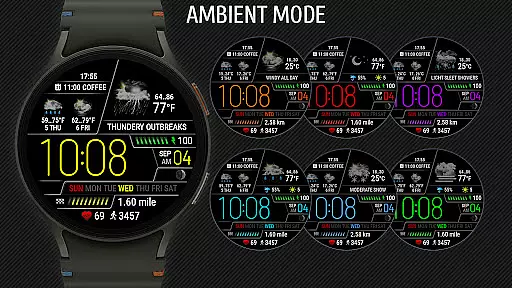
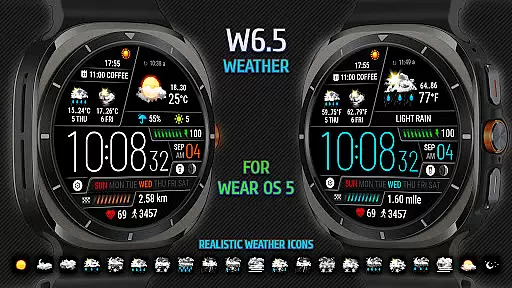
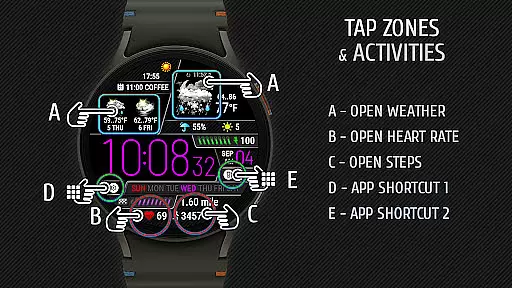
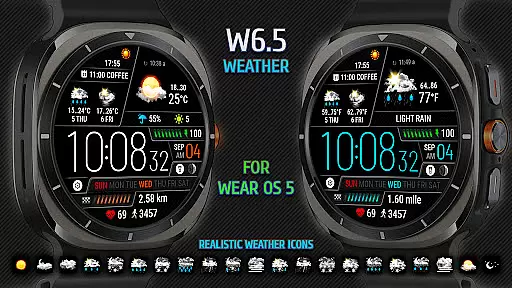
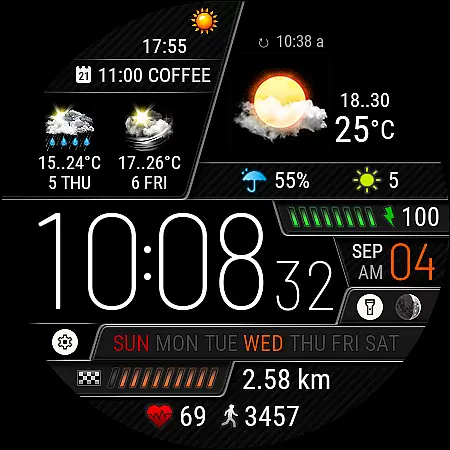
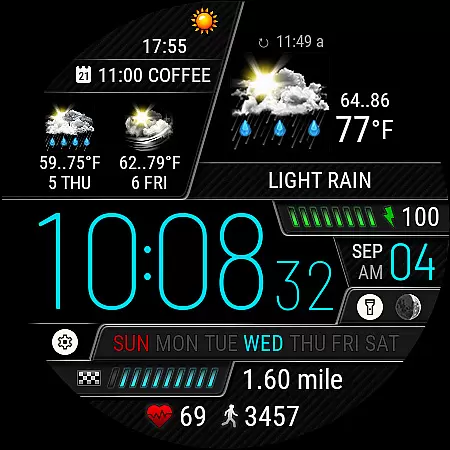
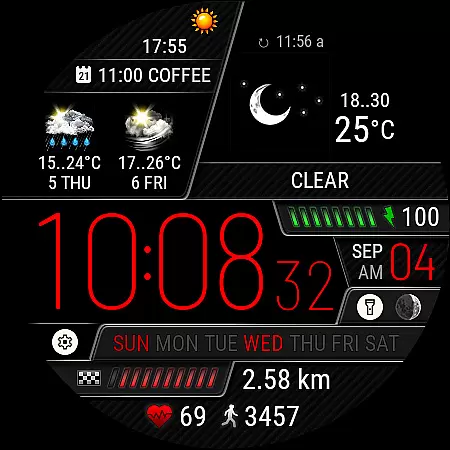
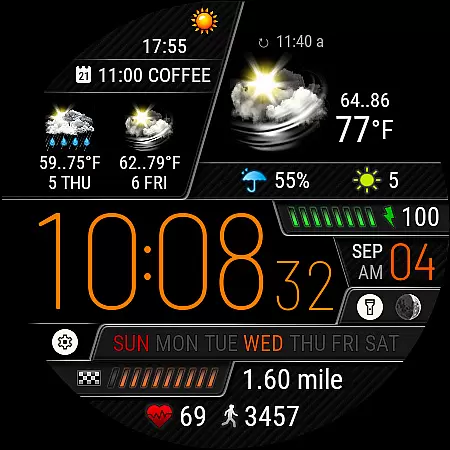
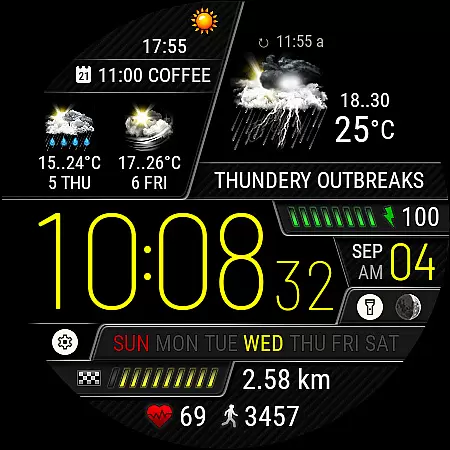
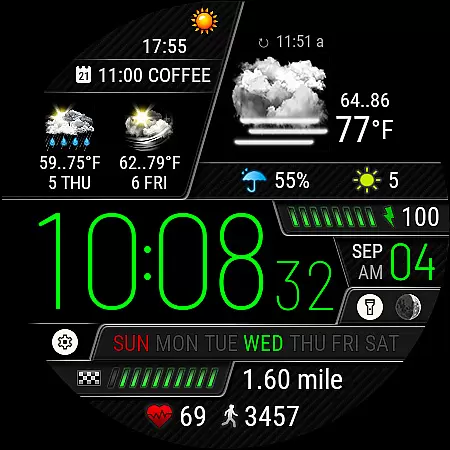
Weather Watch Face W6.5 is a sophisticated timepiece application designed exclusively for Wear OS 5+ (API 34+), optimized for the latest Galaxy Watch and Pixel Watch models. This app transforms your smartwatch face into an interactive weather station, displaying digital time alongside realistic weather icons that represent 15 different weather conditions.
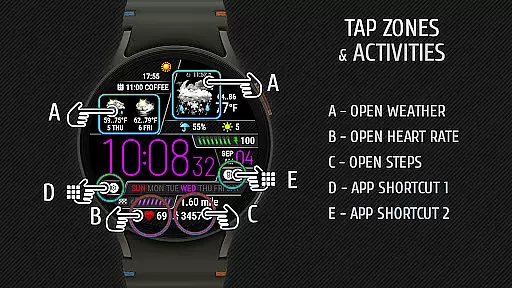
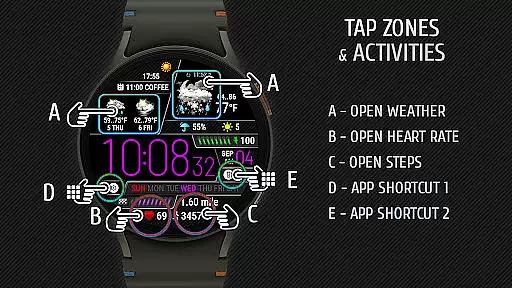
In addition to current weather, the watch face provides valuable information such as precipitation probability, UV index, and a 2-day forecast. It also tracks health metrics like heart rate, steps, and distance traveled, making it a comprehensive tool for both fitness enthusiasts and everyday users who need quick access to essential data at a glance.
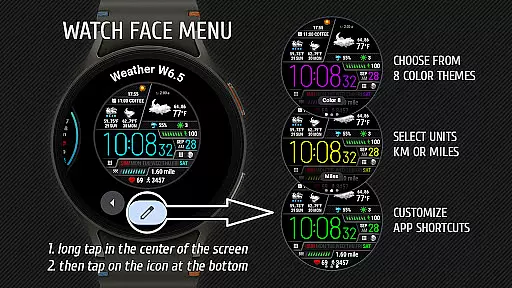
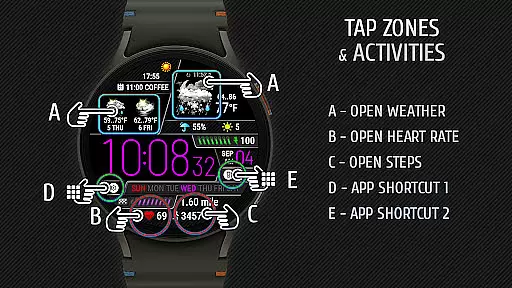
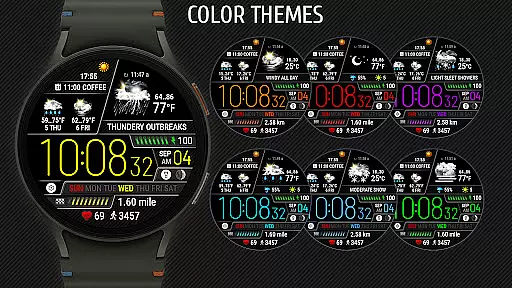
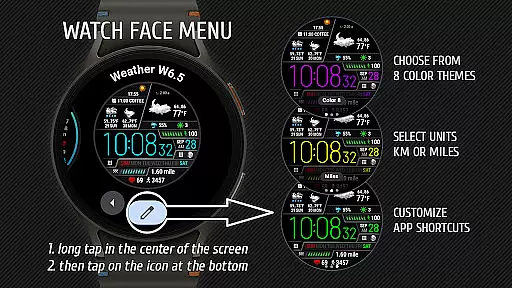
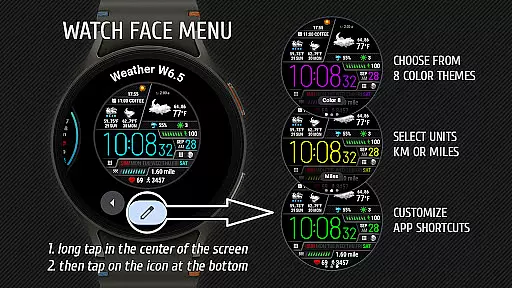
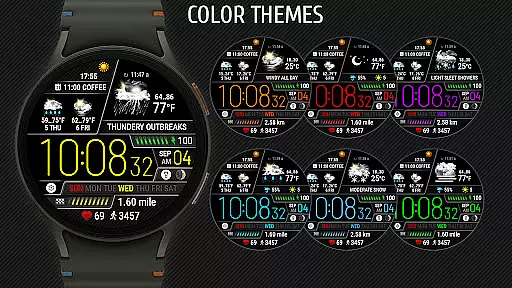
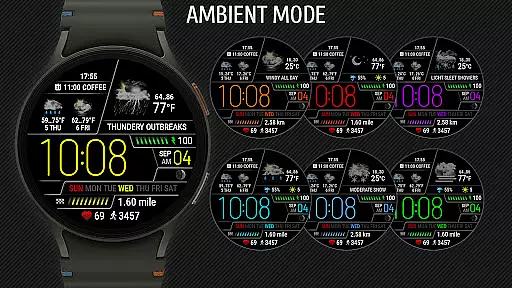
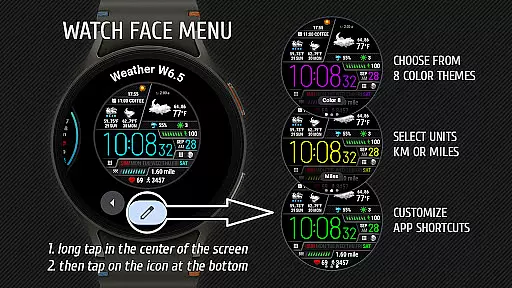
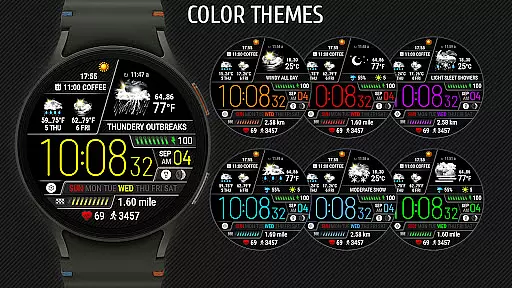
The Weather Watch Face W6.5 stands out with its advanced features tailored for Wear OS 5+. The app supports two customizable app shortcut areas, allowing users to launch their favorite applications directly from the watch face. Users can choose from one of eight color themes to personalize their experience and select units of measurement for distance (km or miles).
Real-time weather updates are powered by The Weather Channel or other system weather sources, ensuring accuracy and reliability. With intuitive navigation and responsive design, this app offers seamless integration with your daily routine, providing instant access to critical information without needing to reach for your phone.
Weather watch face W6.5 delivers precise weather forecasts tailored for Wear OS 5+ users. The application sources its data from credible providers like The Weather Channel, ensuring reliable and accurate information.
Real-time updates on current weather, precipitation probability, UV index, and a two-day forecast are displayed directly on your smartwatch interface. With fifteen distinct weather conditions represented by realistic icons, users can quickly interpret the forecast at a glance.
The integration with trusted weather sources guarantees that users receive dependable data, enhancing their planning and decision-making processes. This level of accuracy is crucial for those relying on up-to-date weather information throughout their day.
Beyond just showing the current weather, Weather watch face W6.5 offers an extended forecast range that includes a two-day outlook. This feature allows users to plan ahead with confidence, knowing what weather conditions to expect in the near future.
Each weather element, such as digital time, heart rate, steps, and distance traveled, is meticulously presented within the watch face. Users can customize their experience by choosing between different units of measurement and color themes, making it adaptable to individual preferences.
By providing comprehensive temporal and spatial data, this app ensures that whether you're stepping out for a run or scheduling your week, you have all necessary weather details readily available on your Galaxy Watch or Pixel Watch.
User-friendly interface
Realistic weather icons
Customizable shortcuts
Multiple color themes
Health tracking features
Limited device support
No iOS compatibility
Requires Wear OS 5+
Premium features may cost extra
Dependent on external weather sources

Track rainfall totals with ease using our rain gauge app. Accurate rain tracker.
 4.50
4.50
Get accurate rainfall and snowfall totals for pinpoint locations on a map.
4.60
Quickly check the Hanalei river gauge height during heavy rains on Kaua'i.
4.2
Weather forecast & live radar map
4.20
Powerful US and worldwide earthquake feed with earthquake alerts and maps.
4.70
Your Reliable Weather Companion
4.10
Local forecast, alerts, rain, snow and wind radar, air quality & weather widget
4.60
A powerful weather forecast to get real-time weather information
3.60
Weather Forecast, Trending News, Hurricane & Storm Tracker, Alerts & Live Radar.
4.80
A professional, comprehensive and accurate weather forecast app
4.90
weather forecast, weather radar, weather widget in one local weather app
4.70
The weather channel, tiempo weather forecast, weather radar & weather map
4.70
Your ultimate app for accurate local weather information!
4.60
Accurate Thermometer: indoor & outdoor temperature, humidity, pressure, and wind
4.50
Accurate, beautiful weather with landscapes depicting weather, sky, season.
4.50
Download now and give your smartwatch a fresh, premium look!
4.20
An unofficial app version of the National Weather Service (Weather.gov)
3.90
Get instant weather & temperature predictions right on your Wear OS smartwatch!
4.0
Detailed weather info and moon phase, subtle animation, customizable
4.2


User Reviews