
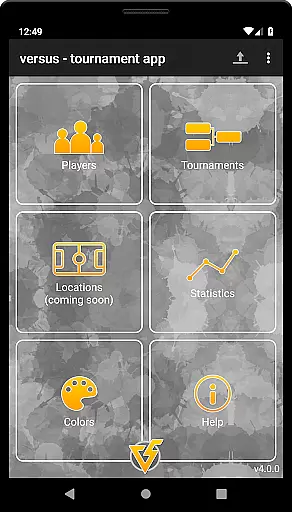
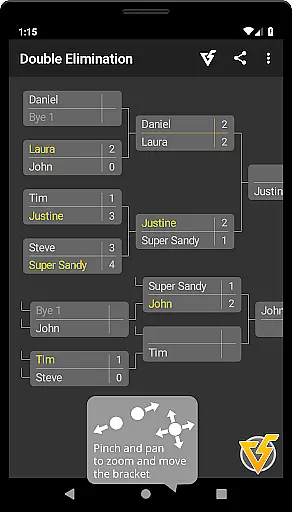
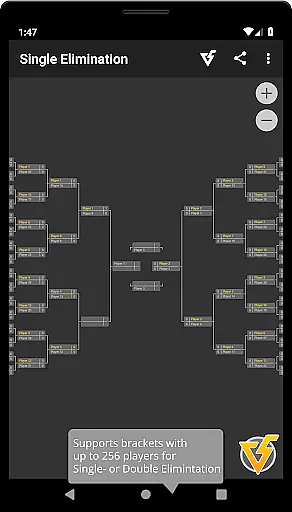
Versus Tournament is a versatile app designed to help users organize and manage various types of sports tournaments with ease. Supporting tournament formats such as Single Elimination, Double Elimination, Round Robin, King of the Hill, and Team Elimination, it can accommodate up to 256 participants. Whether you're organizing a small league or a grand championship, this app provides all the necessary tools.
The app offers advanced features like flexible seeding mechanisms, player management, and team builders. Users can create, import, and reuse players across multiple tournaments. With an intuitive interface, users can easily navigate between tournament overviews and current matches. Versus Tournament also allows sharing of tournament details as PNG images via social media or email, making it convenient for organizers to communicate updates.
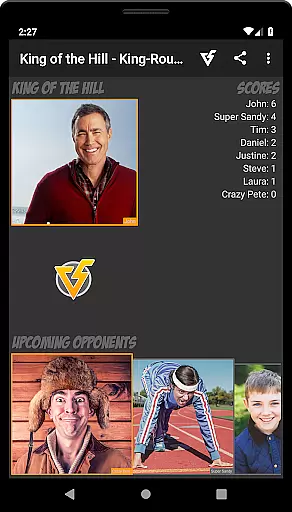
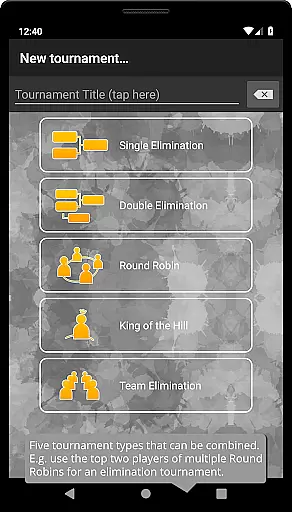
Versus Tournament stands out with its comprehensive feature set tailored for tournament organization. The app supports diverse tournament types including Single and Double Elimination brackets, Round Robin leagues, and unique modes like King of the Hill and Team Elimination. Each mode is highly customizable, allowing organizers to tailor the experience to their specific needs.
One of the key highlights is the robust player management system. Organizers can create and store player profiles, assign skill levels, and use these attributes for seeding or team formation. The app's theme editor lets users personalize the visual appearance of tournaments by customizing colors and icons. Additionally, the wireless tournament transfer feature enables seamless data exchange between devices using QR codes, ensuring that tournament information is always accessible.
When it comes to organizing tournaments, the realism of gameplay and the accuracy of the underlying mechanics are crucial for an authentic experience. Versus Tournament excels in delivering a genuine sports competition atmosphere by supporting various tournament types such as Single Elimination, Double Elimination, Round Robin, King of the Hill, and Team Elimination. Each mode is crafted to ensure that the progression and outcomes mirror real-world sports events, providing users with a comprehensive platform to simulate any kind of championship or league.
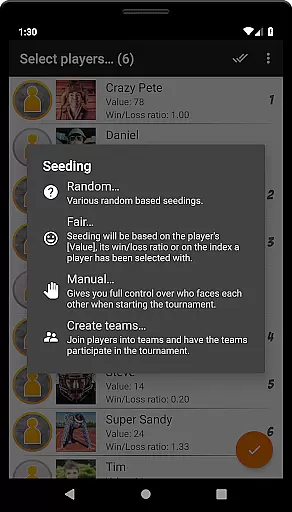
The app offers highly flexible seeding mechanisms including random, fair, and manual options, which contribute to the realistic unfolding of matches. This allows organizers to replicate the strategic depth found in professional competitions, where initial placements can significantly influence the tournament's progression. By entering scores and deciding match outcomes directly within the app, users engage in an experience that closely mimics the high-stakes environment of actual sports tournaments.
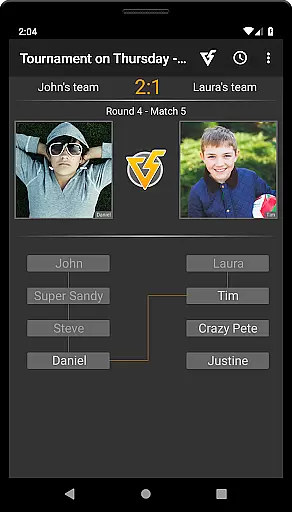
Versus Tournament also includes a Teams Builder feature, enabling players to be grouped into teams based on their skill levels or other attributes. The ability to generate teams either randomly or through calculated methods adds another layer of realism, akin to drafting processes seen in professional leagues. With these features, users can create balanced and competitive environments that reflect true-to-life sports dynamics.
An intuitive control scheme is essential for ensuring that users can navigate and utilize an application efficiently. Versus Tournament boasts a simple and user-friendly interface that facilitates both the organization and execution of tournaments. Users can effortlessly move or zoom the bracket with touch gesturesu2014dragging with one finger or pinching with two fingersu2014making it accessible even for those who may not be tech-savvy.
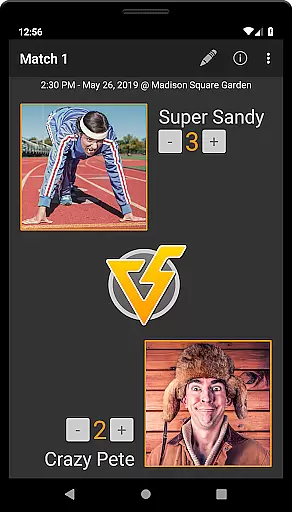
Entering scores and deciding matches is straightforward thanks to the dual options provided at different navigation points. At the match screen, users can input scores and determine winners, while the Quick-Decide function available in the tournament overview allows for swift decision-making without diving deep into individual match details. These streamlined controls ensure that managing a tournament remains a smooth and hassle-free process.
Additionally, the Theme Editor enhances the overall user experience by allowing customization of colors and icons across the tournament overview and match screens. This level of personalization not only makes navigation more intuitive but also enables users to tailor the visual aspects to their preferences, further simplifying interaction with the app. Such thoughtful design elements underscore Versus Tournament's commitment to delivering an intuitive and engaging control scheme.
User-friendly interface
Highly customizable tournament options
Comprehensive player management
Offline functionality
Advanced seeding mechanisms
Limited free version participants
No built-in live streaming
Premium version requires purchase
Complexity may overwhelm casual users
QR code transfer requires internet

Feel combo thrills in Challenge! Aim, strategize, and master your billiard skill
 4.60
4.60
This is the most realistic 3D bowling game on the Android phones.
4.70
Old-School Football
4.40
Feel the thrill of American football: guide a team to triumph through touchdowns
4.40
Ride, flip, and perform crazy stunts in an open BMX freestyle playground!
4.80
Build, manage & coach your NFL dream team in this American Football sports game!
4.40
Play online multiplayer or PvP Pool games and compete with your friends!
4.80
For Fans to Buy Tickets
4.80
Experience the thrill of NFL with the ultimate app for Football enthusiasts!
3.80
Establish a stable of talented boxers to take on the world.
4.80
Quick-fire archery duels! Play the most realistic 3D archery game now!
4.70
Push your skills, express your style, or just enjoy the ride.
4.60
The classic Backyard Football 1999 is now enhanced to run on modern systems!
4.40
The ultimate skateboarding sim
4.20
Recruit and train players to form a winning team!
4.10
Rediscover the joy of the original Backyard Baseball 1997
3.70
Extreme Downhill Freeriding
3.20
Pro Freestyle Football
3.20
Run the ball into the endzone in AR.
4.2


User Reviews