
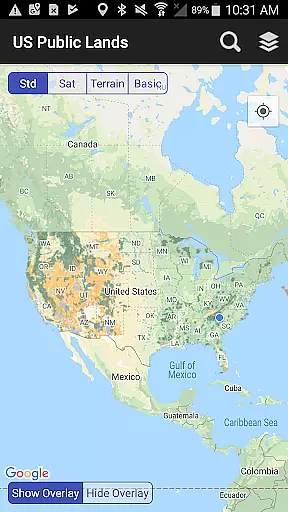
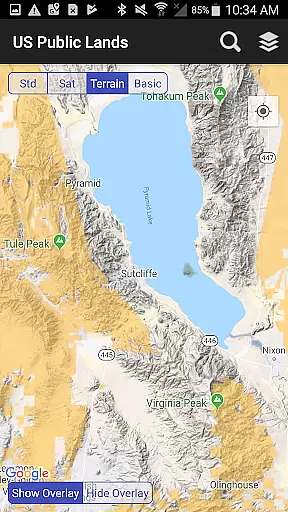
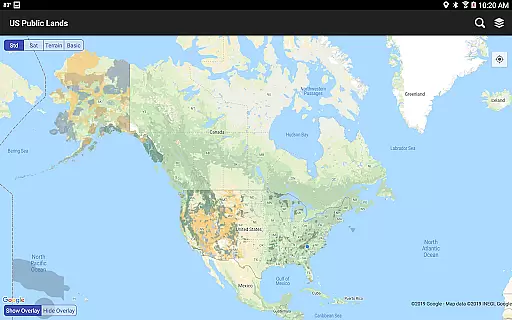
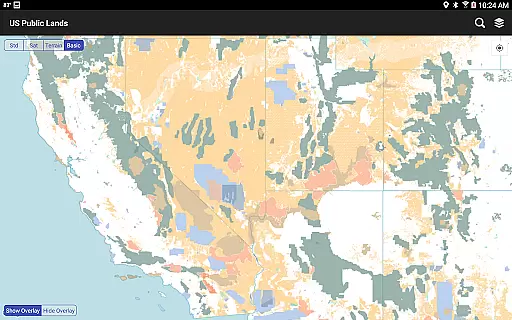
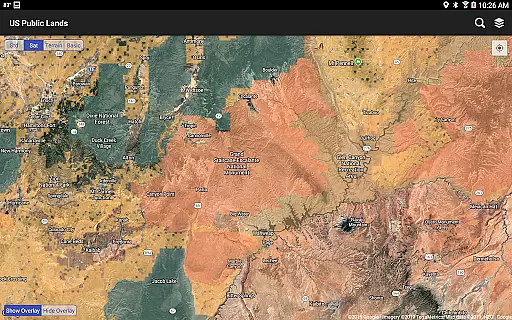
US Public Lands is a comprehensive mapping application that provides users with detailed information about federally owned properties across the United States. With nearly 650 million acres of land under federal management, this app offers an easy way to access and understand property boundaries without the need for physical maps or extensive online research.
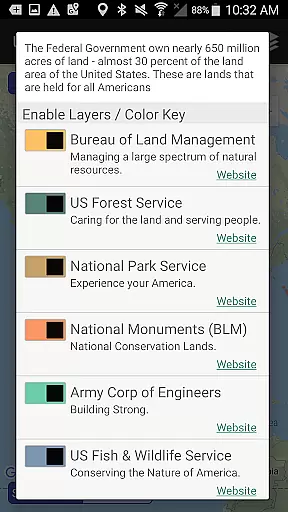
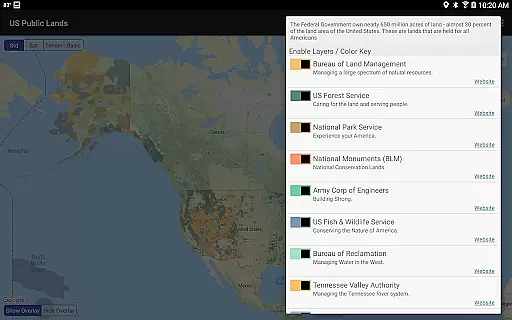
The app features individually selectable layers for various federal agencies including the Bureau of Land Management (BLM), US Forest Service (FS), National Park Service (NPS), and others. These layers are color-coded and stored on-device, allowing full functionality even when offline. Users can create custom maps by selecting specific agency layers, making it easier to navigate and plan trips.
This tool is particularly useful for outdoor enthusiasts, researchers, and anyone interested in understanding public land usage. By providing direct links to each agency's website, users can gather additional information about land use rules, permits, fees, and activities allowed. The app also includes GPS location services and a built-in search tool, enhancing its utility for travelers and adventurers.
One of the standout features of US Public Lands is its ability to function entirely offline. All map layers are stored directly on the device, ensuring that users have access to critical information regardless of internet connectivity. This feature is especially beneficial for those venturing into remote areas where network coverage may be limited.
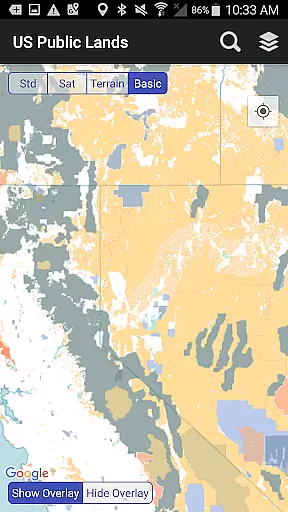
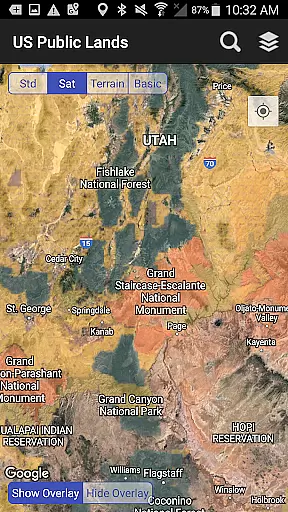
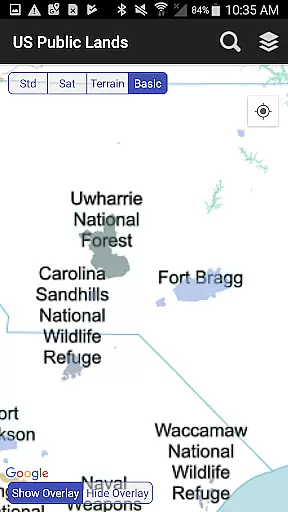
The app allows users to toggle between different map views, including standard, satellite, and a 'Basic' base map that highlights public land labels. This flexibility enables users to scout out trails, roads, and potential dispersed camping locations within public lands. Additionally, the 'Locate Me' icon uses GPS to pinpoint the user's current location, helping them determine the type of land they are on at any given moment.
Another key feature is the built-in search tool, which requires an internet connection but can locate cities, states, zip codes, addresses, and points of interest. A pin is dropped at the search location, aiding navigation. Furthermore, the app provides links to each agency's website, facilitating further research into specific land use regulations and guidelines. This combination of offline functionality and supplementary online resources makes US Public Lands a versatile and valuable tool for exploring America's vast public lands.
When it comes to exploring public lands across the United States, having accurate and reliable information is crucial for a successful trip. The US Public Lands app provides users with authentic and up-to-date data regarding federal land ownership. This ensures that travelers can trust the boundaries displayed within the app when planning their outdoor adventures.
The app sources its mapping data from the Protected Area Database (PAD-US) of the U.S. Geological Survey, which aggregates the most current information on Federal lands and waters. By utilizing this authoritative source, the app guarantees that users are accessing legitimate booking and location details for properties managed by various government agencies such as the Bureau of Land Management (BLM), US Forest Service (FS), and National Park Service (NPS).
For outdoor enthusiasts and boondockers alike, the assurance of booking authenticity means they can confidently plan their visits, research applicable land use rules, and enjoy public lands while remaining aware of any private inholdings. With clear indications of different agency jurisdictions, users can tailor their experience according to the specific regulations and opportunities each area presents.
While the US Public Lands app itself is free to use, understanding the potential costs associated with visiting federally managed lands is essential for budget-conscious travelers. The app offers price transparency by providing direct links to each agency's website where users can find detailed information about permits, fees, and other expenses related to their visit.
Users will appreciate the clarity provided by these resources, allowing them to make informed decisions about which locations fit their budget and what activities might incur additional charges. Whether itu2019s entrance fees for national parks or camping permits for forest service lands, the US Public Lands app equips visitors with knowledge needed to anticipate costs without surprises.
Moreover, since many layers of map data are accessible offline, there's no need to worry about extra charges due to mobile data usage in remote areas. This feature further enhances cost predictability, ensuring that adventurers only pay for what they have planned, thus making trips both financially manageable and enjoyable.
User-friendly interface
Offline functionality
Customizable map layers
Comprehensive agency coverage
Integrated search tool
Occasional data inaccuracies
Limited resolution in some areas
No campsite database
Requires manual updates
Dependent on external data sources

Listen live to pilots and air traffic controllers around the world
 3.80
3.80
Find the best prices, pay for the cheapest gas, and save on every fill up
3.30
Easily rent a car at over 9,500 locations with the Enterprise car rental app.
4.60
One app, 300,000+ travel experiences, tours, and tickets you’ll remember.
4.90
Everything you need for your trip in one place with the Volaris app.
3.60
Booking your bus tickets has never been easier
4.70
Find your perfect somewhere with last minute hotel & travel deals!
4.80
Travel and Book 8,000+ Hotels Worldwide with the Marriott Bonvoy™ app.
4.90
Book your whole trip in one app.
4.80
Find the perfect vacation rental. Search from over 2 million properties.
4.80
Bus tickets at unbeatable prices with routes across the US. All aboard FlixBus!
4.70
Maximize your cruise vacation with the Royal Caribbean app
4.70
NEW! Vacation with Ease.
4.60
Earn hotel and travel rewards, find hotel offers, and access your Digital Key.
4.50
The mobile panorama panel. Works offline - worldwide!
4.40
Iowa 511 is the Iowa Department of Transportation's traveler information app.
3.80
Real-time flight tracking with live maps and flight status updates.
3.70
Maps Speedometer shows your current speed in any app
3.60
Amplify Your Experience
3.00


User Reviews