
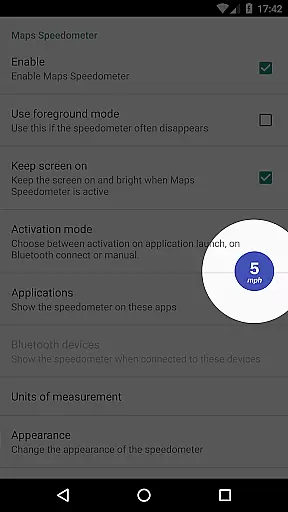
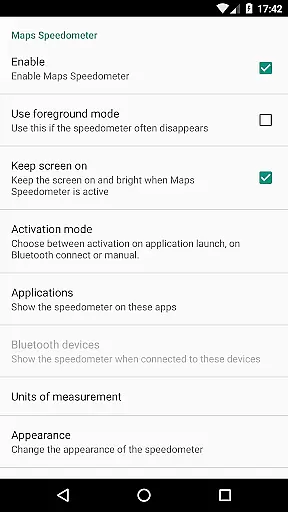
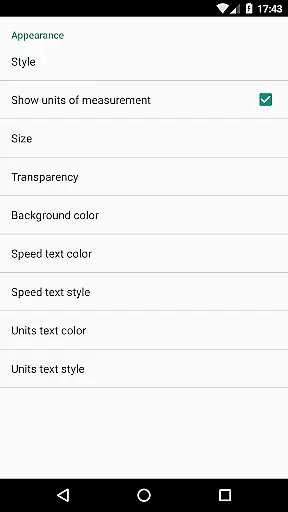
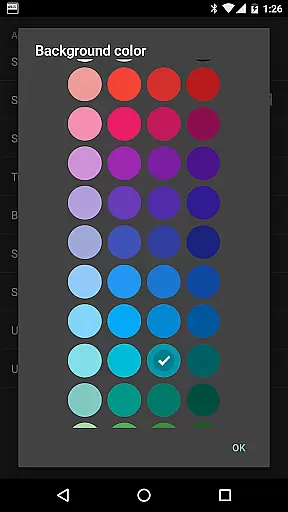
Maps Speedometer is a versatile travel companion that displays your current speed in real-time as an elegant overlay on your device. This innovative app automatically activates when your selected apps are in use or when connected to a Bluetooth device, ensuring you always have access to your speed information without disruption. Designed with customization in mind, it offers adjustable settings for transparency, size, position, and colors, allowing users to tailor the display to their preferences. Whether driving with navigation or using other apps, Maps Speedometer seamlessly integrates into your digital experience.
This application stands out by functioning without internet access, safeguarding user privacy with no backdoors sharing personal data. Its compatibility extends across any app on your device, making it an essential tool for travelers who prioritize both functionality and privacy. The ability to temporarily hide the overlay by tapping it adds convenience, while support for different measurement units like mph, km/h, and knots caters to a global audience. Although Android Auto support is currently limited, Maps Speedometer remains a reliable choice for those seeking accurate speed tracking.
Maps Speedometer boasts an array of features designed to enhance user experience while maintaining privacy and flexibility. One of its standout capabilities is the automatic display and hiding of the speedometer overlay based on the active app or Bluetooth connection status. This intelligent feature ensures that the speedometer only appears when needed, reducing unnecessary screen clutter. Users can choose their preferred speed measurement unit from miles per hour (mph), kilometers per hour (km/h), or knots (kn), accommodating various regional preferences and use cases.
The app's extensive customization options set it apart from competitors. With adjustable transparency, size, position, and color schemes, users can personalize the overlay to suit their visual preferences and device setup. The ability to drag the overlay anywhere on the screen provides unparalleled flexibility in managing screen real estate. Additionally, the temporary 10-second hide function by touching the overlay demonstrates thoughtful design consideration. These features, combined with its offline functionality and commitment to user privacy through zero data sharing policies, make Maps Speedometer a compelling choice for travelers seeking both utility and security in their mobile applications.
Booking authenticity is a crucial aspect of any travel-related application, ensuring that all reservations and bookings made through the app are legitimate and trustworthy. Maps Speedometer, while not a booking app per se, enhances your travel experience by providing accurate speed information as you navigate through different routes.
This app uses advanced detection techniques to automatically show or hide the speedometer overlay based on the active app or Bluetooth connection status. This feature ensures that users receive real-time speed data without any fraudulent or misleading information, thus maintaining a high level of booking authenticity for those who rely on precise travel details.
Users benefit from complete transparency and reliability when using Maps Speedometer alongside their navigation apps. The absence of advertisements and unnecessary internet access further solidifies the authenticity of the data presented, allowing travelers to focus on their journey with confidence.
Price transparency in travel applications refers to the clear and upfront display of all costs associated with a service, ensuring users are fully aware of what they are paying for. Although Maps Speedometer does not involve direct monetary transactions, it offers unparalleled value by providing essential travel information without hidden fees or charges.
The app's features, such as adjustable transparency, size, position, and color options, allow users to customize their experience according to their preferences. These functionalities are offered without any additional costs, making the appu2019s pricing structure straightforward and user-friendly.
By offering a seamless and transparent user experience, Maps Speedometer ensures that travelers can enjoy accurate speed readings and other helpful tools without worrying about unexpected expenses. This commitment to clarity and openness enhances user trust and satisfaction, making every trip more enjoyable and stress-free.
Real-time speed tracking
Customizable display options
No internet required
Automatic activation
Privacy-focused design
Limited Android Auto support
Requires Accessibility permission
Bluetooth dependency for some features
No built-in speed limit alerts
Overlay might interfere with other apps

INDOT Trafficwise is a traffic and traveler information mobile app.
 4.00
4.00
View US public land boundary maps on your device.
3.70
Mix of explore game, travel mapping & tracking to memorize everywhere you go
3.60
CLEAR provides a safer, easier way through airports, stadiums, and beyond.
4.20
Get all MTA services, Subway, Bus, LIRR, Metro-North and More all in one place.
4.60
Take your pick from over 5 million accommodation deals from major booking sites.
4.40
Take JetBlue everywhere you go! Book, manage and check in for your trips & more.
4.60
Booking your bus tickets has never been easier
4.70
Rent the perfect car for wherever you’re going
4.90
Meet Allyz®, your ultimate travel companion
4.70
Maximize your cruise vacation with the Royal Caribbean app
4.70
Navigation on hikes is no longer a problem. Download the map, put notes and go!
4.60
Vacationing on CARNIVAL? Maximize your fun on board with the ultimate cruise app
4.60
Get the app that knows where you’re going - view your flight, check in & more
4.50
Link & locate for real-time child & family safety: GPS tracker for families
4.40
The Official Freedom Trail Foundation app.
4.30
A Camino de Santiago Guidebook from St. Jean Pied de Port to Santiago
3.60
Everything you need for your trip in one place with the Volaris app.
3.60
The official app of Allegiant Travel & Allegiant Airlines
3.30


User Reviews