
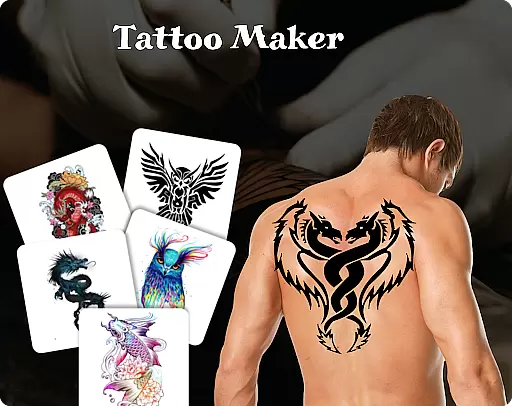
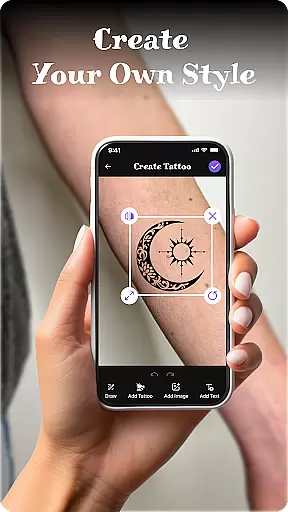
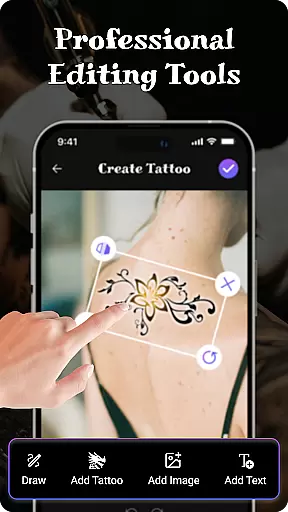
Tattoo Maker: Design & Art is a creative app designed for tattoo enthusiasts and artists alike. This powerful tool allows users to design custom tattoos, preview them on their body through photo uploads, and explore an extensive art library filled with diverse tattoo designs. Whether you're looking to create simple or intricate tattoos, the app provides professional-grade tools including brushes, vibrant colors, text customization, and scaling options.
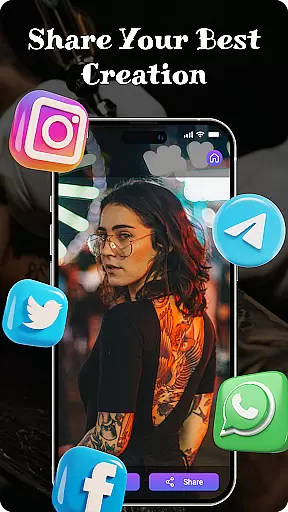
Perfect for both beginners and experienced designers, Tattoo Maker offers an intuitive interface that makes the tattoo creation process fun and accessible. The app's standout feature is its augmented reality (AR) preview functionality, which lets users see how their designs would look in real life. With easy sharing capabilities, Tattoo Maker ensures your artistic creations can be shared with friends or saved for future inspiration.
Tattoo Maker: Design & Art stands out with its robust set of features tailored specifically for tattoo design. Users can craft unique tattoos using advanced drawing tools such as customizable brushes, adjustable sizes, and a wide range of vibrant colors. The app also supports text insertion, allowing users to add personalized messages with various fonts and styles that seamlessly integrate into their designs.
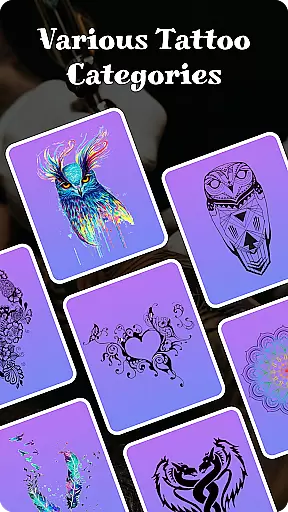
One of the most innovative aspects of this app is its AR-based body preview feature. By uploading a photo, users can virtually place their tattoo on their skin, adjusting scale and rotation to achieve the perfect fit. Additionally, Tattoo Maker includes a comprehensive art library offering countless pre-made designs, from small minimalist pieces to complex masterpieces, providing endless inspiration for creators at any skill level.
When it comes to designing tattoos, having access to a comprehensive product database is essential. Tattoo Maker: Design & Art offers an extensive collection of tattoo designs ranging from small and simple patterns to intricate masterpieces. This vast library ensures that users have plenty of inspiration at their fingertips.
The app provides detailed information about various design elements, empowering users to understand the components that make up a great tattoo. With options to customize every aspect of the design, users can delve into the depths of the database to find exactly what they need for their unique piece of body art.
By offering such depth in its product database, Tattoo Maker caters to both amateur enthusiasts and professional artists. Users can explore different styles, sizes, and themes which enhances their ability to create personalized tattoos that truly reflect individual tastes and preferences.
Personalization is at the heart of Tattoo Maker: Design & Art. The app's precision in personalizing tattoo designs allows users to craft custom pieces with remarkable accuracy. Tools within the app enable creators to adjust elements like size, orientation, and placement until the design fits perfectly on the desired area of the body.
With advanced features such as text insertion using cool fonts and colors, users can further tailor their tattoos to match their vision. These capabilities ensure that each tattoo created is not only unique but also a true reflection of the user's personal style and creativity.
This level of personalization precision sets Tattoo Maker apart by providing an intuitive platform where ideas can be transformed into realistic previews. Whether you're looking to add text or blend various design elements seamlessly, this app delivers a personalized experience that empowers users to bring their tattoo concepts to life with confidence.
User-friendly interface
Extensive art library
Realistic AR previews
Vibrant color options
Easy sharing functionality
Limited free features
In-app purchases required
Occasional bugs
Ads may disrupt workflow
Advanced tools need learning

Glow up with science: cosmetics, ingredients scanner, tracking & face analysis
 4.10
4.10
Professional HD Camera App: Capture Bright HD Selfie & Record Stunning Moments
4.40
Your future self face age old or young from camera selfie into beautify videos
4.5
Unique selfie filter camera! Upload live sticker & face filter every week!
4.70
Beauty camera & Selfie camera for perfect selfie with filter, sticker, makeup
4.70
Beauty Mirror - True mirror app with light, shaving mirror, makeup mirror app
4.50
Manage your daily skin care beauty regimen & track your skin's progress.
4.70
For businesses, Booksy Biz allows you to manage your schedule & more on the go.
4.60
Mirror app that shows your image with photo editor, zoom and light!
4.70
Book beauty salon, hair or health and wellness experiences in an instant
4.90
The mirror app you were looking for, simple and easy to use. Try Mirror now.
4.60
Beauty camera for perfect selfie with makeup, sticker and filter
4.50
Crown Heart Emoji Photo Editor has given you the chance to look cute girl
4.40
This application is for the Luvme Hair official website: shop.luvmehair.com .
4.30
The Official Voting App
3.90
Change your hairstyle and color instantly with AI-powered virtual makeovers.
3.90
Edit Your Photos and Videos with Beauty Filters & Get Makeup Artist Tutorials
3.60
Color haircut changer style on
3.30
Your Personal Stylist for Smart Shopping, Beauty & Styling Outfits.
4.5


User Reviews