
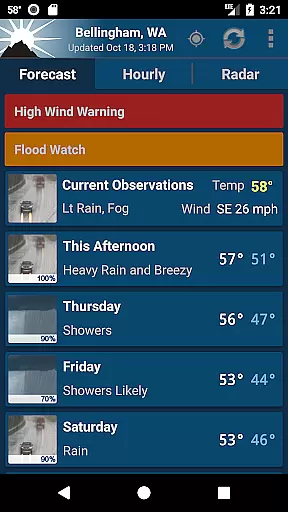
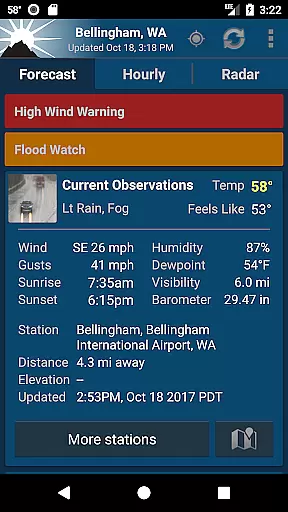
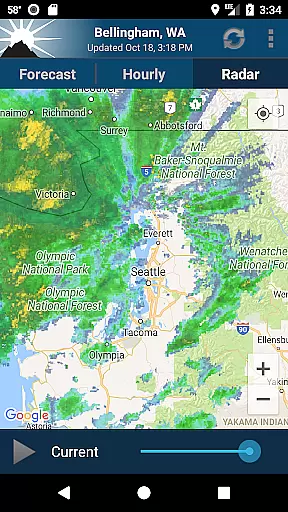
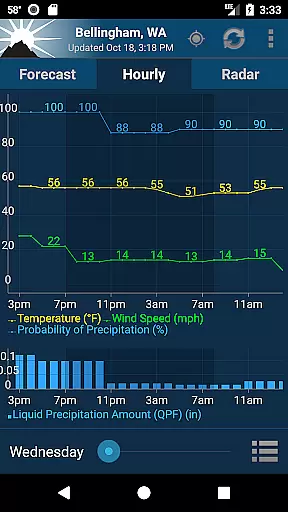
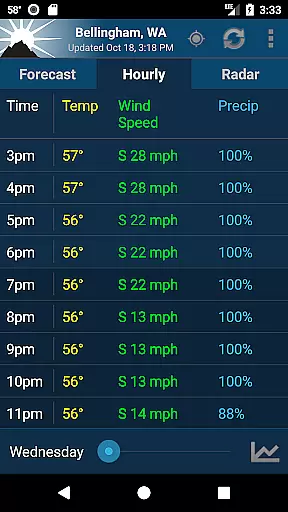
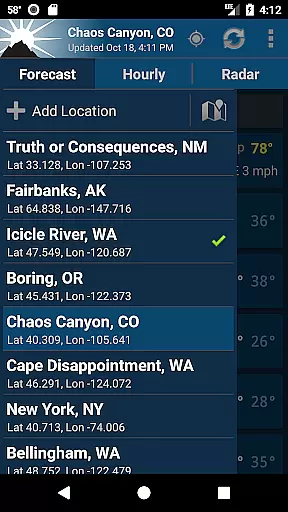
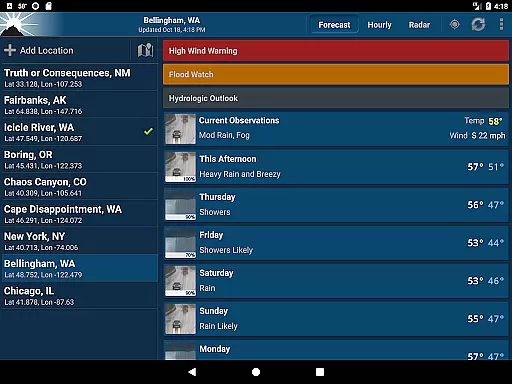
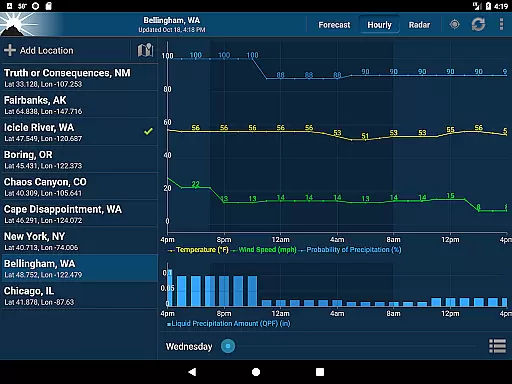
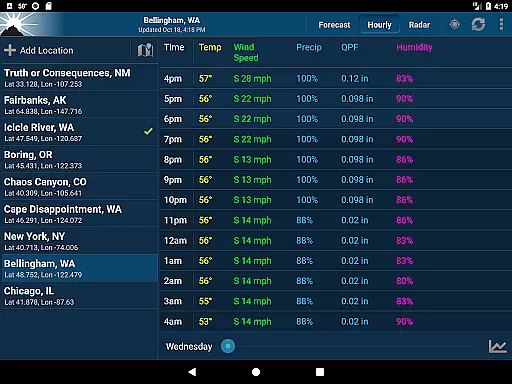
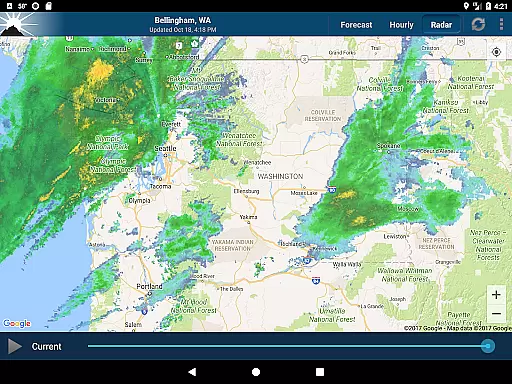
NOAA Weather Unofficial (Pro) is a premium weather application designed to deliver accurate and localized weather forecasts directly to your mobile device. The app leverages NOAA point forecasts, providing users with precise weather data tailored to their exact GPS location. This makes it an ideal tool for outdoor enthusiasts who require reliable weather information for activities such as climbing, hiking, and skiing.
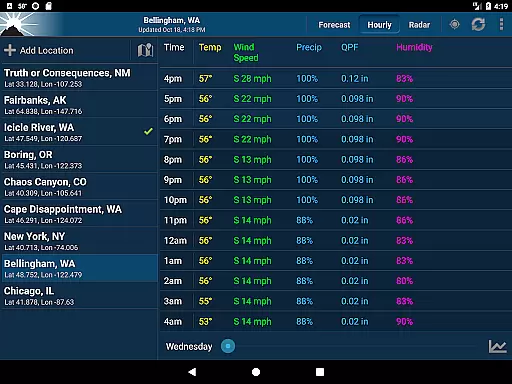
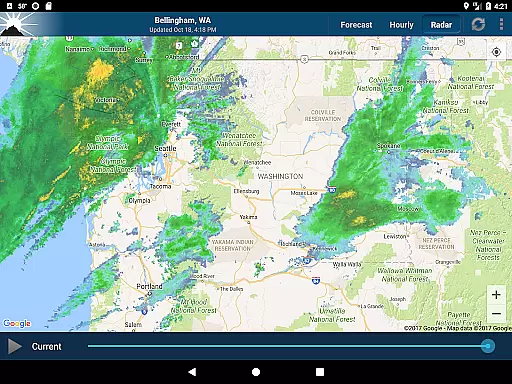
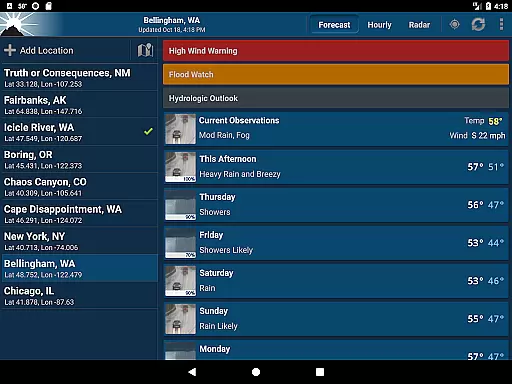
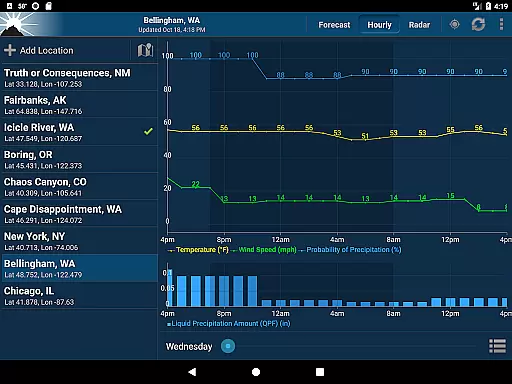
In addition to its core forecasting capabilities, the app offers an intuitive user interface that displays animated radar, hourly forecasts, current conditions, and severe weather notifications at a glance. Users can also access forecast discussions through the menu button. With its availability of homescreen widgets in various sizes, this app ensures you stay informed without needing to open the app itself.
The app's focus on accuracy, speed, and localization makes it stand out. While it does not provide severe weather alerts, it directs users to official NOAA services for such notifications. Available exclusively in the US, NOAA Weather Unofficial (Pro) combines functionality with a sleek design, ensuring users get the weather data they need quickly and efficiently.
NOAA Weather Unofficial (Pro) boasts several standout features that enhance the weather tracking experience. One of its key functionalities is the use of NOAA point forecasts, which allows the app to deliver hyper-localized weather data based on GPS coordinates. This feature is particularly beneficial for users engaging in outdoor activities where regional forecasts may not suffice.
The app also includes animated radar maps, detailed hourly forecasts, and real-time current conditions, all presented in a clean and easy-to-navigate interface. For convenience, users can place customizable widgets on their home screens, offering quick access to essential weather details without opening the app. Additionally, the inclusion of forecast discussions provides deeper insights into upcoming weather patterns.
Another notable aspect is its reliance on multiple location-detection methods, including GPS, nearby cell towers, and Wi-Fi networks, ensuring accurate location data while conserving battery life. Although the app lacks severe weather alerts, it compensates by directing users to official NOAA resources. Overall, these features make NOAA Weather Unofficial (Pro) a robust tool for staying informed about local weather conditions.
When it comes to weather applications, the accuracy of forecasts and credibility of data sources are paramount. NOAA Weather Unofficial (Pro) leverages point forecasts from the National Weather Service, ensuring users receive localized and reliable weather information tailored to their exact GPS location. This precision is particularly beneficial for outdoor activities where nearby city forecasts fall short.
The app's reliance on NOAA's public domain products guarantees compliance with official standards, providing forecasts, animated radar, hourly predictions, and current conditions with integrity. Users can trust that the weather data presented is not only accurate but also derived from authoritative meteorological services, reinforcing the reliability expected in critical weather-dependent scenarios.
Moreover, while severe weather alerts aren't directly supported within the app, NOAA's integration with cell carriers ensures that urgent notifications reach users through established channels. This approach underscores a commitment to delivering dependable weather updates without compromising user safety or information accuracy.
NOAA Weather Unofficial (Pro) excels in offering extensive temporal and spatial forecast ranges, empowering users with comprehensive weather insights across different timeframes and geographic locations. By utilizing precise GPS coordinates alongside network-based location services, the app delivers detailed forecasts specific to user locations, whether they're stationary or on the move.
This capability extends beyond mere convenience; it represents a significant advancement in personal weather forecasting technology. Users gain access to timely updates relevant to both immediate surroundings and broader areas of interest, facilitating informed decision-making for travel, events planning, or emergency preparedness.
Additionally, the inclusion of various widget sizes enhances accessibility to essential weather details right from the home screen. These widgets encapsulate the essence of temporal and spatial coverage, presenting condensed yet informative snapshots that keep users abreast of changing weather patterns without needing to delve into the full application interface.
Accurate Forecasts
User-Friendly Interface
Localized Weather Data
Ad-Free Experience
Customizable Widgets
US-Only Availability
No Severe Alerts
Location Required
Complex Permissions
Limited Offline Use

Accurate weather forecast and beautiful weather & clock widgets
 4.20
4.20
Moon phase calendar with live wallpaper, lunar widget, & 3D simulation.
3.60
The most accurate weather app, hourly and daily weather, severe weather alerts
4.50
Weather - Local weather forecast, weather daily & hourly, weather radar
4.80
Weather radar, satellite, wind, waves, ocean and hurricane forecasts.
4.70
Your ultimate app for accurate local weather information!
4.60
Powerful US and worldwide earthquake feed with earthquake alerts and maps.
4.60
Digital Weather Watch Face for Wear OS 5+
4.3
Live NOAA weather app to track storm, rain, wind, lightning & real local updates
4.20
Hurricane Tracker, Rain Map
4.80
Weather radar, hyperlocal tracker and weather maps: follow your weather station
4.80
Live Alabama weather from James Spann—forecasts, radar, alerts, Spanncams.
4.70
Prepare for severe weather with notifications, future radar, and live alerts.
4.60
Weather related custom complications for Wear OS. UV, Hi-Lo, AQI and more!
4.40
Accurate Local Weather Forecast, let you easily understand the nearby weather!
4.20
Stay Ahead Of Changing Weather Conditions
4.00
Advanced weather toolkit, providing detailed weather information for any season!
3.50
A tool that provides real-time and 5-day weather info.
4.5
Quickly check the Hanalei river gauge height during heavy rains on Kaua'i.
4.1


User Reviews