


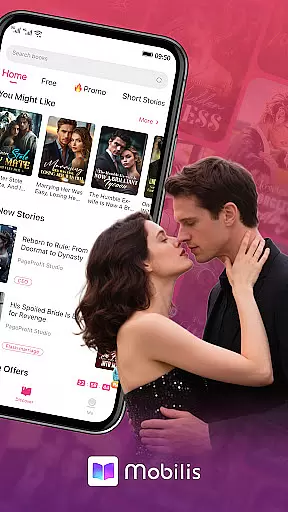
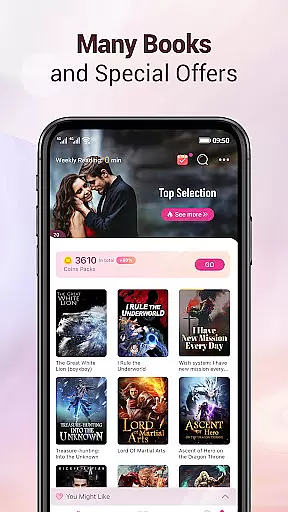
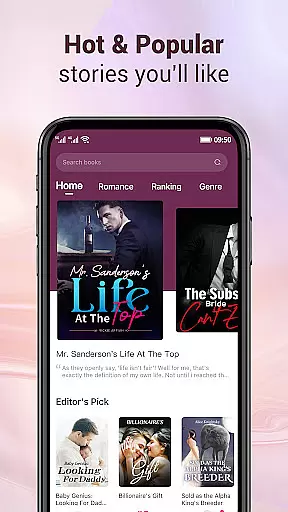
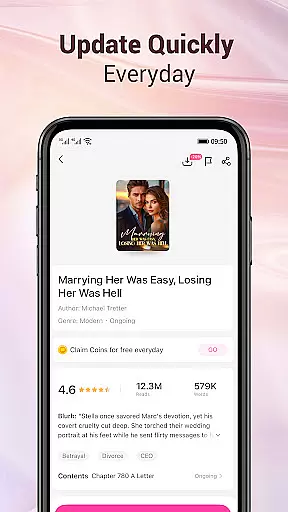
Mobilis is a comprehensive fiction reading app designed for book enthusiasts. It offers an extensive collection of novels across multiple genres including fantasy, martial arts, romance, urban tales, and campus stories. The app updates its library daily, providing readers with new chapters in real-time. With features like personalized recommendations, smart synchronization of reading progress, and various customization options, Mobilis ensures a quality reading experience tailored to individual preferences.
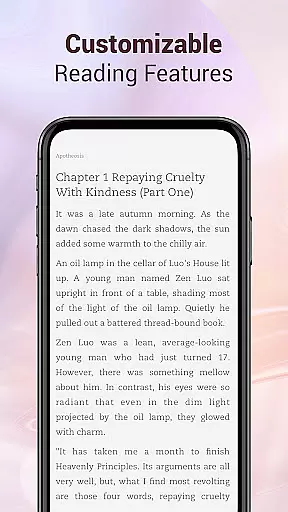
Users can enjoy a seamless reading experience through advanced functionalities such as 3D page turning simulation, offline downloads, font switching, background customization, and night mode. Additionally, the app provides a personalized service where users can choose from different background colors, skins, and fonts to create their ideal reading environment. By integrating these features, Mobilis aims to be the closest companion for all fiction lovers, enhancing their reading journey with convenience and comfort.
Mobilis stands out with its massive collection of fictions, covering popular online novels with detailed classifications and curated lists for both male and female readers. The app's recommendation system intelligently suggests books based on user preferences, ensuring a personalized reading journey. Furthermore, the app supports an immersive reading experience with simulated 3D page turning and customizable visual settings, allowing users to adjust fonts, backgrounds, and switch to night mode for comfortable reading anytime, anywhere.
The app also emphasizes user convenience and data security by offering intelligent synchronization of reading progress and notes across devices via user accounts. This feature ensures that users can seamlessly transition between devices without losing their place or personal annotations. Moreover, Mobilis continuously updates its content library daily, providing fresh material and keeping readers engaged with the latest chapters and events, thus maintaining a vibrant and dynamic reading community.
Mobilis offers an extensive e-book library that caters to a wide array of interests, ensuring that every fiction lover can find something to their liking. The app includes popular online fictions and provides various lists and fine classifications, making it easy for users to navigate through different genres such as fantasy, martial arts, romance, urban, campus, and more.
One of the key strengths of Mobilis is its commitment to copyright authenticity. By working closely with publishers and authors, the app ensures that all the content available to users is legally obtained and properly licensed. This not only supports the creators but also guarantees readers access to high-quality, legitimate reading material.
The vast selection is regularly updated, releasing new chapters daily. This constant refreshment of content keeps the library dynamic and engaging, encouraging users to return frequently and explore new titles. Additionally, the app's dedication to maintaining a diverse and legally sound collection enhances the overall trust and satisfaction of its readers.
In addition to its impressive library size, Mobilis excels in format compatibility, ensuring that users can enjoy their reading experience without technical hindrances. The app supports a variety of e-book formats, allowing seamless integration of user-imported files and providing flexibility for those who source their reading materials from different platforms.
Mobilis goes beyond just basic format support by offering features like simulated 3D page turning, offline downloads, font switching, background customization, and night mode. These options allow readers to tailor their experience according to personal preferences, enhancing both comfort and enjoyment while reading.
Furthermore, the app's intelligent synchronization capabilities ensure that reading progress and notes are saved across devices via the useru2019s account. This cross-device compatibility means that whether switching from a phone to a tablet or vice versa, users will not miss a beat in their reading journey. Such comprehensive format compatibility underscores Mobilis' dedication to delivering a superior quality reading experience tailored to modern digital lifestyles.
User-friendly interface
Extensive book selection
Personalized recommendations
Offline reading mode
Intelligent synchronization
Limited non-fiction content
Occasional ads
Premium subscription required
Heavy app size
Device compatibility issues

Novels, audiobooks, ebooks & fanfiction. Read anytime, anywhere!
 3.40
3.40
Improve your vocabulary and grammar with the 15 biggest Oxford Dictionaries.
4.30
Liturgy of the Hours totally off-line
4.80
ISAIAH EXPLAINED with Avraham Gileadi Ph.D.
4.00
8 Dr. Seuss short stories in 1 app!
4.70
Unlock unlimited access to bestselling ebooks, novels, stories, and audiobooks
4.60
What’s that bird? Just answer 5 questions, snap a photo, or record its song!
4.90
Read the Quran in Arabic alongside its translation, with color coded Tajweed.
4.50
The Apostolic Lutheran Church hymnal
4.4
Offline dictionary for learning Cantonese as a second language
4.90
Personalized Chat with Bible
4.80
Read and study the Bible and other content in over 1,000 languages.
4.80
Enjoy daily devotionals, Bible verses, audio courses, and more.
4.80
"Five Dr. Seuss titles in one omBook!"
4.60
Scan. Price. Grade.
4.60
Discover, track, and share your reading with friends & our community of readers
4.60
Provides location information of vehicle Shift Interlock releases.
4.30
KJV Bible works offline with Audio, Hebrew & Greek lexicon (concordance) & more!
4.20
"BIG A, little a. What begins with A?"
4.10


User Reviews