
Makeup Camera & Selfie Editor is a comprehensive beauty app designed to enhance your natural features and create stunning selfies. This all-in-one beauty camera offers makeup tools, face editing, trendy filters, and AR effects, allowing users to achieve flawless looks effortlessly. Whether you're aiming for subtle enhancements or bold transformations, the app provides everything needed to look your best anytime, anywhere.
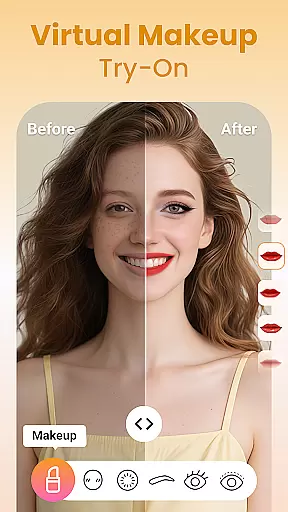
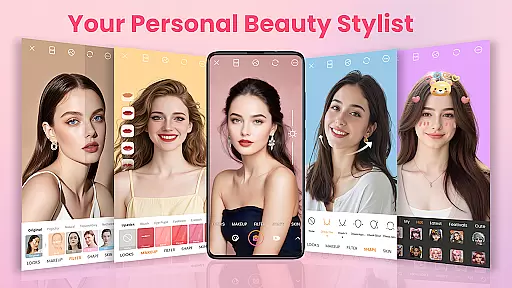
The app includes powerful makeup tools such as lipstick, blush, colored contacts, eyebrows, eyelashes, eyeliner, eyeshadow, highlight & contour, and foundation. Additionally, it features a selfie editor with precision tools for skin smoothing, face reshaping, eye enhancement, and teeth whitening. With 100+ stylish filters and cute AR stickers, users can add playful and unique touches to every photo.
One of the standout features of Makeup Camera & Selfie Editor is its powerful and easy-to-use makeup tools. Users can experiment with different shades of lipstick, blush, and eyeshadow, instantly change eye color with colored contacts, and define their eyes perfectly with eyeliner and lush lashes. The app also allows for reshaping and filling eyebrows, adding highlights and contours, and evening out skin tone with foundation.
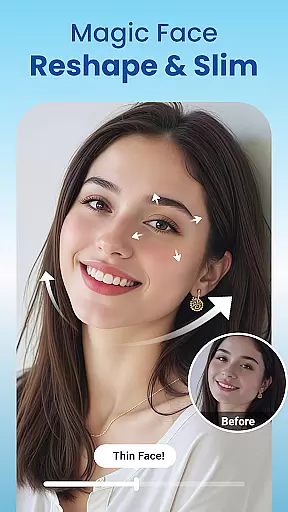
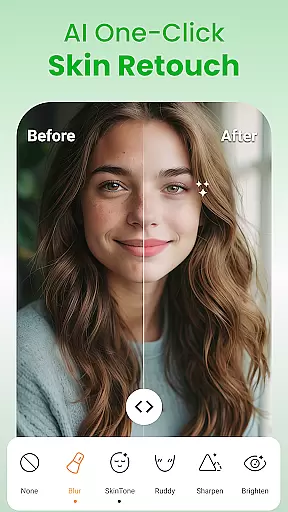
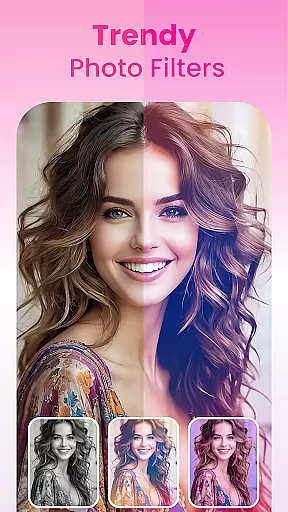
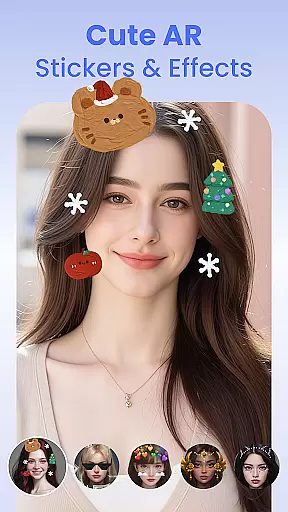
Beyond makeup, the app offers advanced selfie editing capabilities. Users can smooth their skin, slim their face, lift cheeks, refine jawlines, enlarge eyes, and whiten teeth. These tools ensure a flawless yet natural look. Moreover, the app provides trendy filters and cute AR stickers that transform ordinary photos into playful and stylish images. From soft pastel tones to retro vibes, there's a filter for every mood and occasion.
For those interested in photo editing, the app includes essential tools like cropping, rotating, adjusting brightness or contrast, and applying various filters. Users can also utilize blur, vignette, and detail enhancements for a polished finish. Whether you're a beginner or a photo-editing pro, this app caters to all skill levels, making photo editing accessible and enjoyable.
Makeup Camera & Selfie Editor offers an extensive product database that caters to a wide array of beauty needs. The app includes a variety of makeup tools such as lipstick, blush, colored contacts, eyebrows, eyelashes, eyeliner, eyeshadow, highlight, contour, and foundation options. Each tool is designed to provide users with the ability to experiment with different looks and styles, from subtle enhancements to bold statements.
The depth of the product database ensures that users can achieve a personalized look that suits their individual preferences. Whether it's trying out vibrant or natural shades for lips, reshaping eyebrows, or applying eyeshadow for a 3D effect, the app provides detailed options for customization. This level of detail allows users to replicate real-world makeup products and techniques within the digital space.
Moreover, the app goes beyond traditional makeup by offering face editing features like skin smoothing, face reshaping, eye enhancement, and teeth whitening. These additional tools contribute to a comprehensive experience that not only mimics professional makeup application but also enhances natural features. Users can therefore expect a realistic and versatile beauty simulation that adapts to various occasions and moods.
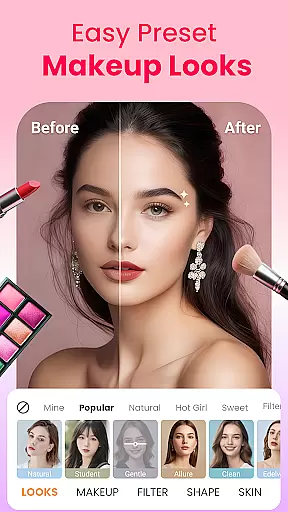
By providing such an in-depth and varied product database, Makeup Camera & Selfie Editor empowers users to explore and define their unique style. With everything from makeup presets for instant full-face looks to nuanced editing tools for a flawless finish, the app delivers both breadth and specificity in its beauty offerings.
Personalization is at the heart of Makeup Camera & Selfie Editor, allowing users to tailor their beauty experience with remarkable precision. The app leverages advanced algorithms to ensure that each feature, from lip color to facial reshaping, is applied with attention to detail and user-specific parameters. This results in a highly customized and natural-looking outcome that aligns with individual facial structures and personal aesthetic goals.
One of the key strengths of the app lies in its intuitive interface that facilitates precise adjustments. Users can fine-tune elements such as the intensity of blush, the shape and thickness of eyebrows, or the hue of eyeshadow with simple sliders and controls. Such granular control ensures that every modification looks intentional and seamless, avoiding the pitfalls of generic filters that often produce artificial results.
In addition to manual adjustments, the app offers preset makeup styles that intelligently adapt to different face shapes and skin tones. These one-tap solutions are crafted using data-driven insights into beauty trends and preferences, ensuring relevance and appeal across diverse demographics. As users experiment with these presets, they benefit from an adaptive system that learns and refines suggestions based on past interactions.
Ultimately, Makeup Camera & Selfie Editor stands out for its commitment to delivering personalized beauty solutions. By combining sophisticated technology with user-centric design, the app enables individuals to express their unique identity through meticulously tailored makeup and selfie edits. This dedication to precision personalization not only enhances user satisfaction but also fosters a deeper connection between the consumer and the digital beauty experience.
User-friendly interface
Wide range of makeup tools
Advanced selfie editing features
Stylish filters and AR effects
Real-time beauty enhancements
May require in-app purchases
Some features might be overwhelming
Occasional performance issues
Limited customization options
High battery consumption

This application is for the Luvme Hair official website: shop.luvmehair.com .
 4.30
4.30
Beauty camera for perfect selfie with makeup, sticker and filter
4.50
Make beautiful Hairstyles for girls with your own hands in little bit of time
4.00
Your future self face age old or young from camera selfie into beautify videos
4.2
True mirror app with zoom, LED light, for makeup & shaving anywhere!
4.20
All-in-one solution for independent beauty pros to manage & grow their business
4.30
Healthier, more beautiful with Medicube Digital Clinic AGE-R!
4.10
For businesses, Booksy Biz allows you to manage your schedule & more on the go.
4.60
DSLR Hd camera capture high quality 4k hd picture with filters and blur editor
4.50
Book your appointments
4.90
Salon appointment booking and scheduling software for beauty pros and barbers.
4.80
Beauty Camera & Selfie Camera snap Beauty selfie with filter, makeup, stickers
4.80
Unique selfie filter camera! Upload live sticker & face filter every week!
4.70
Beauty Camera AI Photo Editor with effect, filter, makeup tools for photo editor
4.30
Glow up with science: cosmetics, ingredients scanner, tracking & face analysis
4.10
Shop Smarter, Dress Better, and Shine Brighter!
4.10
Enhance Your Look with Face Analysis, Hair Style Changer, Beauty Score, Rating
3.90
Change your hairstyle and color instantly with AI-powered virtual makeovers.
3.90
This barber game allows you to create and design hair styles on diverse people
3.80


User Reviews