
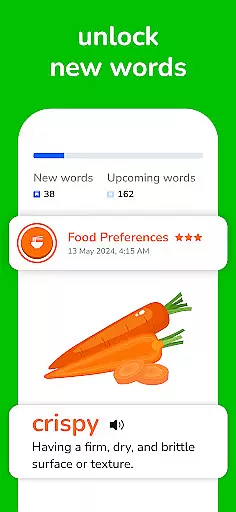
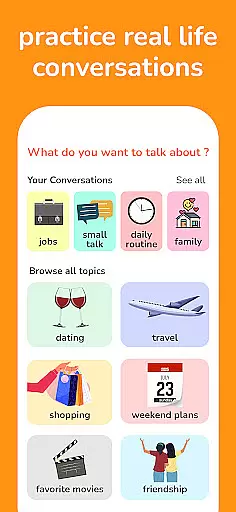
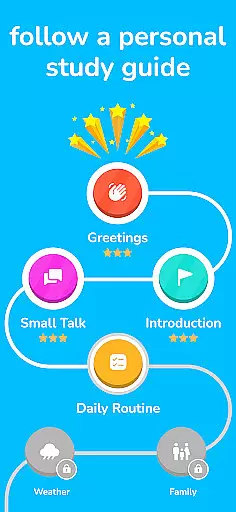
Learna is an AI-powered language learning app specifically designed to help users master English or Spanish. The app offers a comprehensive suite of interactive tools and features that cater to all aspects of language acquisition, including grammar lessons, vocabulary building, pronunciation practice, and real conversation simulations. With its innovative AI technology, Learna provides personalized learning experiences tailored to each user's proficiency level, whether they are beginners or advanced learners.
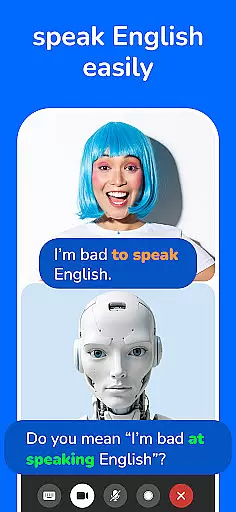
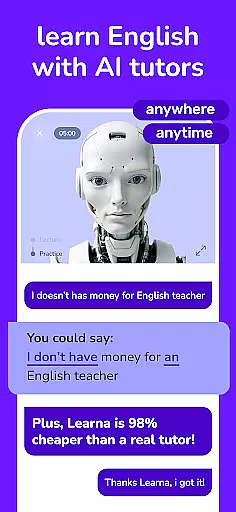
One of the standout features of Learna is its AI Virtual Chat Character, which guides users through speaking and listening exercises while offering real-time feedback on their pronunciation and grammar usage. This virtual tutor makes language practice more engaging and effective by simulating real-life conversations. Additionally, the app includes progress tracking functionalities, allowing users to set specific learning goals and monitor their achievements over time. Whether you're learning for personal growth or professional development, Learna ensures a dynamic and efficient language learning journey.
Learna distinguishes itself through its robust feature set designed to address every aspect of language learning. The app offers interactive grammar lessons that break down complex rules into manageable exercises, helping users build a solid foundation in English or Spanish. Vocabulary-building tools introduce practical words and phrases used in daily conversations, ensuring users can communicate effectively in real-world scenarios. Furthermore, the app incorporates reading exercises that improve comprehension skills while expanding users' knowledge of sentence structures and writing styles.
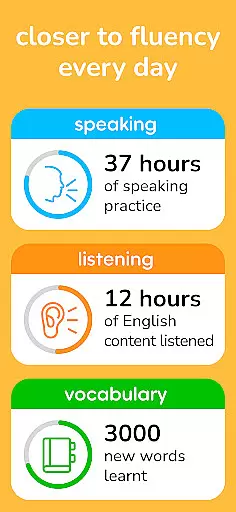
Pronunciation practice is another key component of Learna's offerings. Using advanced speech recognition technology, the app evaluates users' spoken language and provides detailed feedback to refine their accent and clarity. Learna also emphasizes conversational fluency by enabling users to engage in simulated dialogues with the AI tutor. These interactions mimic authentic conversations, boosting confidence in speaking abilities. Lastly, the app's progress-tracking system allows users to measure their improvement over time, celebrate milestones, and stay motivated throughout their language-learning journey.
In the realm of language learning, content accuracy is paramount for effective education. Learna ensures that all lessons, whether in grammar, vocabulary, or pronunciation, are crafted and reviewed by language experts to guarantee authenticity and precision. This meticulous attention to detail provides learners with reliable information that forms a solid foundation for their language skills.
The app's dedication to authoritative content is evident through its comprehensive grammar rules and vocabulary practices. Each lesson undergoes rigorous scrutiny to align with educational standards, ensuring users receive accurate knowledge that aids in mastering English and Spanish languages. By focusing on verified linguistic principles, Learna fosters an environment where learners can trust the information they acquire.
Furthermore, Learna AI enhances this experience by offering real-time feedback during interactive conversations. The virtual chat character guides users through tailored support, correcting mistakes and refining pronunciation. This personalized approach not only reinforces correct usage but also builds confidence as learners see tangible improvements in their speaking abilities over time.
Personalization is at the heart of Learna's approach to language education. Recognizing that each learner has unique needs and goals, the app crafts individualized learning paths that adapt to oneu2019s proficiency level and pace. Whether you're a beginner or brushing up your skills, Learna adjusts its curriculum accordingly, ensuring optimal growth for every user.
This customization extends beyond just difficulty levels; it encompasses various aspects such as vocabulary building, grammar practice, and conversation exercises. For instance, if a learner struggles with specific grammatical structures or wishes to expand their lexicon around certain topics, Learna tailors its content delivery to address these areas directly. Such targeted interventions accelerate progress by focusing efforts where they matter most.
Moreover, setting personal learning goals within the app allows users to track achievements systematically. Detailed performance metrics highlight strengths while identifying areas needing improvement, guiding future study sessions effectively. With continuous use, learners witness measurable advancements in their language capabilities, making each interaction with Learna both productive and rewarding.
User-friendly interface
Real-time feedback
Personalized learning paths
Comprehensive grammar lessons
Engaging conversation practice
Limited to two languages
Premium features require subscription
Occasional technical glitches
AI feedback may not always be accurate
Steep learning curve for beginners

AR planetarium app that brings the solar system to you via XREAL Glasses.
 4.0
4.0
Astronomy app ? Discover the universe scope, explore solar system model in 3D.
4.20
Bebefinn and Baby Shark educational, animated videos & games for kids
3.40
Age-Related Child Developmental Milestones
4.80
Deal Craps (Practice Craps Payouts)
3.80
Quiz App to help case managers studying for CCMC Certification, 200+ Questions
3.40
Stack the Countries makes learning world geography fun!
4.50
Professional Award-Winning Astronomy Star Map App With Telescope Control
4.40
School Communication
4.30
Short Lessons for Better Finances, Health, Skills, Jobs & Relationships.
4.80
2026 DVSA Driving Theory Test revision with Hazard Perception + Highway Code
4.60
Dinosaurs coloring book game. Drawing and painting dinos.
4.50
An interactive enhancement of the Sesame Street classic.
4.50
Practice Casino Roulette Payouts for Table Game Dealers and Croupiers
4.40
A magical world of fun, building, and learning with Mickey Mouse and more!
4.20
An aviator’s preparation, study and test tool for FAA Knowledge Exams.
3.90
THE MOST COMPREHENSIVE JUMPMASTER STUDY RESOURCE AVAILABLE.
3.40
Flashnote Derby is the fun way for kids to learn music notes and memorize them.
3.40
Learn and joke with the Silly Turkey!
4.2
Honest Duolingo review—energy system problems, hidden costs, what works for language learning, and whether the free version is still viable.



User Reviews