
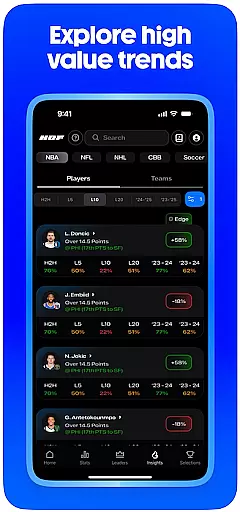
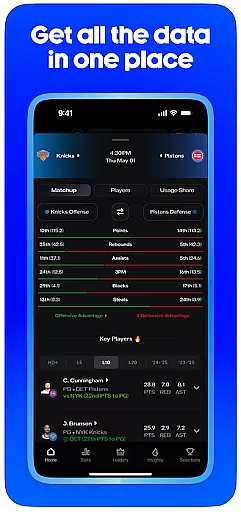
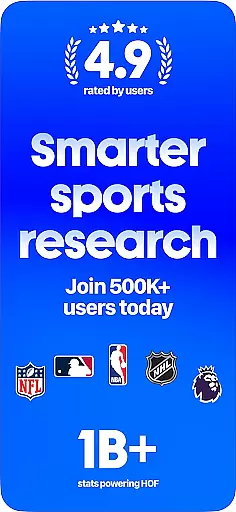
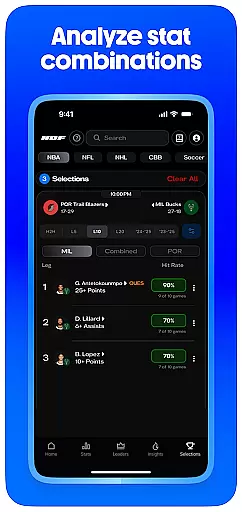
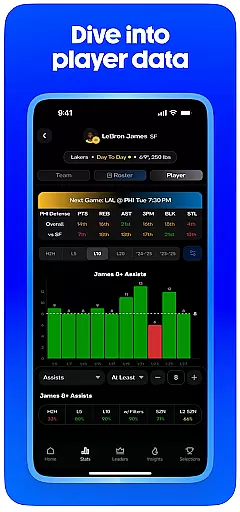
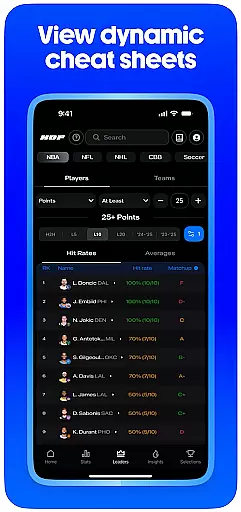
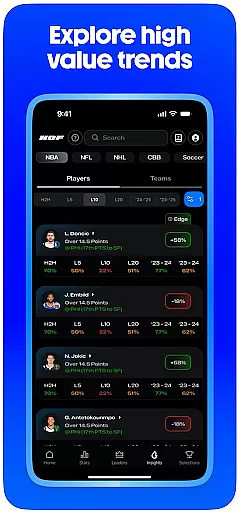
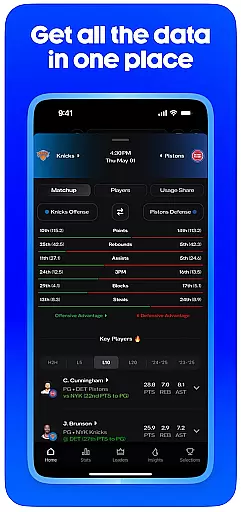
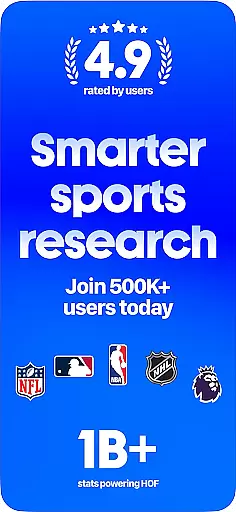
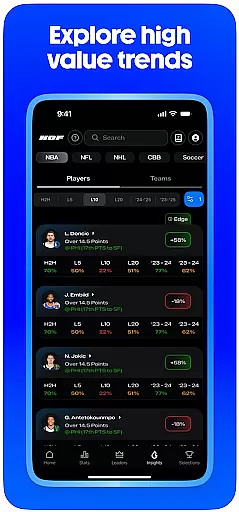
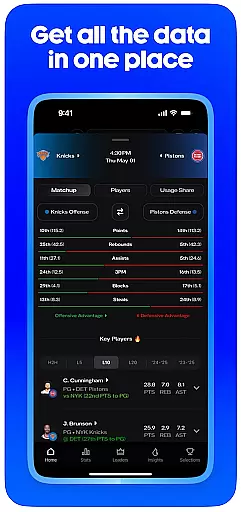
HOF (Hall of Fame) is a premier sports stats and analytics app designed to elevate your sports research experience. With advanced data tools, clean visuals, and flexible filters, it allows users to explore player and game statistics across multiple leagues including NBA, NFL, MLB, and more.
The app offers key features such as the Optimizer for analyzing player and team stats, Deep Stats for detailed performance breakdowns, and Leaderboards for consistency rankings. Whether you're tracking favorite players or identifying trends, HOF provides an engaging way to enjoy sports through data-driven insights.
Perfect for sports enthusiasts who love in-depth analysis, HOF also includes membership to an active Discord community and access to trend projections, making it an essential tool for both casual fans and serious analysts.
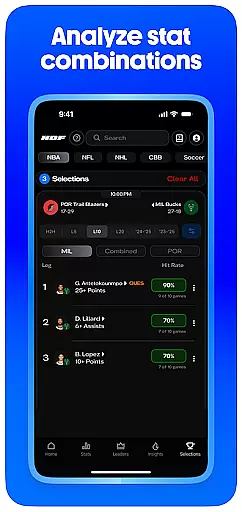
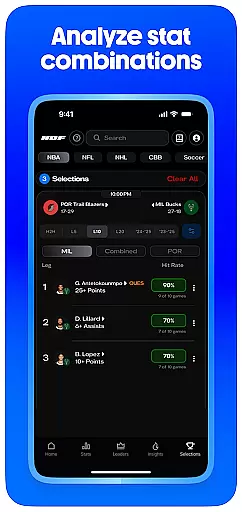
HOF stands out with its comprehensive suite of advanced sports data tools. The Optimizer feature lets users analyze combinations of player and team stats across single or multiple games, revealing historical correlations and removing inconsistent metrics with ease.
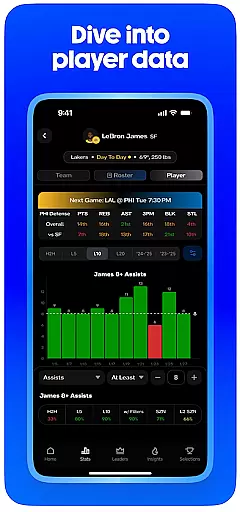
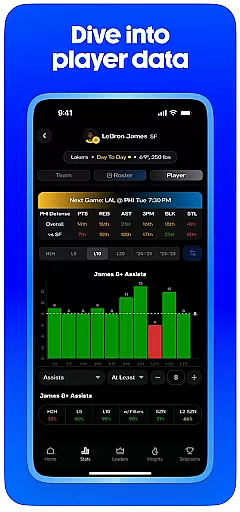
Deep Stats provides an immersive experience by offering easy-to-read visuals and supporting data. Users can dive into player/team performance charts, game logs, and matchup strength data while applying specific filters like Home/Away or Opponent Strength to refine their analysis.
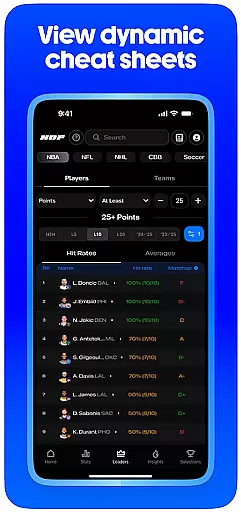
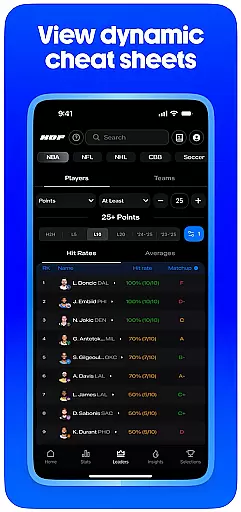
Additional highlights include Trend Projections that identify outliers based on recent data, and Leaderboards which rank player stats by consistency over customizable time spans. These robust features ensure HOF delivers a world-class experience for sports fans who crave detailed analytics.
Gameplay realism in sports applications refers to the accurate representation of real-world sports scenarios, player movements, and game dynamics. HOF excels in this area by providing detailed stats and analytics for a multitude of leagues, ensuring that users receive an authentic experience reflective of actual sports events.
The app's advanced data tools allow for deep statistical analysis, including player performance metrics, injury reports, and usage trends. This level of detail contributes to the realism by simulating the strategic depth and variability found in live sports, thus enhancing the user's understanding and engagement with the game.
HOF's physics accuracy is mirrored in its sophisticated algorithms that analyze historical data to predict future outcomes. Users can explore how often specific combinations of stats have occurred and understand the correlation between different game factors, which adds another layer of realism to their experience.
Ultimately, the precision in representing sports data translates into tangible value for users, enabling them to make informed decisions whether they are tracking favorite players, conducting in-depth analyses, or simply enjoying stats with friends. The result is an immersive environment that captures the essence of sports competition.
Control scheme intuitiveness in sports apps pertains to how easily users can navigate and utilize the app's features without a steep learning curve. HOF has been designed with user-friendly interfaces and streamlined controls, allowing both novice and experienced users to efficiently access its comprehensive suite of sports data tools.
The app offers clean visuals and flexible filters that make it simple for users to customize their research and focus on the statistics that matter most to them. With straightforward navigation paths and clearly labeled functions, users can swiftly move through different sections such as upcoming matchups, stat breakdowns, and optimizer features without feeling overwhelmed.
HOF further simplifies complex processes by enabling one-click actions like sending research directly to other apps. Such intuitive design choices ensure that users spend less time figuring out how to operate the app and more time engaging with the content they find valuable.
By prioritizing an intuitive control scheme, HOF enhances overall user satisfaction, making it easier for sports fans to delve into data-driven research. This approach not only broadens the appeal of the app but also fosters a more enjoyable and accessible experience for all types of sports enthusiasts.
User-friendly interface
Comprehensive sports coverage
Advanced data analysis tools
Active Discord community
Regular updates and support
Premium subscription required
Steep learning curve
Limited free trial period
High cost for casual users
Complex navigation for beginners

The King of Retro Soccer!
 3.60
3.60
Mental skills exercise/training - improve your power of focus and concentration
4.1
Rediscover the joy of the original Backyard Baseball 1997
3.70
Manage your lineup of NBA and WNBA stars on the go with the NBA 2K26 MyTEAM app.
4.50
Play football like it's 1987! Classic retro arcade action and franchise mode.
4.60
Sports app that presents matches' details from the most important championships.
4.50
The My Epic app unlocks the mountain and elevates your experience.
3.90
NHL scores for Wear OS. Quickly see all NHL game details, standings & schedules+
4.1
Stream videos and matches in high quality and in real time.
4.5
Score as a Super Star in Football Strike: Action Multiplayer Online Soccer Game!
4.70
Create your Ultimate NBA Team and experience realistic 2K Gameplay on Mobile!
4.70
FIFPRO licensed soccer game
4.50
Be a wrestling Superstar
4.40
Play one of most famous lawn games in America called foot bag toss family games!
4.30
Master your shots and climb the ranks in the ultimate golf game!
4.30
Recruit and train players to form a winning team!
4.10
Exploring Football from a Unique Perspective
4.10
Raise your duckling into a champion racer in this addictive pet & adventure game
3.90
Build your football city, train your team— no ads, no in-app purchases!
4.5


User Reviews