
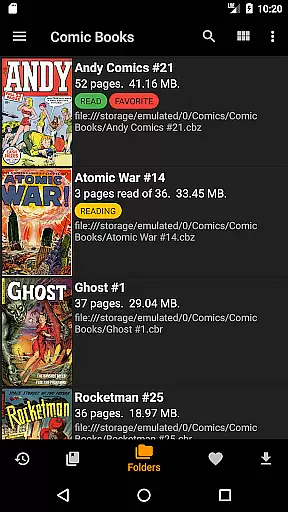
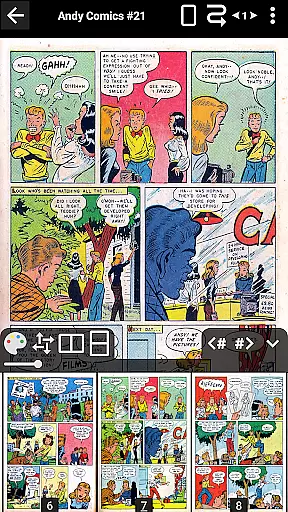
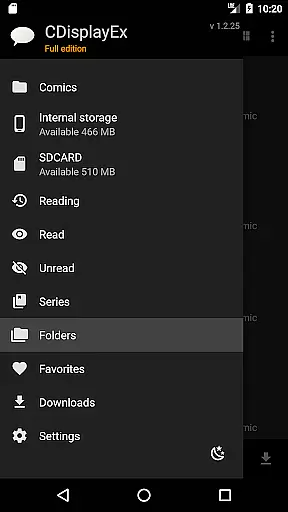
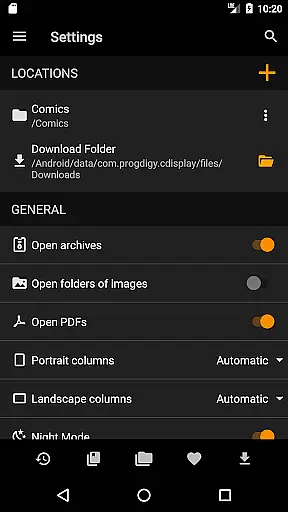
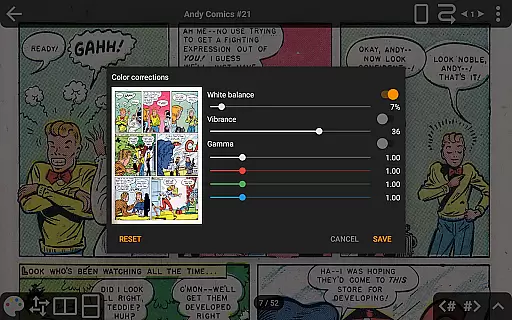
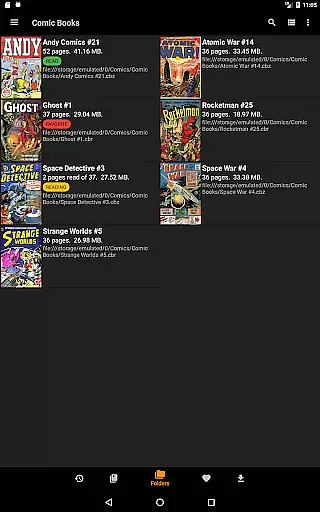
CDisplayEx Comic Reader is a versatile and efficient comic book reader designed for comic enthusiasts. This application supports all major comic formats including .cbr, .cbz, and .pdf files, providing an optimal reading experience. The app loads comics instantly and ensures smooth page transitions, making reading fluid and comfortable.
Beyond basic reading capabilities, CDisplayEx offers advanced features such as continuous page scrolling in both horizontal and vertical directions, advanced scaling options, and support for bookmarks. It also includes network file opening without full downloads, image export functions, and S-Pen support. With its integrated library management, users can organize their collections by series and easily search volumes.
This app is ideal for users who wish to maintain an extensive digital comic library with easy access and management. Its comprehensive feature set makes it suitable for both casual readers and hardcore comic collectors.
CDisplayEx Comic Reader stands out with its ability to handle various comic formats and offer an uninterrupted reading experience. The app's instant loading capability ensures that even large comic files open quickly, while the fluid page navigation enhances user comfort.
One of the key highlights is the advanced page scaling options, allowing users to customize their reading experience precisely. The app supports continuous page scrolling in multiple directions, catering to different reading preferences. Additionally, features like bookmark support, night mode, and interface language customization provide added convenience.
For users seeking extended functionality, the Pro version unlocks access to cloud services like OneDrive, Dropbox, and more. It also enables network file sharing and preloading, which is particularly useful for managing extensive libraries across devices. These features collectively ensure that CDisplayEx remains a top choice for digital comic readers.
CDisplayEx Comic Reader offers an extensive and versatile comic library that caters to a wide array of preferences. The application supports all popular comic book formats including .cbr, .cbz, and .pdf files, ensuring that users can access their favorite comics without compatibility concerns.
The integrated library management system allows users to organize their collections efficiently. By indicating the location of their comics, the reader automatically groups them by series and suggests the next album to read, streamlining the reading experience.
With the ability to connect to network shares and preload files on mobile devices, users can enjoy seamless access to their comic library from anywhere. This feature not only enhances convenience but also significantly broadens the scope of the available content.
Authenticity and proper licensing are crucial for any digital content platform, and CDisplayEx Comic Reader takes these aspects seriously. The app ensures that all the comics available through its platform are properly licensed, providing users with peace of mind regarding copyright compliance.
For enhanced user trust, the application includes features like bookmarks and support for multiple cloud services such as Onedrive, Dropbox, and Mega in its Pro version. These features ensure that users have legitimate and uninterrupted access to their purchased or legally acquired content.
Additionally, the app's capability to open network files without full downloads and its integrated search function further reinforce its commitment to delivering authentic and easily accessible content. Users can be confident that their reading material is both legally sound and readily available.
User-friendly interface
Extensive format support
Advanced scaling options
Integrated library management
Cloud service integration
No Google Drive support
Pro version is paid
Interface can be complex
Limited free features
Occasional bugs reported

The best app for digital comics - Welcome to Lezhin!
 3.10
3.10
The most powerful and fast image/comics viewer.
4.10
Free Comic Book Collection Management & Price Guide
4.60
The most popular comic book reader.
4.40
AsuraScans read manga, manhua, manhwa, and webtoon
3.90
Read and track manga across the web with ease
4.90
Read official webcomics, webtoons, Korean manga & webnovels
3.70
Instant access to over 30,000 Marvel comics with new issues added every week.
4.70
Read Manga, Comics & Manhwa of Romance, Action, Fantasy, Drama, BL and more!
4.40
See the newest comic book releases and manage your comic collection or pull list
4.70
Joke book collection with the funniest dad jokes and riddles for you to enjoy!
4.60
Scan comics instantly! Find comic value, price, and key collector details fast.
4.50
TMOLector is an app to read all kinds of manga and stories!
4.50
Kodansha official Manga app
4.30
Browse and read all your comics and mangas from YACReaderLibrary
4.20
Toomics is a premium comic service with every genre for all readers to enjoy!
4.00
Comic Scanner - Book Value - Identify and sell your comic collection with AI.
3.80
Create your personalized cartoon comic strips & comic books.
3.20
Official digital-manga store. Quality translations that support artists.
3.10


User Reviews