
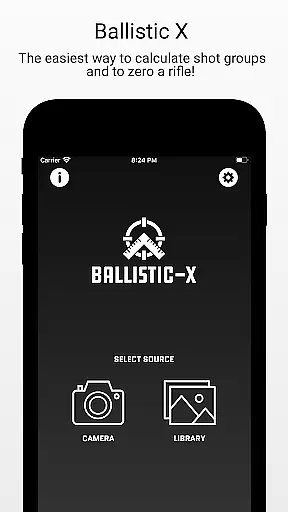
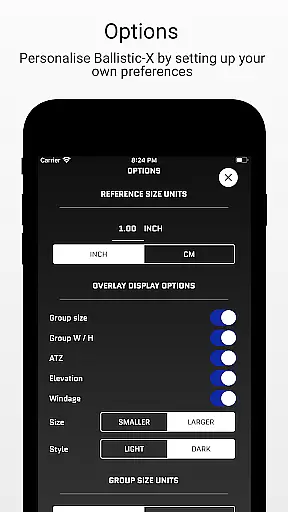
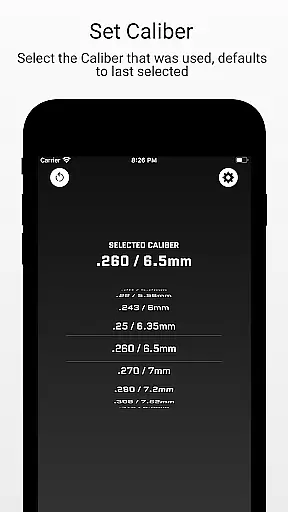
Ballistic X is a specialized mobile application designed for sports shooting enthusiasts, offering precise tools to calculate shot groups and zero rifles. The app provides an intuitive interface that allows users to customize their experience through various settings, including options for MOA/MIL or INCH/CM measurements. Whether you're working with paper targets or steel, Ballistic X seamlessly integrates with your workflow.
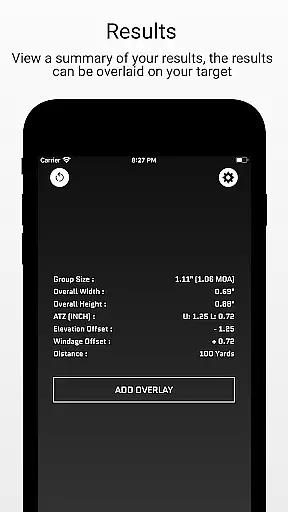
The app's core functionality includes essential tools accessible after a one-time purchase, eliminating the need for subscriptions. Users can sync settings across multiple devices by signing in, though this is optional. With features like ATZ (Adjustment To Zero), Ballistic X helps shooters precisely adjust their turrets at any range, saving both time and ammunition. This makes it an invaluable tool for improving accuracy and efficiency during shooting practice.
For advanced users, Ballistic X offers an Advanced Toolkit through an in-app purchase, providing pro-level analytics such as Mean Radius, Circular Error Probable (CEP), and more. These features are particularly useful for load development and detailed ballistic analysis. Overall, Ballistic X stands out as a comprehensive solution for shooters looking to enhance their precision and streamline their workflow.
Ballistic X boasts a range of features tailored specifically for the needs of sports shooters. One of its standout capabilities is the ATZ (Adjustment To Zero) feature, which dynamically assists in adjusting turrets at any range, supporting all turret options. This ensures that users can achieve precise zeroing without wasting rounds or time, making it ideal for both beginners and experienced marksmen.
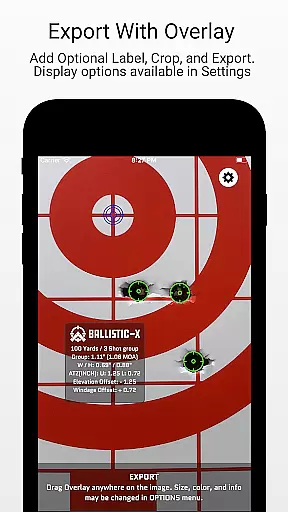
In addition to its core functionalities, Ballistic X offers advanced overlay display options through its Advanced Toolkit. Available via an in-app purchase, this toolkit includes metrics such as Mean Radius, Circular Error Probable (CEP), Radial Standard Deviation (SD), and more. These tools provide detailed insights into shooting performance, aiding in load development and allowing for deeper analysis. Users can also export data to CSV for further evaluation, enhancing the app's utility for serious competitors and professionals.
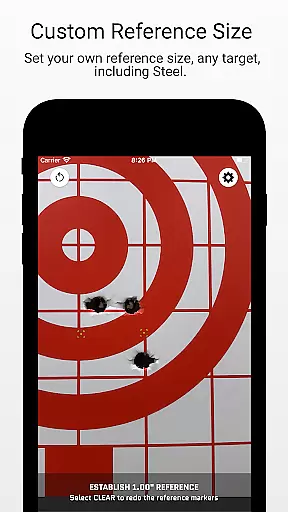
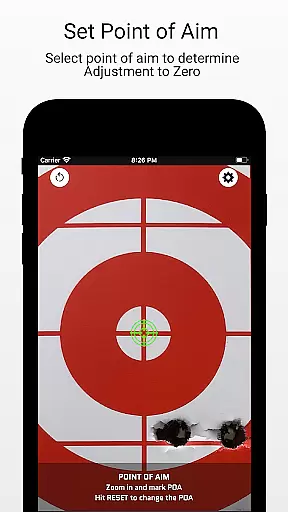
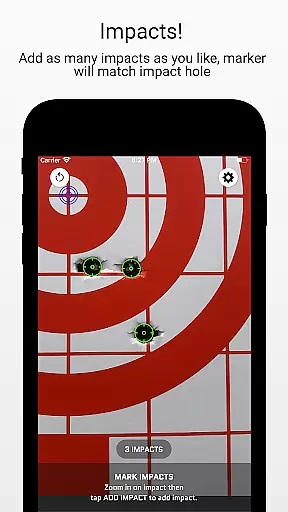
Another notable feature is the app's ability to work with images of targets taken within the app or imported from a library. Users can designate reference sizes, mark points of aim and impacts, and add overlays, labels, and crops before exporting or sharing their results. This streamlined workflow not only simplifies the process of analyzing shots but also integrates seamlessly with other tools and platforms, making Ballistic X a versatile companion for any shooter.
Ballistic X offers an unparalleled level of gameplay realism and physics accuracy tailored specifically for shooting enthusiasts. The app's meticulous attention to detail ensures that every calculation, from shot groups to zeroing your rifle, mirrors real-world conditions.
The ATZ feature dynamically adjusts at any range, supporting all turret options, which provides a realistic experience in fine-tuning your rifle's precision. This functionality not only saves time and ammunition but also enhances the shooter's understanding of their equipment.
With options to mark points of aim and impacts, along with overlay features such as Mean Radius and Circular Error Probable (CEP), users receive data-driven insights. These tools allow shooters to analyze their performance with professional-grade metrics.
By providing advanced overlay display options through the Advanced Toolkit, Ballistic X bridges the gap between digital simulation and live-range sessions. Users can export detailed analyses to CSV, making it an indispensable tool for honing shooting skills.
The control scheme of Ballistic X is designed to be intuitive, ensuring that users can easily navigate and utilize its features without a steep learning curve. The app offers a seamless experience whether you prefer MOA/MIL or INCH/CM measurements.
Customization is at the heart of Ballistic X's design. Through the Options Menu, shooters can tailor the app to their specific needs, choosing reference sizes and designating points on targets effortlessly. This flexibility makes it suitable for both beginners and experienced marksmen.
With functionalities like syncing settings across multiple devices and optional sign-ins, managing your shooting data has never been easier. The straightforward workflowu2014from taking target images to adjusting opticsu2014ensures that users spend less time on technicalities and more on actual shooting practice.
Additionally, the appu2019s ability to work seamlessly with various targets, including steel ones, underscores its versatile and user-friendly nature. By prioritizing ease of use without compromising on advanced features, Ballistic X delivers an optimal balance of simplicity and sophistication.
User-friendly interface
No subscription required
Precise ATZ feature
Advanced analytics available
Active community support
Optional sign-in may deter some
Advanced toolkit costs extra
Limited to shooting sports
Steep learning curve for novices
Requires manual input for some data

Soccer mini games! Play career mode: Score & be the next soccer superstar!
 4.70
4.70
Realistic golf, real courses
4.10
Pro Freestyle Football
3.20
Shoot, score, and outplay your rival in a fast-paced basketball battle duel!
4.60
Raise your duckling into a champion racer in this addictive pet & adventure game
3.90
Push your skills, express your style, or just enjoy the ride.
4.60
An easy-to-use app for sports team communication and logistics
3.20
The My Epic app unlocks the mountain and elevates your experience.
3.90
Experience the thrill of NFL with the ultimate app for Football enthusiasts!
3.80
Build a football club from scratch and see if you can conquer the leagues!
4.70
Basketball Team Management Sim Coach a custom team and dunk your way to glory!
4.70
Online app with multiple arenas! Live PvP multiplayer grand slam sports league.
4.60
Online multiplayer golf game. Play online golf games with your friends
4.60
Play football like it's 1987! Classic retro arcade action and franchise mode.
4.60
Play the World's Soccer Game Anywhere with Premier League, UCL & LALIGA stars.
4.60
Manage your lineup of NBA and WNBA stars on the go with the NBA 2K26 MyTEAM app.
4.50
Fun multiplayer golf game! Prove you’re a golf legend and play with friends!
4.40
Exploring Football from a Unique Perspective
4.10
Rediscover the joy of the original Backyard Baseball 1997
3.70


User Reviews