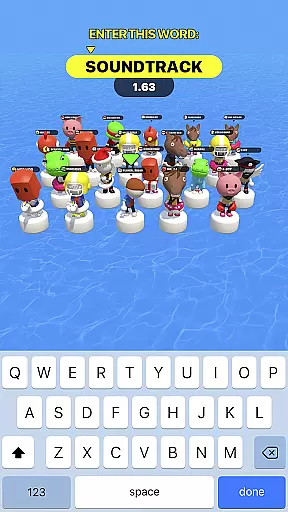
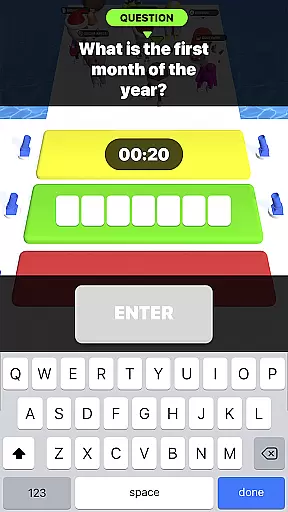
Type Sprint: Typing Games is an engaging trivia app that combines the thrill of typing challenges with brain-teasing word games. This app offers a unique blend of competitive typing races and educational gaming, making it perfect for users who want to improve their typing speed while having fun.
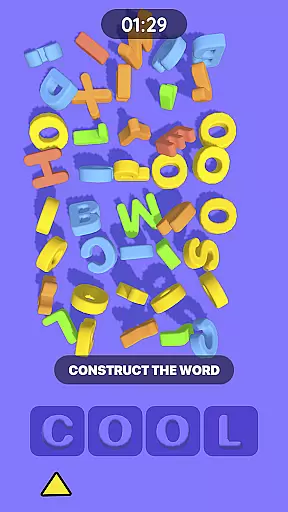
The app features a 5-in-1 game structure with various levels, missions, and rewards. Players can enjoy dynamic gameplay that tests not only their typing abilities but also their strategic thinking and memory through match 3 games, hidden object searches, and different riddles.
Whether you're looking to challenge yourself against sneaky opponents or simply seeking an addictive time filler, Type Sprint provides endless entertainment and valuable typing practice suitable for all skill levels.
Type Sprint stands out with its diverse range of features designed to provide both fun and educational value. The app includes multiple game modes such as typing races, word trivia, and match 3 puzzles, ensuring a comprehensive brain workout.
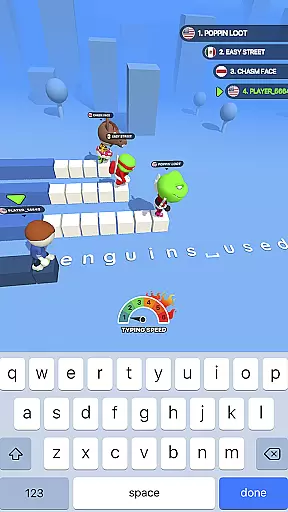
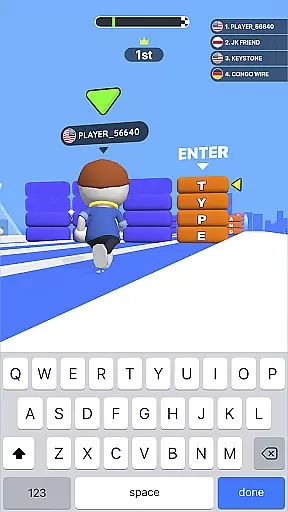
One of the key highlights is the dynamic typing race where players compete against clever opponents, ranging from easy-to-defeat characters to smart and skillful type runners. This feature helps users enhance their texting skills progressively.
In addition to its core gameplay, Type Sprint boasts user-friendly navigation, appealing design, and a variety of missions that reward players for their achievements. These elements combine to create an immersive experience that keeps users engaged and motivated to improve their typing proficiency.
In Type Sprint, the authenticity and accuracy of questions are paramount to ensure a meaningful typing experience. The game incorporates a wide range of word problems and trivia that have been carefully selected and reviewed for their correctness.
Each question is designed not only to challenge the player's typing speed but also to provide educational value by engaging them with accurate and thought-provoking content. This dual focus on entertainment and education guarantees that players are both tested and taught as they progress through various levels.
The developers understand that misleading or incorrect questions can undermine the learning process and frustrate users. Therefore, every piece of content in the game has been vetted to maintain high standards of precision, ensuring that players receive reliable information as they practice their skills.
By emphasizing question authenticity and accuracy, Type Sprint builds trust with its users, who can rely on the game to deliver a credible and enriching typing adventure.
Type Sprint offers an adaptive difficulty system that caters to players of all skill levels, ensuring that each user experiences a personalized challenge. As players improve their typing abilities, the game dynamically adjusts the complexity of its word trivia and missions to match their growing expertise.
This adaptive mechanism is crucial for maintaining engagement over time. Beginners face less complex words and gradually encounter more challenging vocabulary as they become proficient, which prevents feelings of being overwhelmed or bored due to stagnation.
Moreover, this feature allows Type Sprint to serve as an effective learning tool by consistently pushing users out of their comfort zones while still remaining achievable. It strikes a balance between providing attainable goals and stimulating challenges, fostering continuous improvement in typing proficiency.
Ultimately, Type Sprint's difficulty adaptation system creates a tailored experience that evolves with the player, offering endless opportunities for growth and mastery within the realm of typing games.
Engaging gameplay
Educational value
User-friendly interface
Variety of challenges
Progressive difficulty
Limited offline functionality
In-app purchases required
Occasional bugs
Ads between levels
Steep learning curve
Test your geography IQ by guessing over 1,000 flags and maps of countries.
 4.70
4.70
Test your Bible knowledge!
4.80
Seal the deal and become a millionaire!
4.70
“Tarbaa” is the best family group game
4.90
1-100 players! Your phones/tablets are the controllers! 5 hilarious party games!
3.10
Brain Test with tricky puzzles, brain teasers and brain games! Test your IQ.
4.70
Live Game Shows on Your Phone!
4.20
Many Word Games in 1 App! Play your favorites: Hashtag, Crossword & Word Search
4.30
Do you want to test your IQ? Here is the funny and tricky brain puzzle!
4.70
Draw, connect, and enjoy mini-games to relax your mind!
5.00
Become Puzzle Master in a World of Magic!
4.90
Color by number celebrating Black beauty! Vibrant skin tones coloring games!
4.80
Guessing games and quizzes that train your brain and make learning fun.
4.70
Train your brain, connect, study, find, and guess the answer in this puzzle!
4.60
Paint the Flag with the right colors!
4.60
Join in the Trivia Madness! And answer fun quiz questions!
4.40
Play Daily Trivia Games for Money & Prizes
4.30
Play Family Feud just like the show! With 4 game modes, play any way you’d like!
3.50
Trivial-style quiz game!
4.0


User Reviews