
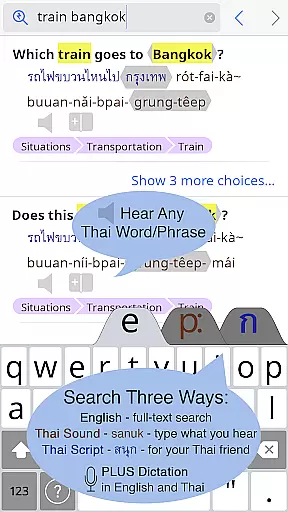
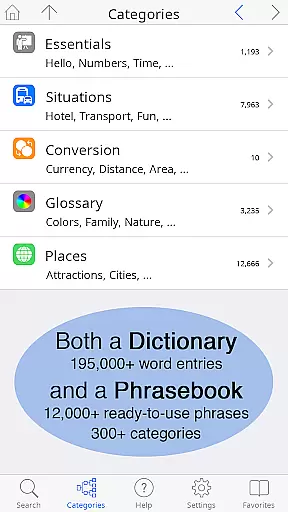
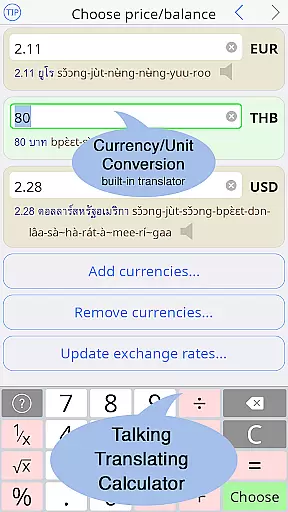
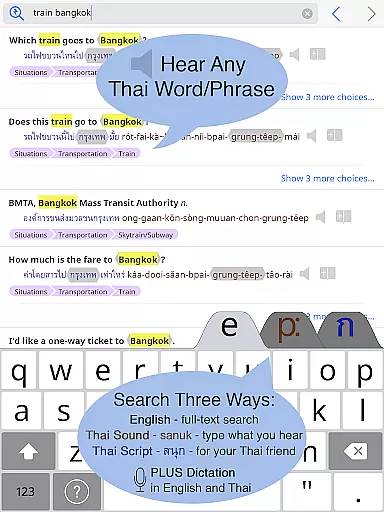
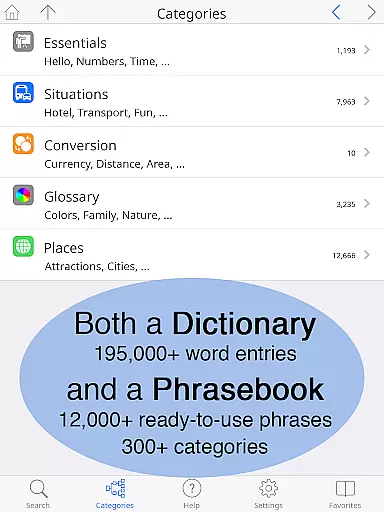
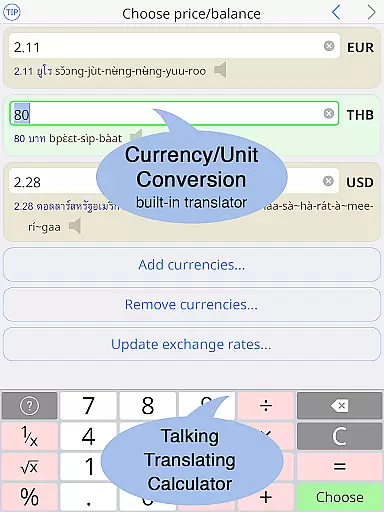
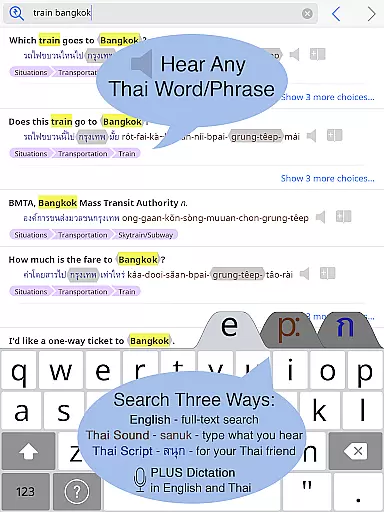
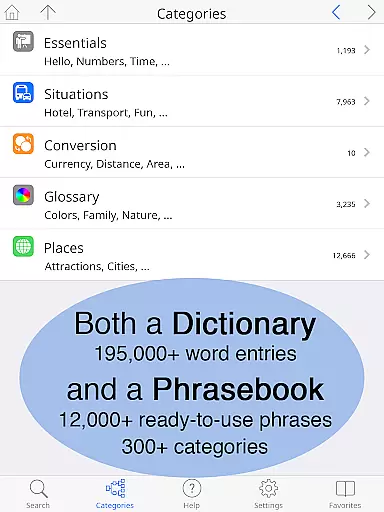
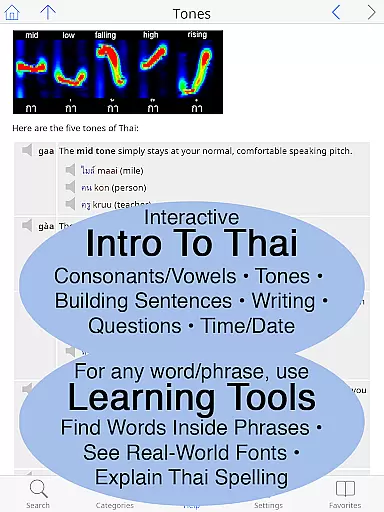
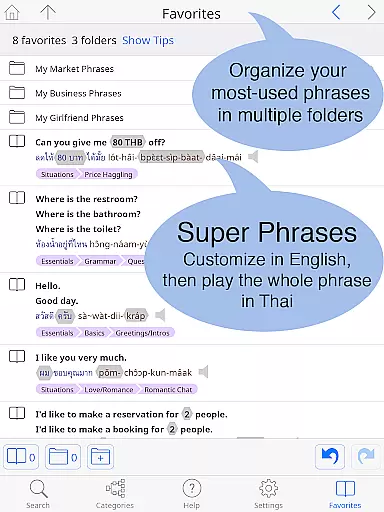
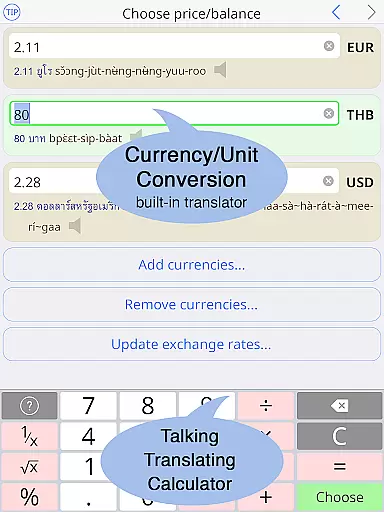
Thai <> English Dictionary is a comprehensive language tool designed for travelers, professionals, and students alike. With over 195,000 entries and 250,000 translations, it offers extensive coverage for both casual and in-depth Thai language needs. The app includes a built-in phrasebook with 300+ categories and 12,000+ ready-to-use phrases, all fully searchable. A unique feature is the clear native sound recordings for every Thai word, even available offline, ensuring correct pronunciation without internet dependency.
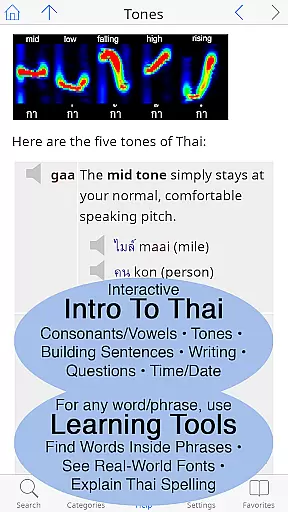
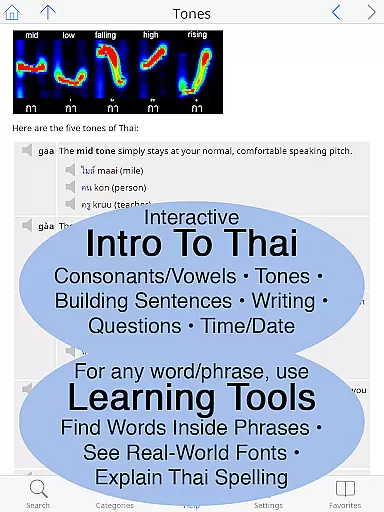
The dictionary is crafted specifically for English speakers learning Thai, offering multiple lookup methods including pronunciation guides and Thai script. It provides critical insights into word meanings, formality levels, and grammar nuances that are often missing in standard dictionaries. Additionally, the app serves as an introduction to Thai language fundamentals, covering speaking, understanding, reading, and writing. Its user-friendly interface allows text resizing and customizable layouts, making it accessible for all users regardless of their proficiency level.
This dictionary app stands out with its industry-first Thai learning tools and comprehensive content. One remarkable feature is the ability to break down compound Thai words into their component parts, helping users learn vocabulary more effectively. Each entry includes detailed pronunciation breakdowns with clickable audio samples for syllable-by-syllable guidance. Users can view Thai words in multiple real-world fonts, preparing them for practical encounters with the language.
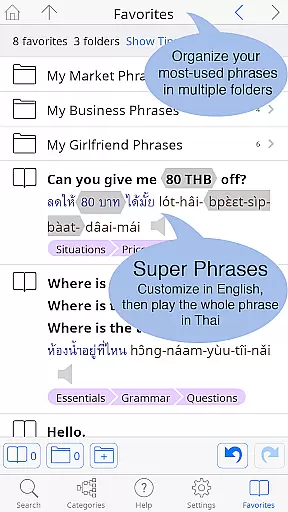
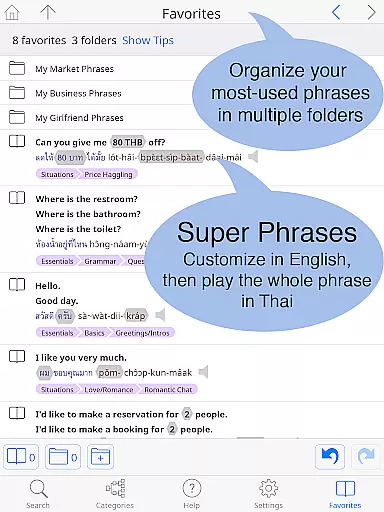
The built-in phrasebook offers two-way conversational formats across 300+ practical categories, from basic travel needs to advanced topics like business and romance. Unlike other dictionaries, this app provides crucial information such as Thai classifiers for nouns and syllable stress notation. The offline functionality ensures reliable access anywhere, while the big-text display and customizable keyboard cater to different user preferences. These features collectively create an unparalleled learning and reference experience for mastering the Thai language.
When it comes to digital dictionaries, the size of the e-book library and the authenticity of its content are paramount. The Thai <> English Dictionary boasts an impressive collection of 195,000+ entries, translating to over 250,000 translations, ensuring that users have access to a vast repository of words and phrases. This extensive library covers a wide array of topics, making it suitable for casual travelers, language learners, and professionals alike.
The authenticity of this dictionary's content is further enhanced by Paiboon Publishing's meticulous hand-crafting process. Unlike other dictionaries that rely on low-quality internet data, every entry in this app is carefully curated with the needs of English speakers learning Thai in mind. This includes multiple pronunciation guide systems and clarifications of word meanings and formality levels through English explanations.
Users benefit from not just the quantity but also the quality of the entries. With more than 60,000 noun entries accompanied by crucial Thai classifiers and notations of syllable stress, learners can trust the accuracy and detail provided. The inclusion of native sound recordings for each Thai word, even available offline, adds another layer of authenticity and practicality for real-world usage.
Format compatibility is a critical feature for any digital resource, especially for a comprehensive tool like the Thai <> English Dictionary. This app shines in its ability to cater to different user preferences and technological environments. It offers both Thai script and pronunciation guides in 12 popular systems, accommodating learners who may not yet be familiar with the Thai alphabet.
The app provides a customizable experience, allowing users to adjust text size for both Thai and English languages, thus eliminating the need for reading glasses and enhancing readability. Additionally, users can choose between standard or big-key Thai keyboards, catering to individual typing styles and device sizes.
Another advantage is the built-in phrasebook, which is full-text searchable and ready-to-use with customizable phrases. This feature ensures that regardless of the format or context, users can effectively communicate in Thai. Whether they're engaging in everyday conversations or specialized discussions, the app's compatibility with various linguistic needs makes it an indispensable tool for anyone interacting with the Thai language.
Extensive word database
Offline audio support
User-friendly interface
Comprehensive phrasebook
Unique learning tools
Premium price point
Large app size
Complex for beginners
Limited visual design
No social features

Guide for dōTERRA® Products
 3.60
3.60
"Five Dr. Seuss titles in one omBook!"
4.60
Contains the 365 daily readings and everything other thing needed for catholics
4.70
CleverBook Pro makes the popular guide for the game even better!
4.00
Read the KJV Bible with Strong’s offline: reading plans, audio Bibles, and more.
4.70
Improve your vocabulary and grammar with the 15 biggest Oxford Dictionaries.
4.30
Prime novels await! Fantasy & Romance on JoyRead. Immersive reads!
4.20
F9 Cookbook Mobile App
4.60
Follow complex state CCW permit laws and lawfully carry firearms in each state.
4.80
Offline dictionary for learning Cantonese as a second language
4.90
Read and study the Bible and other content in over 1,000 languages.
4.80
Discover Stars and Planets: Live Map Shows Current Constellations in Full Detail
4.70
8 Dr. Seuss short stories in 1 app!
4.70
Daily Devotional Widgets & Hourly Verses. Listen to Bible & Watch Holy Stories
4.70
Scan. Price. Grade.
4.60
Learn Electricians' Handbook PRO complete guide beginners to advance.
4.40
Read the romance stories on the go. Take my breath away, The Spoiled Girl
4.30
Essential Technical Rescue Field Operations Guide 6, the Industry Standard Guide
4.20
Read Trending Romance Stories
4.00


User Reviews