
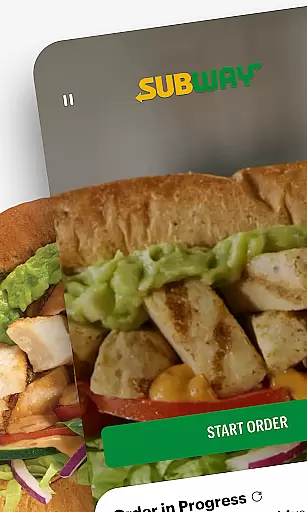
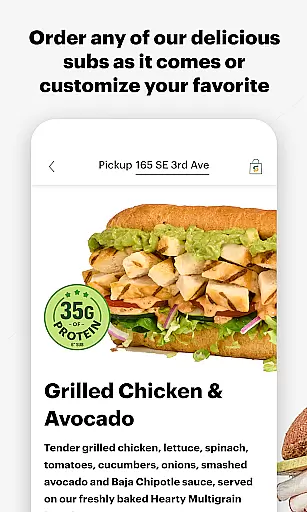
Subway is a premier mobile application designed for food enthusiasts who crave convenience and customization. This app allows users to personalize their Subway orders with ease, mimicking the in-store experience by choosing from a variety of ingredients, toppings, and condiments. Whether you prefer extra cheese or a specific type of bread, Subway ensures your meal is just how you like it.
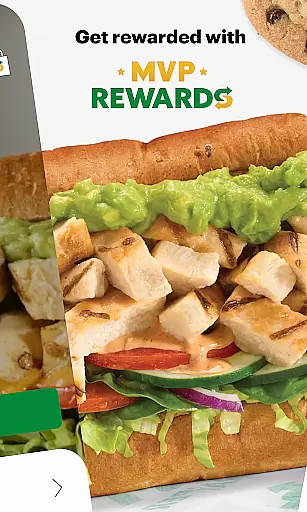
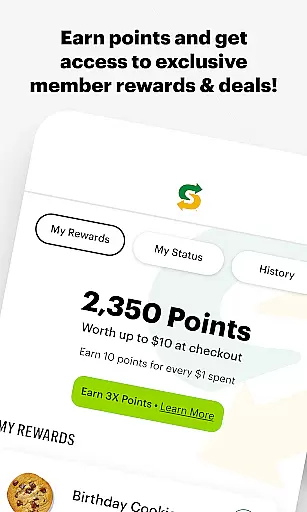
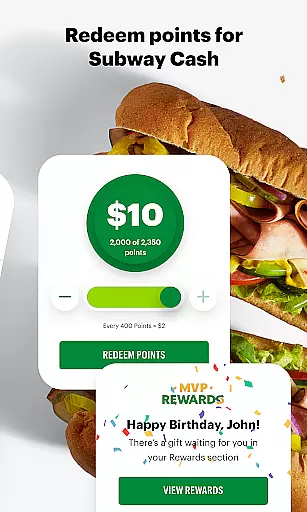
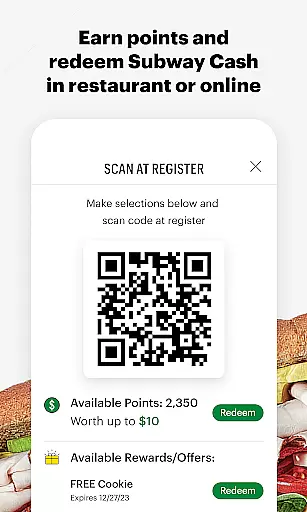
In addition to its customization features, the app offers a robust rewards program called Subway MVP Rewards. Users can earn points on every purchase, which can be redeemed for Subway Cash. The app also includes exclusive member-only deals and promotions, enhancing the value for frequent customers. With options for rapid re-ordering and multiple delivery methods, Subway makes enjoying your favorite sandwiches faster and more convenient than ever.
The Subway app stands out with its extensive customization capabilities. Users can tailor each component of their sandwich, from selecting the type of bread to choosing specific toppings and sauces. This level of personalization ensures that every meal meets individual preferences, providing a unique dining experience directly from your smartphone.
Beyond customization, the app incorporates a sophisticated rewards system known as Subway MVP Rewards. Members earn points on every purchase, which accumulate to unlock various benefits such as Subway Cash and exclusive discounts. The app's interface is designed for ease of use, featuring a dashboard that facilitates quick reordering of favorite meals with minimal effort. Furthermore, the app supports multiple fulfillment options including pick-up, curbside, and delivery, ensuring that users can enjoy their meals wherever they are.
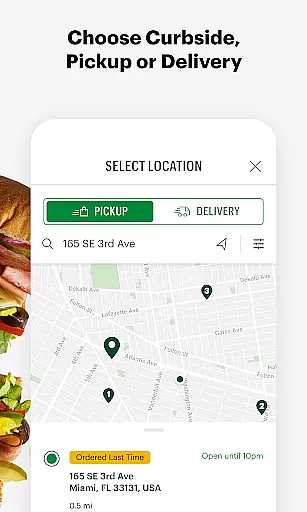
Locating your nearest Subway restaurant has never been easier. The app provides a comprehensive store locator feature that uses your device's GPS to find the closest locations. This ensures you can quickly identify nearby restaurants, view their operating hours, and plan your visit accordingly.
Beyond basic location services, the app offers additional details such as real-time updates on store traffic and wait times. This helps customers make informed decisions about when to visit, ensuring minimal waiting time. For those traveling or exploring new areas, the store locator also supports address search functionality.
The integration of Google Maps within the app enhances navigation accuracy. Users can access turn-by-turn directions directly from the app interface, making it simple to reach their chosen destination. This seamless combination of location services and mapping technology demonstrates Subway's commitment to customer convenience.
Subway's mobile application revolutionizes food ordering with multiple fulfillment options. Customers can choose between delivery, curbside pickup, or in-store collection based on their preferences and schedule. Each option is designed to provide maximum flexibility while maintaining food quality and freshness.
The app streamlines the ordering process through its intuitive interface. Users can save favorite orders for quick reordering, specify exact pickup times, and track their order status in real-time. For delivery orders, the app integrates with various third-party services to ensure timely and reliable transportation.
Particular attention has been paid to the curbside pickup experience. Upon arrival at the restaurant, customers simply activate the curbside notification feature, alerting staff to bring their order directly to their vehicle. This contactless solution has become increasingly valuable, demonstrating how digital innovation can enhance traditional dining experiences.
User-friendly interface
Extensive customization options
Rewards program with tangible benefits
Multiple fulfillment methods
Exclusive member-only promotions
Limited to Subway locations
Requires account creation
Occasional technical glitches
Delivery fees may apply
Points redemption thresholds

Delicious cocktail recipes you can make with ingredients you already have.
 4.40
4.40
Delivery. Pickup. Rewards.
4.70
Order from Gopuff and get your essentials delivered in as fast as 15 minutes
4.50
Easily Order, Earn Crumbs & Unlock Rewards!
4.80
Real ones order on the app, earn points, score deals, and skip the line.
4.40
Earn rewards when you order online for delivery or pickup from Sonic Drive-In.
4.60
Find the perfect restaurant for any occasion on OpenTable.
4.60
The ultimate app to save recipes from Instagram, TikTok, Facebook & more.
4.60
Not just food delivery. Shop for groceries from local supermarkets to your door.
4.60
Quickly order, pay, reload your Starbucks Card and earn free drinks or food.
4.80
Conveniently order food ahead and avoid the wait at your favorite Jersey Mike's.
4.80
Good Fortune Awaits with Panda Rewards and the Panda Express® App.
4.70
Get Rewards, Easy Ordering & Exclusive Offers
4.70
Get groceries delivered today
4.50
Order your Buffalo Wild Wings favorites for takeout & delivery
4.50
Food delivery from your favorite places. Order food, alcohol and more nearby
4.50
Home baked, made easy! Passionate baking with Mauela Kjeilen @passionforbaking
4.40
Get exclusive food deals, earn rewards, fast reordering & order ahead options.
4.30
Order ahead. Earn Delicious Rewards.
3.20


User Reviews