




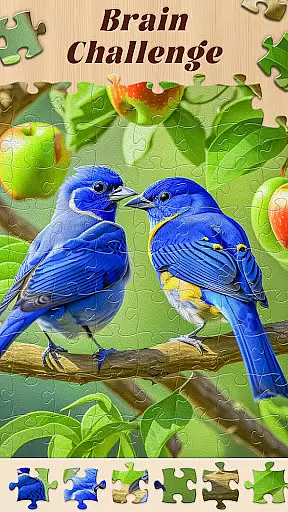

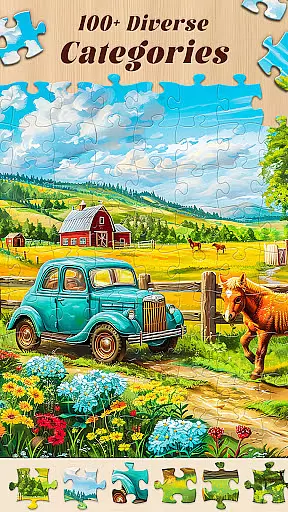









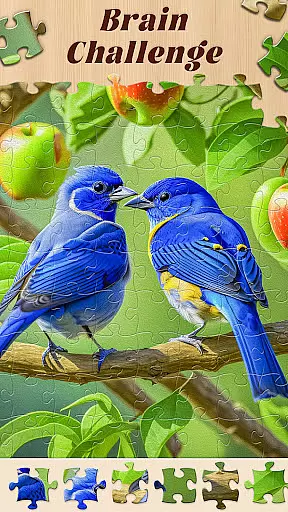

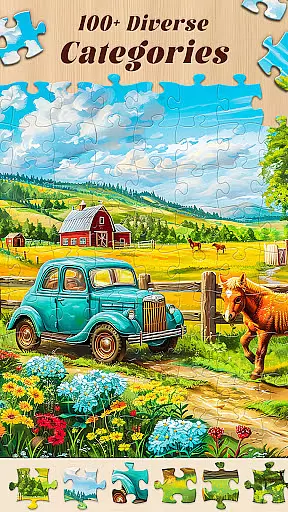
Jigsaw Master is a premier jigsaw puzzle app that redefines the gaming experience for puzzle enthusiasts. With over 10,000 HD pictures spanning various categories like Nature, Animals, and Art, it offers endless entertainment. The app not only provides a fun pastime but also enhances cognitive skills such as memory and concentration.
Designed for both casual and serious gamers, Jigsaw Master features multiple difficulty levels and customizable options. Users can choose from different puzzle sizes and activate rotation mode for added challenge. With daily free puzzles and exclusive content unlocked through gameplay, this app ensures continuous engagement and enjoyment.
Jigsaw Master stands out with its vast collection of over 20,000 free puzzles, featuring high-quality images across diverse themes. Players can earn diamonds by completing puzzles, which can be used to unlock special content. The app includes thrilling mystery games within each puzzle, offering hidden surprises.
Additional features include helpful hints for when players get stuck and a constantly updated gallery ensuring fresh content. Customization options allow users to personalize their experience with custom backgrounds and adjustable puzzle sizes ranging from 36 to 400 pieces. Rotation mode adds complexity for those seeking a greater challenge.
Rule authenticity and flexibility are crucial elements in any board game, ensuring that the gameplay remains true to its intended design while offering room for strategic adjustments. In Jigsaw Master, this principle is upheld with a blend of traditional jigsaw puzzle rules and innovative features that enhance user engagement.
The app strictly adheres to the fundamental rule of jigsaw puzzles - assembling pieces to recreate a complete picture. However, it introduces customizable options such as choosing from different puzzle sizes ranging from 36 to 400 pieces and activating rotation mode, which adds an extra challenge. These features maintain the essence of classic jigsaw puzzles while allowing players to tailor their experience based on skill level or preference.
Players benefit from this approach by enjoying a personalized yet authentic puzzle-solving journey. The ability to adjust difficulty through size selection or engage with daily challenges keeps the experience fresh and engaging. This balance between sticking to core principles and embracing new mechanics ensures that Jigsaw Master remains both familiar and exciting for puzzle enthusiasts.
While Jigsaw Master focuses primarily on solo puzzle-solving experiences, the concept of AI opponent quality can be reimagined in the context of supportive features and challenges within the app. Instead of direct competition, users interact with intelligent systems designed to enhance their gameplay through various means.
The app offers daily free puzzle games, presenting players with new HD jigsaw puzzles each day. This feature acts as a virtual competitor, challenging users to improve their skills consistently. Additionally, helpful hints assist when players get stuck, simulating guidance one might receive from experienced opponents in other board games.
By incorporating these elements, Jigsaw Master effectively creates an environment where users feel encouraged to push their limits without facing frustration. The combination of regular challenges and support mechanisms fosters growth and maintains interest, demonstrating how AI-driven components can enrich single-player experiences in board game apps.
Extensive puzzle library
Daily new challenges
Earn rewards in-game
Customizable settings
Enhances cognitive skills
Limited social features
In-app purchases needed
Ads between sessions
Occasional bugs reported
High device storage use

An atmospheric companion app to enhance the Escape the Dark Castle board game.
 4.50
4.50
The popular roll & write game by Paolo Mori
3.90
Enjoy Classic Domino: Master each tile and play offline board games!
4.90
The Family Game Night Classic
4.40
Defuse a bomb with your friends!
4.80
The legendary naval combat game sails onto mobile and tablet.
3.50
The official award-winning domino building strategy game comes to life!
4.80
The ultimate Chess app available. Install now for pure enjoyment!
4.80
Color to relax with tons of zen coloring pages in Color Oasis coloring game.
4.80
Best Dice Game with Friends!
4.80
The Ultimate Chess Experience. For Beginners and Grandmasters!
4.80
Draft and manipulate dice to create the greatest fantasy hero in the RPG world!
4.70
Celebrate Christmas joy with fun paint by number & happy holiday coloring book!
4.70
Fun bingo with power-ups!
4.70
The iconic train game arrives on mobile! Play against AI or online multiplayer.
4.50
Nostalgia Color: Relive Your Fondest Memories
4.40
Train your brain with classic backgammon and become the lord of this board game!
4.30
Discover the digital adaptation of Tokaido, the boardgame phenomenon!
4.30
Challenge friends in offline 2 player games. Play boxing, fighting, chess, snake
4.00


User Reviews