
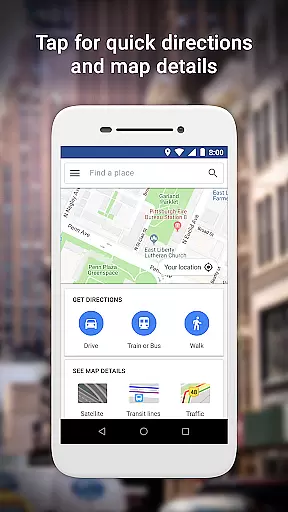
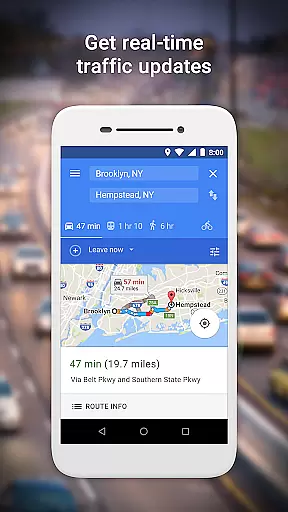
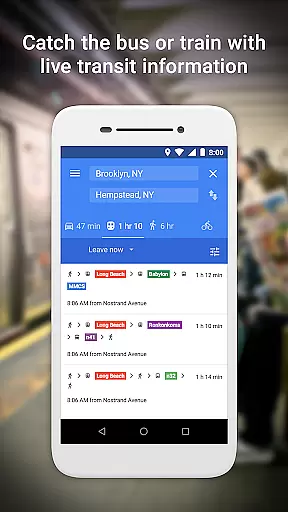
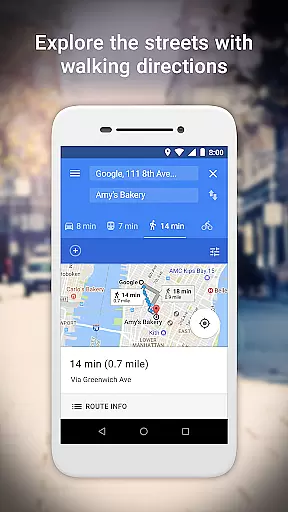
Google Maps Go is a lightweight Progressive Web App designed for devices with limited memory and unreliable network connections. Taking up 100 times less space than the full Google Maps app, it offers essential mapping features without compromising speed or performance. The app provides real-time traffic updates, step-by-step navigation, and public transit information, making it ideal for users in areas with connectivity challenges.
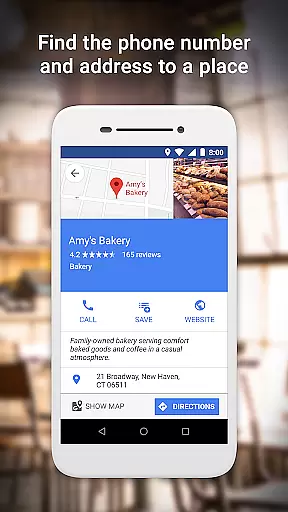
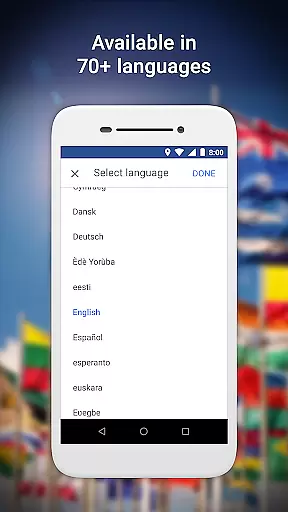
With Google Maps Go, users can search for places, get directions combining various modes of transportation, and access detailed business information such as phone numbers and addresses. The app supports over 70 languages and covers 200 countries and territories with comprehensive maps. Whether you're planning your daily commute or exploring new places, this app ensures you stay informed and connected even on lower-end devices.
Google Maps Go stands out with its optimized performance on low-spec devices while maintaining core mapping functionalities. The app delivers real-time traffic data and multi-modal route planning, including two-wheelers, buses, metros, and ferries. Users can preview their routes and receive step-by-step directions, helping them plan trips efficiently.
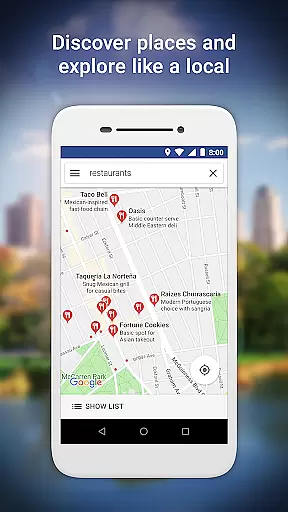
The app also provides live public transport schedules for over 20,000 cities worldwide, ensuring smooth urban navigation. Additionally, it allows users to discover local businesses, view customer reviews, and save favorite locations for quick access later. With satellite and terrain views available across 200 countries, Google Maps Go combines essential features with global coverage, making it a versatile tool for travelers and daily commuters alike.
Booking authenticity is a crucial feature for travel applications like Google Maps Go. It ensures that all booking information provided through the app is accurate and trustworthy.
Google Maps Go achieves this by integrating with reliable local transit systems and service providers, offering real-time schedules and confirmed routes for buses, trains, and ferries. This integration allows users to plan their trips confidently, knowing that the transit information they receive is both current and dependable.
Users benefit from this feature by experiencing seamless travel planning without worrying about outdated or incorrect schedules. The assurance of authentic booking details enhances the overall travel experience, making it more efficient and stress-free.
The value of booking authenticity in Google Maps Go lies in its ability to provide peace of mind to travelers. By ensuring that all transit data is verified and up-to-date, users can rely on the app for their daily commutes and longer journeys, thus improving their trust in the application.
Price transparency in travel apps refers to the clear display of costs associated with various transportation options, ensuring users are fully informed before making decisions.
Google Maps Go excels in price transparency by providing detailed information on different transit methods, including estimated taxi fares and public transport ticket prices. While the app itself does not handle bookings, it directs users to trusted platforms where they can view comprehensive pricing details.
This level of transparency benefits users by allowing them to compare costs across various modes of transport easily. Whether choosing between a taxi or public transit, users can make cost-effective decisions based on clearly presented information.
The significance of price transparency in Google Maps Go is evident in its contribution to user satisfaction. By equipping travelers with all necessary financial information upfront, the app empowers them to plan their journeys economically, enhancing their overall travel experience.
Lightweight design
Real-time traffic updates
Multi-modal navigation
Public transit schedules
Global language support
Limited offline functionality
No advanced features
Requires Chrome
Occasional loading delays
Basic UI compared to full app

Book rooms at any of 4.2M properties worldwide. Find flight deals every day!
 4.60
4.60
The Official Freedom Trail Foundation app.
4.30
View current Montana road conditions, cameras, plows, and timelapse videos.
4.70
GPS Live Satellite Earth to find route navigation and current location map
4.00
It drives. You ride.
4.90
With the Spirit Airlines app, easily manage all your trips in one place.
4.70
Easily rent a car at over 9,500 locations with the Enterprise car rental app.
4.60
One app, 300,000+ travel experiences, tours, and tickets you’ll remember.
4.90
Get Moving Made Easier® with the official U-Haul® Moving & Storage app.
3.40
Replace your car trips with the world’s largest shared electric vehicle company.
4.90
Bus tickets at unbeatable prices with routes across the US. All aboard FlixBus!
4.70
Frontier’s Android app makes travelling easier than ever before!
4.70
Get all MTA services, Subway, Bus, LIRR, Metro-North and More all in one place.
4.60
Discover the power of one-way location tracking. Share your location securely.
4.50
Download now and start earning rewards on hotels, tours, and everything travel.
4.50
Earn hotel and travel rewards, find hotel offers, and access your Digital Key.
4.50
Get the app that knows where you’re going - view your flight, check in & more
4.50
MyTSA gives you 24/7 access to info that passengers frequently request from TSA.
4.10
A packing list app that helps you remember what to pack for a trip.
3.10


User Reviews