
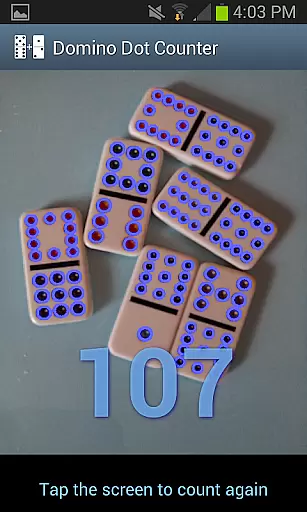
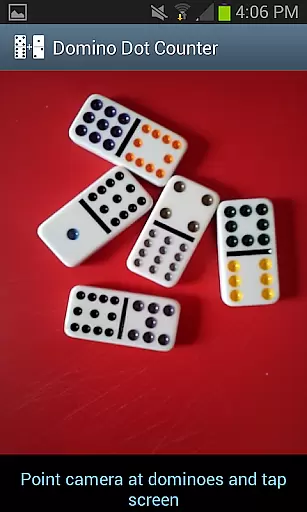
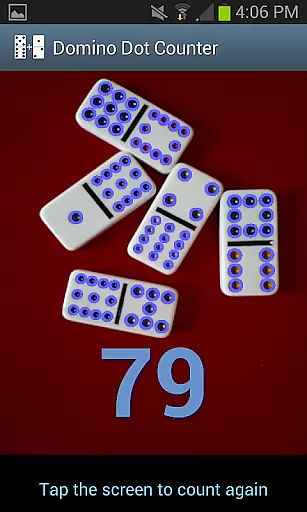
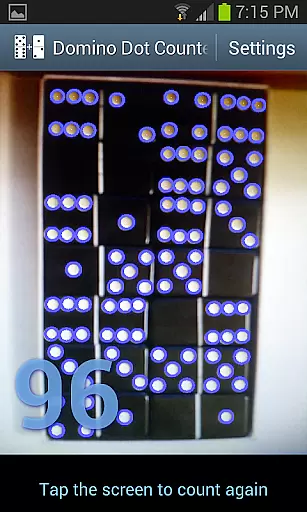
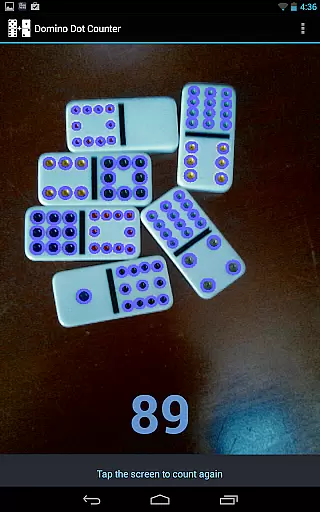
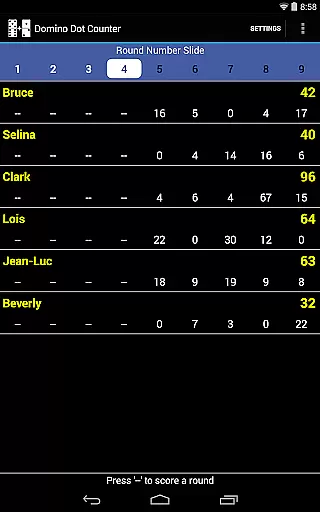
Domino Dot Counter is a casual gaming app designed to enhance your domino experience. The app uses your phone's camera to automatically sum up the dots on a group of dominoes, making it perfect for games like Mexican Train. With its AUTO COUNT feature, you can effortlessly tally scores even with a large number of tiles.
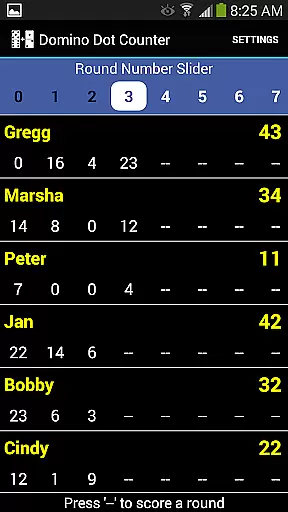
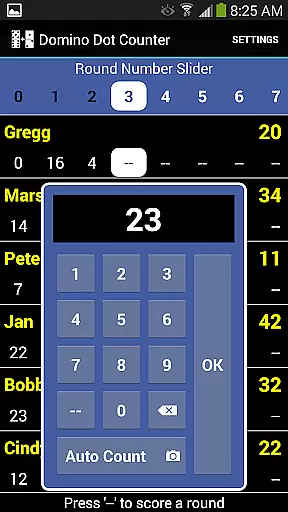
Beyond just counting, Domino Dot Counter includes a complete score application suitable for 2 to 8 players. You can add or delete players mid-game, customize player names, and manage rounds that count either up or down. Its intuitive interface allows users to slide through rounds using a slider when all rounds cannot be displayed at once.
For optimal performance, play on a solid-colored surface and hold the camera horizontally over the dominoes. Whether you're a seasoned player or new to the game, this app ensures accurate scoring and a seamless gaming session, letting you focus more on enjoying the game rather than getting bogged down by manual counts.
Domino Dot Counter stands out with its innovative use of your phone's camera to count domino dots, streamlining the scoring process in domino games. The AUTO COUNT feature is engineered to recognize and tally pips on domino tiles swiftly, drawing a circle around each counted pip for easy verification.
The app supports extensive customization options, allowing users to add or remove players during a game, personalize player names via a long press, and manage multiple rounds. It intelligently tracks completed rounds and warns users against re-scoring finished rounds, ensuring fair play. The round management system is flexible, accommodating both ascending and descending scoring methods.
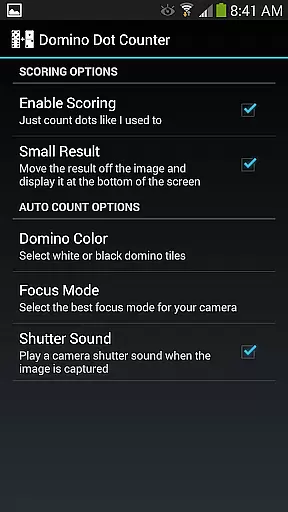
Additional features include a settings menu where users can disable scoring if preferred, catering to purists who enjoyed the original Domino Dot Counter functionality. Designed for convenience and accuracy, this app is an indispensable tool for domino enthusiasts looking to elevate their gaming sessions.
Domino Dot Counter offers a streamlined and intuitive core gameplay experience that focuses on ease of use. The primary function is to automatically sum up the dots on a group of dominoes using your phone's camera, which eliminates the need for manual counting.
The app includes an AUTO COUNT feature, allowing players to let their phone or tablet do the work, especially useful when dealing with a large number of tiles at the end of a round. This feature alone simplifies the traditional method of counting domino dots, making it faster and more accurate.
Players can easily keep score for 2 to 8 players, add or delete players mid-game, and customize player names with a simple long press. These straightforward mechanics ensure that users can focus on enjoying the game rather than getting bogged down by complex rules or scoring systems.
One of the standout features of Domino Dot Counter is its session length flexibility, accommodating various play styles and time constraints. Whether you have a quick break or an extended gaming session, this app adapts to your needs.
You can add more rounds whenever you like, and the app keeps track of completed rounds, warning you if you attempt to rescore a previously scored round. This ensures continuity and allows games to be as short or as long as desired without losing track of progress.
The slider at the top of the interface lets you navigate through rounds when they can't all be displayed at once, providing seamless transitions between different parts of the game. Rounds themselves can count up or down, adding another layer of customization to match your available time and preferred gameplay style.
Efficient scoring
Customizable player names
Supports multiple players
Flexible round management
User-friendly interface
Requires solid-colored surface
Camera positioning crucial
Limited to domino games
Dependent on device camera quality
Possible learning curve

Dodge missiles, collect stars, and test your reflexes in Aero Escape!
 3.40
3.40
Style your hair with Hair salon, Spa Beauty salon - Make up doll game
4.50
"My PlayHome School" expands the PlayHome world into the classroom!
4.30
1000 Start Ups is a fun endless running game suitable for all ages.
4.3
An idle incremental game where you decide to travel across the whole Universe
4.3
Be the coolest person when prank video call and chat with idols.
4.40
The official Taskmaster app. A jam packed extravaganza of Taskmaster fun!
4.00
Puppy rescue meets puzzle escape! Save pups, dodge traps & build a dream shelter
4.50
Play the fashion dress up games! Style your avatar and be a legendary queen
4.50
Enjoy satisfying mini games with relaxing sounds designed to ease your stress.
4.80
Unmissable Black Friday Discounts! Come and unlock your 3D screw puzzles offers!
4.80
The award winning game where everything burns.
4.70
Relax and Explore your own fishing travel
4.50
Enjoy the craft without the mess
4.50
Talking Tom and pets bring adventure to this fun virtual cat game.
4.30
A Cozy Cooking Game. Mix, Cook, and Discover New Recipes!
3.70
Play music with emojis! A colorful and fun piano for all ages.
4.4
Spice up your next game night with a threesome of hilarious adult party games!
4.4
A cozy puzzle city builder for creativity on the go
4.3


User Reviews