
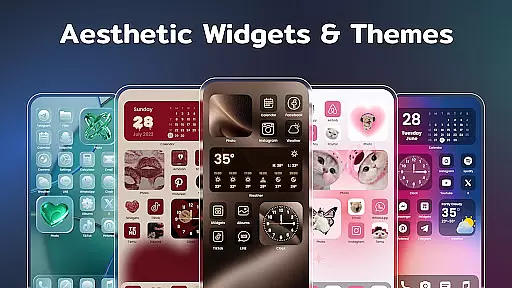
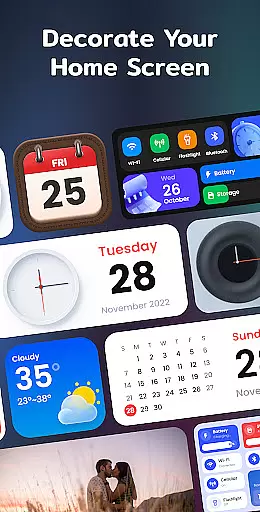
Color Widgets, Theme is a comprehensive lifestyle app designed to enhance your Android device's home screen with customizable widgets and themes. This app offers a wide array of aesthetic themes and practical widgets including clocks, photos, X-panel, calendar, weather, battery level, Bluetooth status, and event timers. With multiple sizes and styles available, it caters to various user needs and preferences.
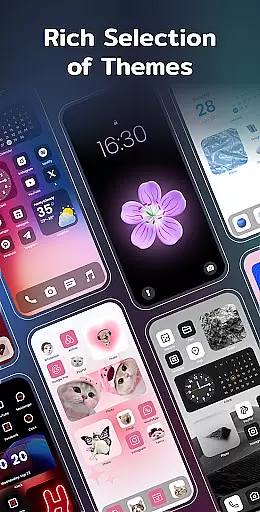
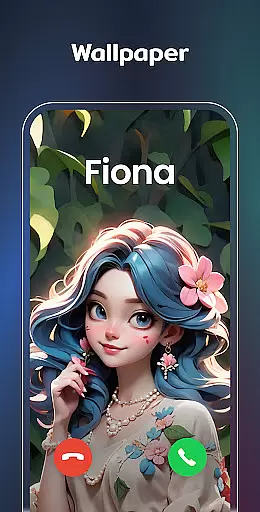
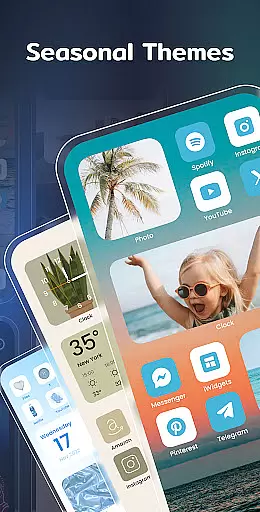
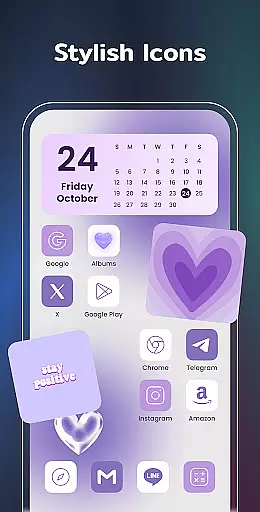
The app stands out by providing users the ability to personalize their device screens extensively. You can choose from preset themes in different styles such as anime, neon, and vintage, or customize app icons and wallpapers to match your personal style. The X-Panel widget consolidates essential phone statuses into one place, while the Photo Widget allows you to display cherished memories directly on your home screen.
Whether you're looking to make your screen unique with stylish themes or need practical tools like weather updates and event countdowns, Color Widgets, Theme delivers both form and function. Its intuitive design lets you set up your perfect home screen effortlessly, reflecting your individuality and keeping your life organized.
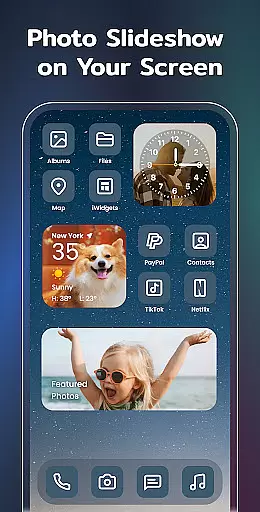
Color Widgets, Theme boasts an impressive range of features that cater to diverse customization needs. One of its key highlights is the variety of widgets available, such as the X-Panel which provides shortcuts and status updates for network connection, Bluetooth, battery level, and more. The Photo Widget decorates your home screen with cherished photos, even supporting slideshows to keep your fond memories alive.
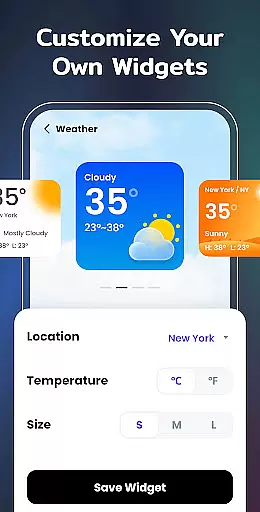
In addition to functional widgets, the app offers exquisite clock widgets in both analog and digital formats, along with elegant weather and calendar widgets. Users can enjoy real-time weather updates, creative calendar displays, and beautifully designed clock faces that add brilliance to their screens. The Event Timer feature helps you countdown to important dates, ensuring you never miss significant events.
Customization extends beyond widgets; users can apply preset themes in various styles and change app icons freely. This flexibility ensures that every aspect of your home screen reflects your personal taste. With upcoming widget types like To-do lists and Notes on the horizon, Color Widgets, Theme continues to evolve, offering even more ways to organize and express yourself through your device.
In the realm of mobile personalization, Color Widgets, Theme stands out by offering an extensive range of widgets and themes that cater to diverse lifestyle needs. This application provides users with a comprehensive suite of customization options including clock, photo, X-panel, calendar, weather, and battery level widgets among others. Each widget is designed not only to enhance the aesthetic appeal of your device but also to serve practical functions, ensuring that your lifestyle preferences are well-covered.
The app's dedication to covering various lifestyle categories is evident in its rich selection of widget types. Whether you need to keep track of important events with the event timer, monitor your phoneu2019s status through the X-panel widget, or personalize your home screen with cherished photos using the photo widget, this app has got you covered. The inclusion of multiple sizes for each widget type ensures that every user can find something that fits their specific requirements and screen space perfectly.
Moreover, Color Widgets, Theme goes beyond mere functionality by incorporating stylish themes and custom icons into its offerings. With preset themes ranging from anime to neon styles, users have the freedom to express their unique tastes and make their devices truly one-of-a-kind. By allowing for such deep personalization, the app not only meets but exceeds expectations in terms of lifestyle category coverage, making it an indispensable tool for anyone looking to tailor their digital experience to their personal style.
Color Widgets, Theme places a strong emphasis on content authenticity and expert credibility, ensuring that all provided widgets and themes meet high standards of quality and reliability. The app offers a wide array of professionally designed widgets and themes, each crafted with attention to detail and user experience in mind. This commitment to excellence guarantees that users receive not just visually appealing but also highly functional additions to their devices.
Every element within Color Widgets, Theme, from the elegant clock widgets to the informative weather displays, is developed based on thorough research and expertise in design and usability. The developers behind the app understand the importance of accurate information presentation, especially for features like weather updates and battery levels, where precision is key. As such, they ensure that these components are both reliable and easy to interpret at a glance.
Furthermore, the app's dedication to expert credibility extends to its customization capabilities. Users can trust that when they redesign app icons or choose new wallpapers, they are working with tools that respect copyright laws and promote originality. This approach fosters a safe environment for creativity while reinforcing the overall integrity of the platform. By prioritizing content authenticity alongside expertly crafted features, Color Widgets, Theme establishes itself as a trustworthy choice for enhancing your mobile lifestyle.
User-friendly interface
Extensive customization options
Variety of aesthetic themes
Practical and stylish widgets
Regular updates with new features
Requires multiple permissions
Some features may feel redundant
Premium themes cost extra
Occasional performance lags
Limited iOS compatibility

Smart controls for your Ember Smart Mugs
 4.10
4.10
A watch face with transparency and fluid visuals inspired by liquid glass design
4.5
Big bold hybrid watch face with 30 colors, 5 fonts & 5 complications.
4.4
Make money, get paid cash rewards & gift cards for every survey. Earn today!
4.60
Have your Tehillim with you at all times
4.70
Subwoofer school’s in session! You’ve now enrolled into KICKER U.
3.80
The App can control Roborock vacuum cleaners from anywhere with rich features.
4.60
Vehicle ownership simplified. Get the myChevrolet® app today.
4.60
Remotely monitor the time and temperature of food cooking on your grill.
4.60
Good magnifier app to see tiny things bigger and more clearly!
4.80
Play. Earn. Repeat. Get rewarded for playing mobile games. Welcome to Mobius!
4.80
Get the news, events and savings that matter to you with AARP Now.
4.80
Cute Adorable Animals now on your wrist with our Wear OS watch face!
4.40
Unique BIG BOLD TIME with amazing colors and customisations.
3.70
View over 160,000 line dance stepsheets from the CopperKnob website.
3.30
Designed to delight, impress and energize your festive spirit every single day
4.1
Immerse yourself in the serenity of lavender fields and white butterflies
4.2
A daily quote for success
4.2
The cutest Autumn watchface featuring the adorable Mr. Squirrel
4.2


User Reviews