
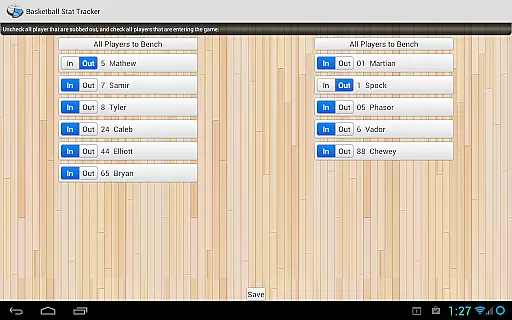
Basketball Stat Tracker is a comprehensive sports statistics application designed for basketball enthusiasts. This app allows coaches, scouts, parents, and fans to track, review, and share game statistics with ease. Moving beyond traditional pen-and-paper methods, Basketball Stat Tracker offers an efficient digital solution accessible via Android devices.
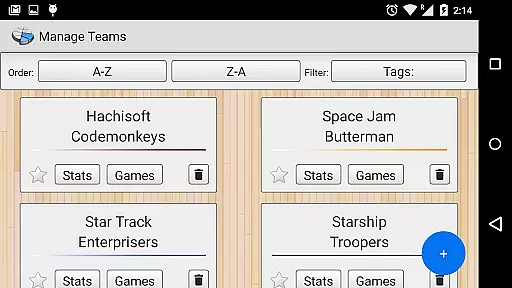
The app provides quick and accurate stat tracking through intuitive touch controls and built-in tutorials. It supports unlimited seasons, games, teams, and players, ensuring flexibility for various use cases. With features like in-app LIVE CHAT support, a heads-up display for real-time stats, and powerful reporting tools, the app caters to both casual users and professionals. Whether you're managing a single team or multiple leagues, Basketball Stat Tracker ensures your data is organized, accessible, and ready for analysis.
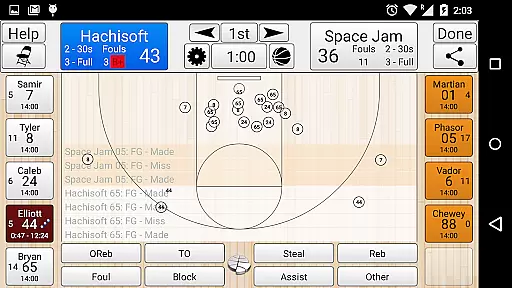
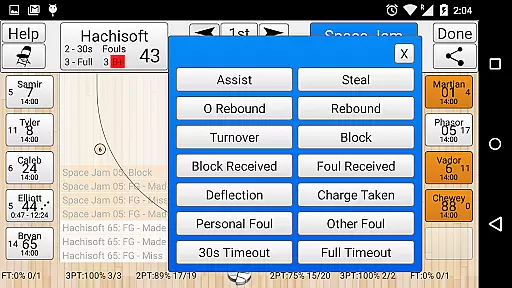
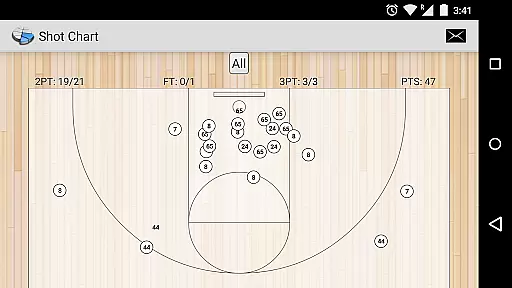
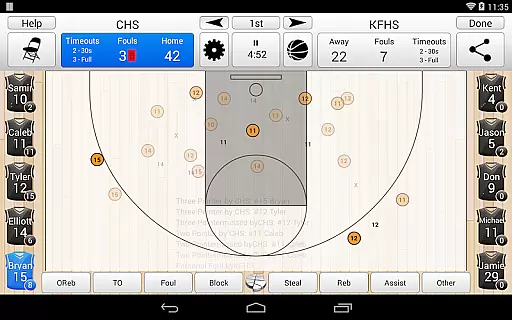
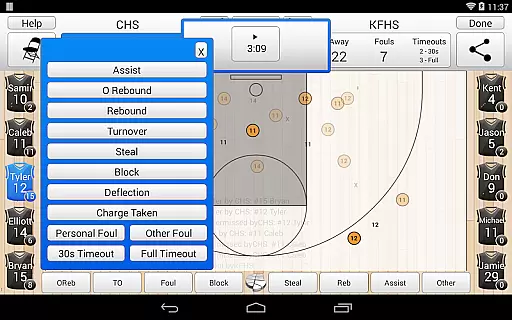
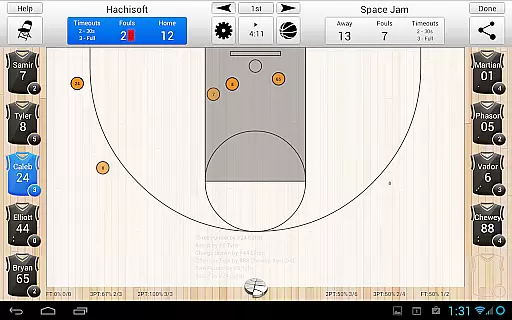
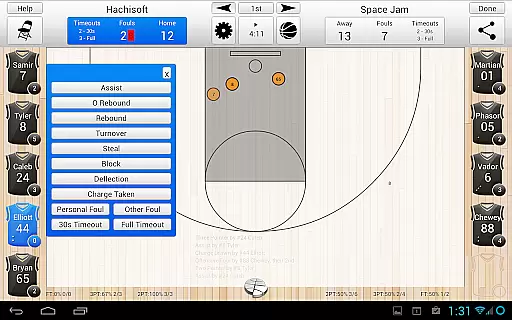
Basketball Stat Tracker stands out with its robust feature set tailored for basketball statistics. The app's touch-based interface simplifies stat entry, allowing users to log actions such as rebounds, assists, blocks, and more with precision. Its innovative shot-tracking system lets users mark makes, misses, and shot locations directly on the court diagram.
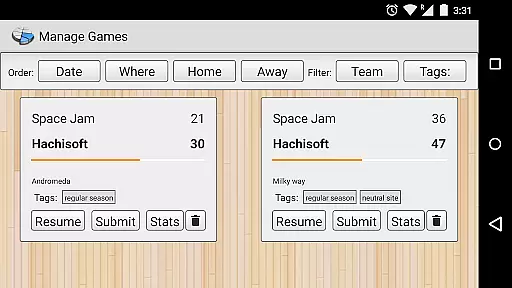
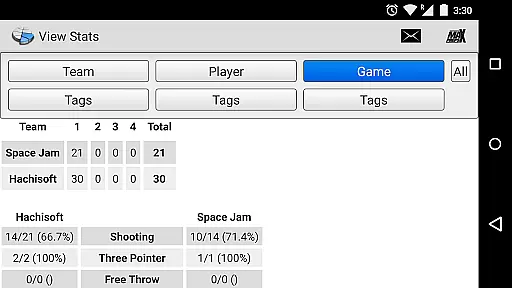
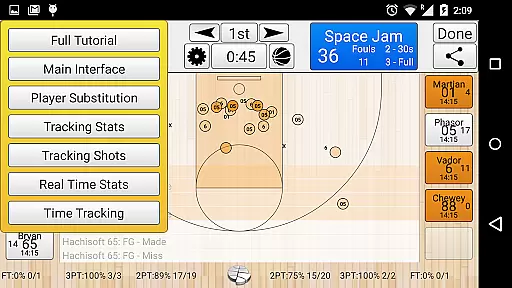
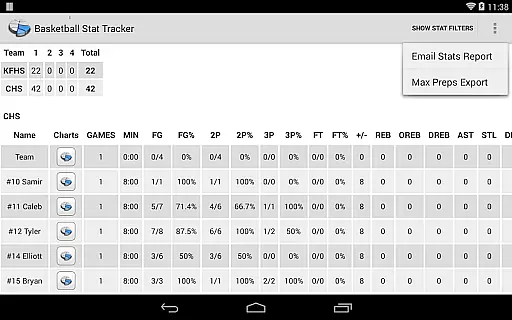
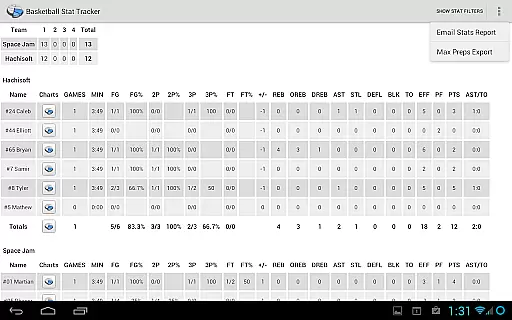
One of the key highlights is the in-game heads-up display, which provides live updates on player fouls, points, playing time, and recent plays. Advanced organizational tools include TAGs for custom stat grouping and filters by team, game, player, or period. Users can export data to platforms like StatTracker.com, HTML, or MaxPreps.com, making it versatile for sharing insights. Additionally, the app supports offline functionality, season management, and cloud backups, ensuring data safety and accessibility across devices.
In the realm of sports applications, achieving gameplay realism is paramount, and Basketball Stat Tracker excels in this area by offering an authentic experience that mirrors real-life basketball statistics tracking. The app's design incorporates detailed player and team statistics that go beyond basic scoring, including rebounds, assists, blocks, and even deflections. This comprehensive approach ensures that users can track nearly every aspect of the game, enhancing the realism of stat tracking.
The application employs an intuitive touch system for marking shot locations and recording makes or misses, which significantly contributes to the authenticity of the user's tracking experience. By integrating official court dimensions from various basketball associations such as the NCAA and NBA, the app provides a familiar and accurate environment for its users. This attention to detail in replicating real-world courts adds another layer of realism to the overall experience.
Furthermore, Basketball Stat Tracker offers advanced features like in-app LIVE CHAT support and built-in tutorials, ensuring that users can quickly resolve queries and efficiently learn the ropes. These elements not only contribute to the ease of use but also enhance the feeling of engagement with a live game. The ability to correct mistakes instantly and substitute players using lightning-fast methods further immerses the user in a realistic coaching scenario.
Basketball Stat Tracker stands out in the sports app category due to its highly intuitive control scheme, which allows users to track stats quickly, easily, and accurately during fast-paced games. The developers have prioritized user experience by implementing touch screen controls that make data entry seamless and efficient. With just a few taps, users can record complex plays and access detailed statistics, making it an invaluable tool for coaches, scouts, and basketball enthusiasts alike.
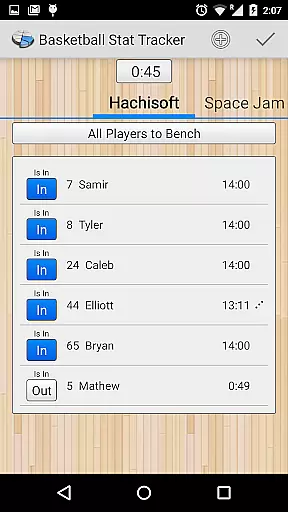
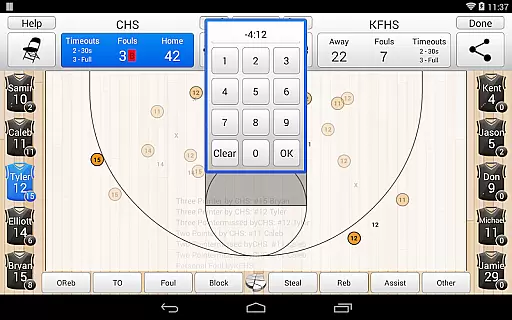
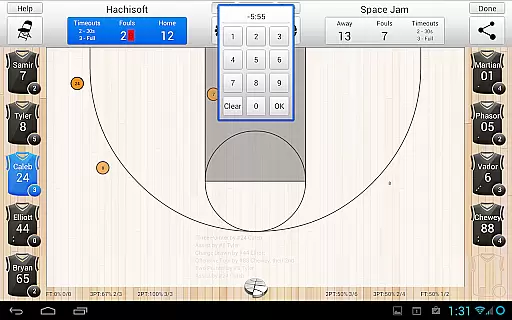
The app includes two rapid methods for substituting players, which is crucial during intense gameplay where every second counts. This feature demonstrates the app's commitment to providing a control scheme that keeps up with the speed of the sport. Additionally, the inclusion of an in-app clock for tracking game and playing time eliminates the need for separate timers, streamlining the entire stat-tracking process.
Another testament to the app's intuitive nature is its ability to function offline, ensuring that a lack of internet connectivity does not hinder stat tracking. Users can rely on the app's robust functionality regardless of their location. Moreover, the heads-up display provides real-time insights into player fouls, points, and playing time, allowing users to stay informed without navigating away from the primary tracking interface. This cohesive and thoughtful design results in a control scheme that is both powerful and easy to master.
User-friendly interface
Comprehensive stat tracking
Offline functionality
Cloud integration
Real-time updates
Premium features locked
Steep learning curve
Limited free exports
Occasional bugs
High cost for full access

Social casino meets sportsbook - more than a bet app for social sports betting!
 4.60
4.60
Join over 10,000,000 people in the only official PBA bowling game!
4.40
Exploring Football from a Unique Perspective
4.10
Old-School Football
4.40
The ultimate Golf game! Compete in 6 player real-time multiplayer golf battles!
4.70
Establish a stable of talented boxers to take on the world.
4.80
Build a soccer club from scratch and see if you can conquer the World!
4.50
Master your shots and climb the ranks in the ultimate golf game!
4.30
Gym Calendar & check-in for Buckeye Pole Vault Academy athletes, parents & admin
4.3
Soccer mini games! Play career mode: Score & be the next soccer superstar!
4.70
Modern arcade style pool game with single player, Relaxed game of 8 ball.
4.60
Real boxing game with PvP fights, tournaments & epic knockouts
4.60
Grab the ball and play your Basketball career in this 3D Real-time Sport Game!
4.60
Basketball dunking fun !
4.50
Create your own gym, train boxers, and aim for the championship!
4.50
Manage your lineup of NBA and WNBA stars on the go with the NBA 2K26 MyTEAM app.
4.50
Feel the thrill of American football: guide a team to triumph through touchdowns
4.40
This third edition of Skateboard Party features professional skater Greg Lutzka.
4.30
Realistic golf, real courses
4.10


User Reviews