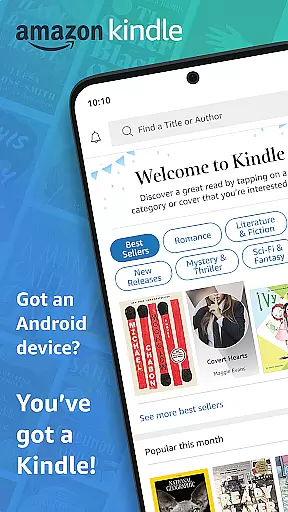
Amazon Kindle is the ultimate reading companion that transforms your mobile device into a portable library. With millions of books, magazines, newspapers, comics, and manga available at your fingertips, you can read anytime, anywhere. Whether you're commuting, taking a break, or relaxing in bed, Kindle ensures you always have something to read.
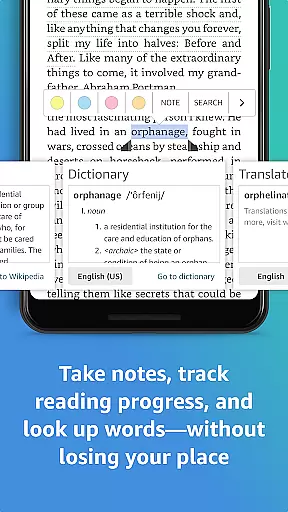
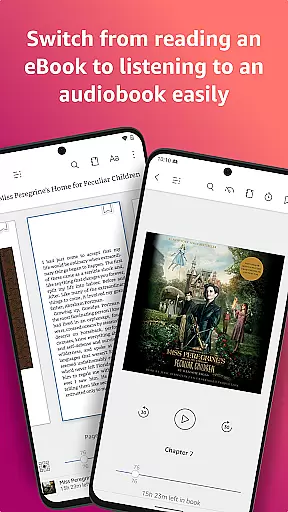
The app goes beyond just offering an extensive library. It provides features like customizable reading experiences, built-in dictionary, X-Ray, Wikipedia lookup, and instant translations. You can track your reading progress, bookmark pages, highlight text, and even take notes. Kindle also supports seamless syncing across devices and offers the option to switch between reading and listening with Audible narration.
Kindle is perfect for avid readers who want access to a vast collection of reading materials along with advanced features that enhance the reading experience. Whether you're exploring new releases, best sellers, or titles across various genres, Kindle has something for everyone.
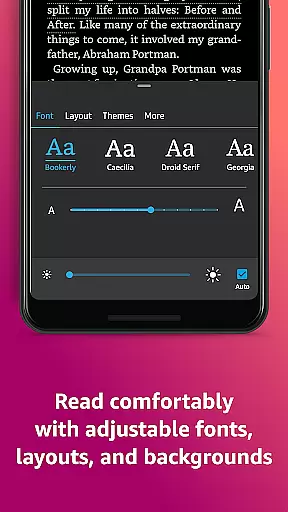
Amazon Kindle stands out with its rich set of features designed to provide an unparalleled reading experience. One of the key highlights is the ability to customize your reading preferences. You can adjust text size, font type, margins, alignment, orientation, and even choose how to turn pages. The app also offers adjustable brightness and background colors for comfortable day and night reading.
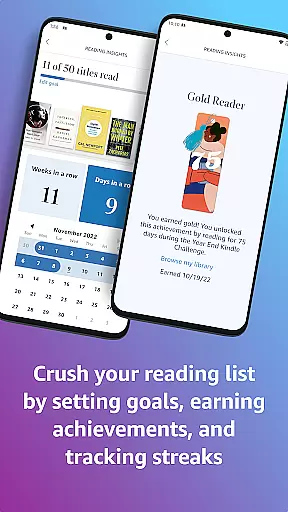
Another remarkable feature is the built-in dictionary, X-Ray, and Wikipedia lookup. These tools allow you to easily look up words, characters, and places without leaving the page. Additionally, Kindle tracks your reading progress, showing the percentage read, real page numbers, and estimated time left based on your reading speed. The Page Flip functionality lets you skim through pages while saving your place.
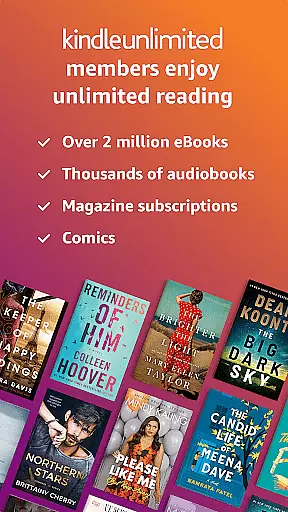
Syncing capabilities ensure that your reading progress, bookmarks, highlights, and notes are consistent across all devices. Kindle Unlimited members enjoy unlimited access to over a million titles, thousands of audiobooks, and current magazines. With Kindle, you can seamlessly switch between reading and listening, making it versatile for different scenarios.
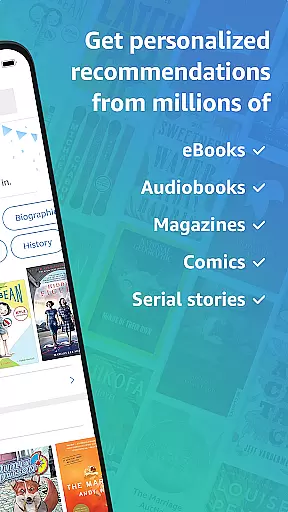
When it comes to digital reading, the size and authenticity of an e-book library are crucial factors for avid readers. The Amazon Kindle app boasts an extensive collection of millions of books, including bestsellers, magazines, newspapers, comics, and manga. This vast library ensures that users have access to a diverse range of reading materials across various genres, from romance to science fiction, children's literature to self-help guides.
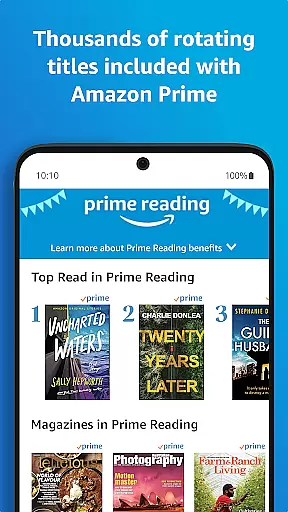
Copyright authenticity is another cornerstone of the Kindle experience. Every title available in the Kindle store is properly licensed, ensuring that authors and publishers are duly compensated for their work. This commitment to copyright compliance not only supports the creative community but also guarantees readers that they are accessing legitimate content. With features like Kindle Unlimited and Prime Reading, subscribers can enjoy a rotating selection of titles, further expanding the available library while respecting intellectual property rights.
The app goes beyond just offering a large number of titles; it provides tools for discovery and sampling. Users can explore new releases, delve into Amazon Charts best sellers, or try before they buy with free samples. This extensive and authentic library empowers readers to find their next great read with confidence, knowing they are accessing quality content that respects both the creators and consumers of literature.
For an optimal reading experience, format compatibility plays a vital role in ensuring that digital publications render correctly across different devices. The Amazon Kindle app excels in this area by supporting a wide array of formats, making it versatile for various types of content. Whether you're reading novels, graphic-heavy magazines, or illustrated children's books, the Kindle app adapts to provide a seamless experience.
The app supports popular e-book formats such as AZW, MOBI, and PDF, allowing users to import personal documents and read them alongside purchased titles. This flexibility extends to periodicals as well, where complex layouts of newspapers and magazines are preserved, enabling readers to enjoy content as intended by the publishers. Additionally, the integration of adjustable text settings means that regardless of the original format, users can customize their reading experience to suit their preferences.
Furthermore, the Kindle app maintains consistency through its synchronization feature, which works across devices. This means that whether you're switching between your phone, tablet, or dedicated e-reader, your place is saved, along with any bookmarks, highlights, or notes. Such comprehensive format support and cross-device functionality ensure that readers can focus on what matters mostu2014the joy of readingu2014without worrying about technical limitations.
User-friendly interface
Extensive library
Customizable reading settings
Seamless cross-device syncing
Built-in dictionary and X-Ray
Occasional sync issues
Limited free content
Subscription fees for Kindle Unlimited
Ads in the free version
Heavy storage usage

A guide for the Court of Atonement spiritual healing process.
 4.0
4.0
The Bible Audio Guide
4.80
Powerful Bible study tools linked to every verse in an easy-to-use Bible reader!
4.60
7 Languages, Google, Wiki, Vocabulary.com, Cambridge & Urban Dictionary!
4.50
F9 Cookbook Mobile App
4.60
Daily rosary and gospel reflections for catholic
4.90
Discover, track, and share your reading with friends & our community of readers
4.60
Build family tree & discover DNA, family history heritage, origins and ancestors
4.60
A story reading app: Read stories, novels and books, or write your own.
3.90
Flora of Virginia Project (www.floraofvirginia.org)
5.00
Contains the 365 daily readings and everything other thing needed for catholics
4.70
Read the KJV Bible with Strong’s offline: reading plans, audio Bibles, and more.
4.70
Manage collectibles, survey and treasure maps in Elder Scrolls Online.
4.40
Holy Bible with verses and audio for studying and prayer
4.30
Zerobooks Light Novel Reader by GOLDENAGATO
4.20
KJV Bible works offline with Audio, Hebrew & Greek lexicon (concordance) & more!
4.20
Enjoy your favorite books
3.50
Novels, audiobooks, ebooks & fanfiction. Read anytime, anywhere!
3.40
The Psalms for singing
4.1


User Reviews